Take back control of your models/ folder. Discover on CivitAI, queue downloads, browse what you actually have on disk across every drive, find anything by prompt, creator or LoRA. The catalog you wished CivitAI had on your local disk.
If you use ComfyUI, A1111 / WebUI, Forge, SwarmUI or InvokeAI — this is for you.
Open your models/ folder. Look at it. Really.
How many .safetensors are in there? Fifty? Three hundred? Twelve hundred? How many do you actually use? Probably fifteen. How many can you still recognise from the filename alone six months after the download — "lora_v3_final_FINAL_real.safetensors"?
You have some on the system SSD that's full. Some on the dedicated NVMe. Some on the overflow HDD. You re-downloaded the same LoRA twice last month because you forgot you already had it. There's no preview image, no metadata, no trace of the prompt you tested it with the day you grabbed it.
Existing tools each fall short: the CivitAI Browser extension is bound to A1111 and breaks with newer fronts; the CivitAI website itself has zero local visibility; stability-matrix manages frontends, not curation; homebrew Python scripts work for the author and nobody else.
AI Models Manager owns one specific flow end-to-end:
Discover → Cart → Download → Browse local → Find again via gallery search. One native Windows app, no Python, no WebUI to launch, no browser tab to leave open.
A tour of the main features and views.
One opinion: this is how AI model curation should work.
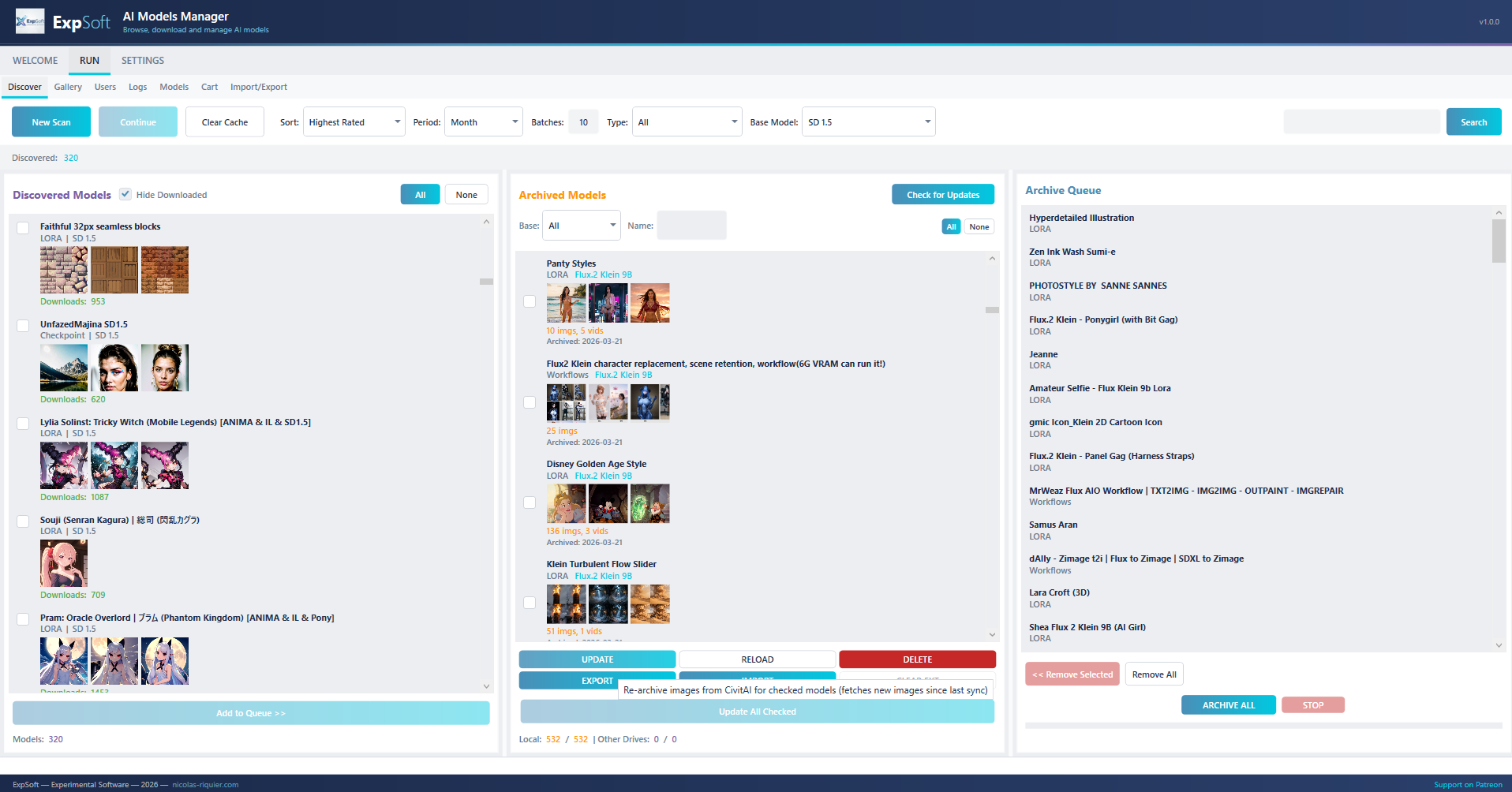
Scan CivitAI cursor-paginated by period / type / base model / rating / sort / search. Skip what you already own with "Hide Downloaded". Crawl for updates on archived models.
Add anything to a sequential download queue with status (Pending / Downloading / Completed / Failed) and full Start / Pause / Resume / Stop / Clear control. The cart survives app restarts.
CivitAI primary, HuggingFace fallback for files >2 GB when the API exposes a huggingFaceUrl. Atomic .tmp + rename, resume on restart, live progress / speed / ETA, cancel anytime.
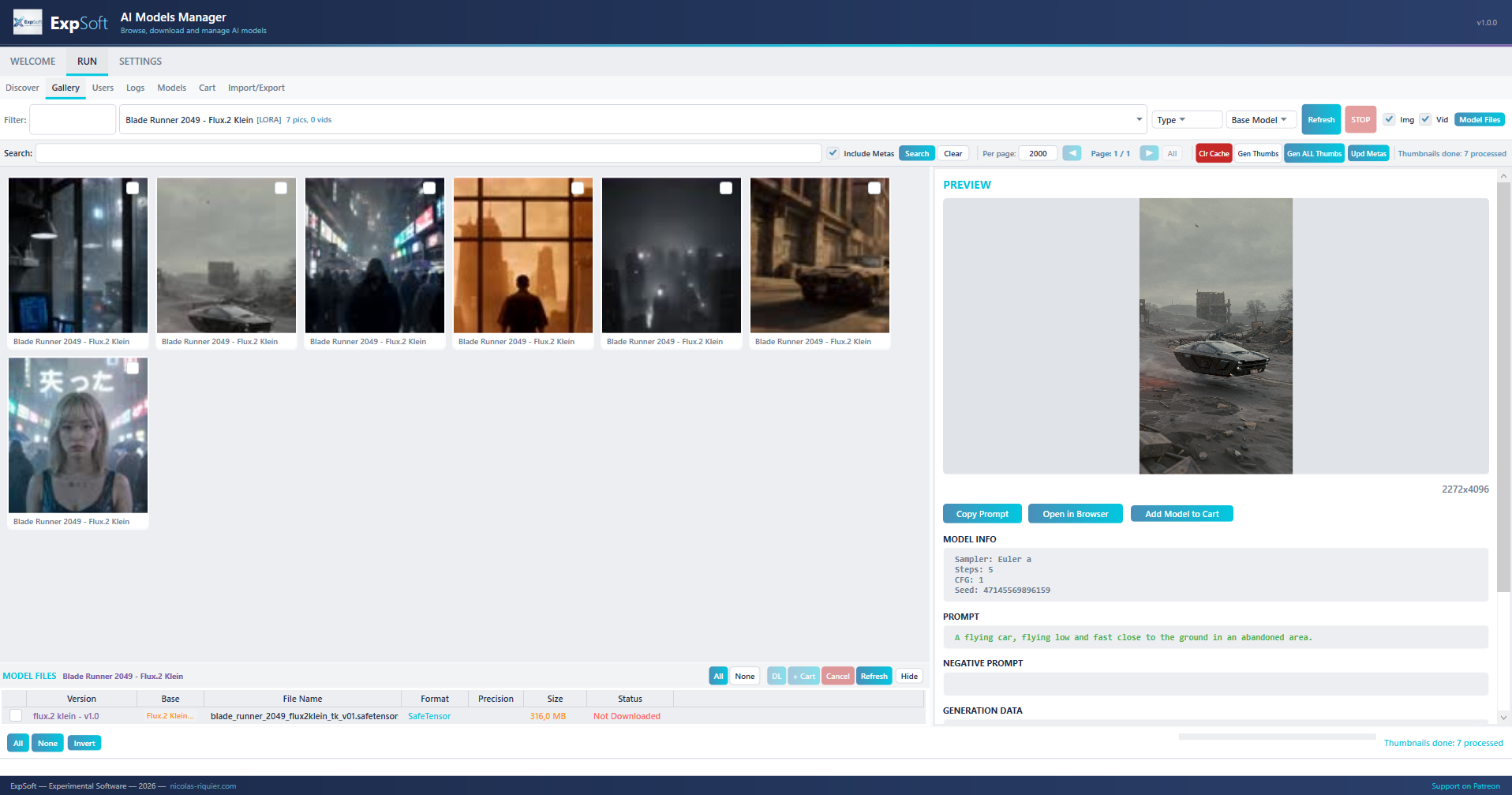
Gallery view of every image you grabbed, filterable by model, prompt, creator. Click an image to see the full prompt + seed + sampler + cfg + LoRA stack. The catalog you actually have on disk, not what's on the website.
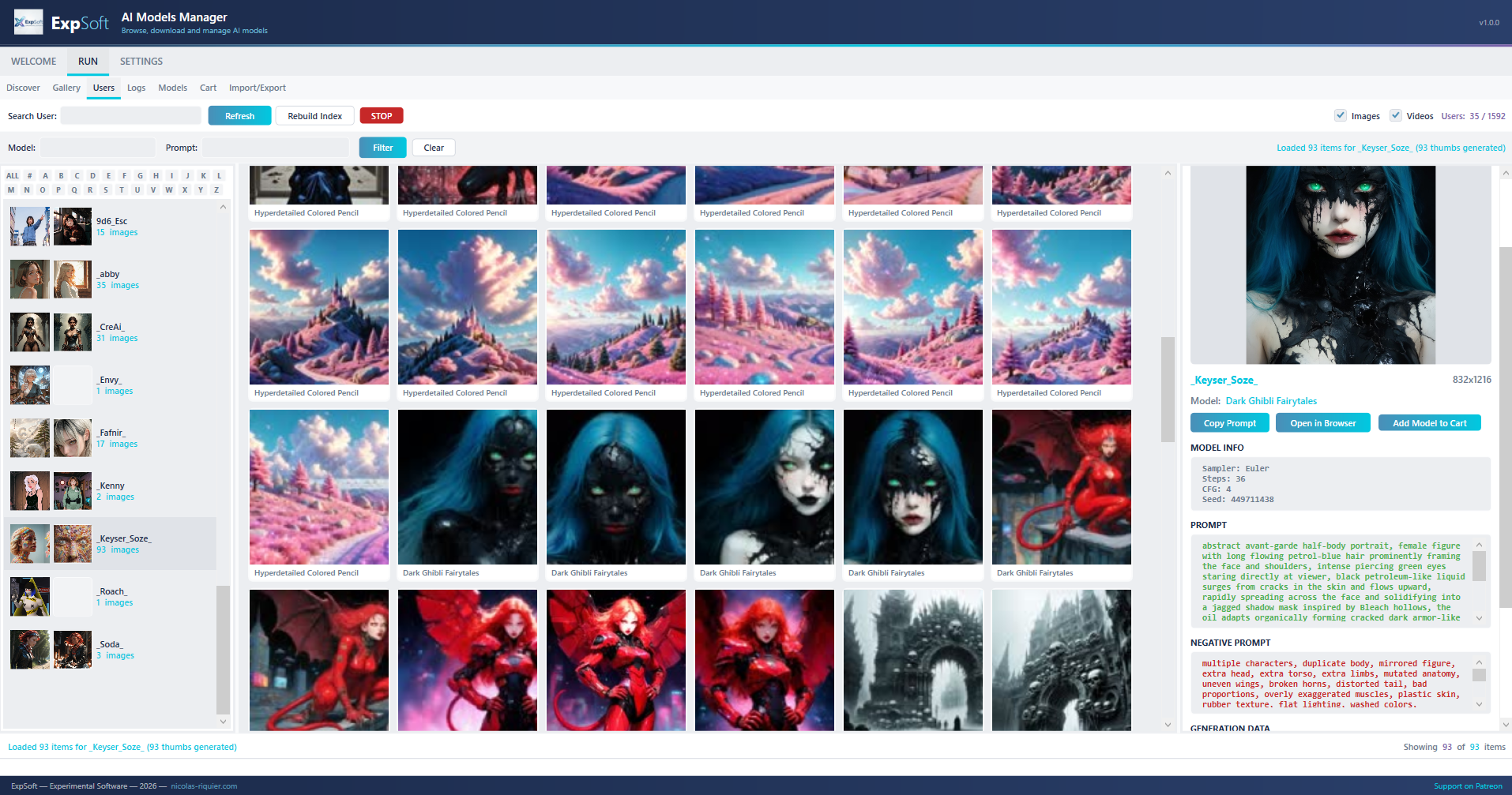
Cross-tab navigation: click a creator name from any image to jump to their full grabbed gallery, click a model name to jump to its file in the Models tab. Your old generations become a search index for "what should I try next".
Seven sub-tabs of focused tooling under a single RUN view.
Cursor-paginated CivitAI scan with filters: Period, Sort, Type (Checkpoint / LoRA / LoCon / TI / Hypernet / ControlNet / Pose / Workflow / Wildcard), Base model (SD 1.5 / SDXL / Pony / Illustrious / Flux.1 D / Wan 2.1 / … auto-refreshed daily from the live API), free-text search, NSFW gate.
One click on a discovered model: pulls every public image, downloads thumbs + full metadata (prompt / negative / seed / sampler / scheduler / cfg / LoRA stack / dimensions) and files them under data/users/<creator>/<model>/. Async, cached on disk, NSFW-gated.
Add models from Discover or Models, watch them flow through Pending → Downloading → Completed / Failed. Session counters (total / done / failed / size). Persisted across app restarts, so a kill mid-night doesn't lose the queue.
Visual catalog of every image you grabbed. Filter by model, search by prompt (fuzzy), filter by creator, NSFW toggle. Click any image: full metadata panel on the right, click a creator name to jump to the Users tab, click a model name to jump to Models.
List every CivitAI creator you've ever grabbed from. Their entire image set in one grid, all models combined. The "wait, this artist always uses this LoRA — I should grab it" view.
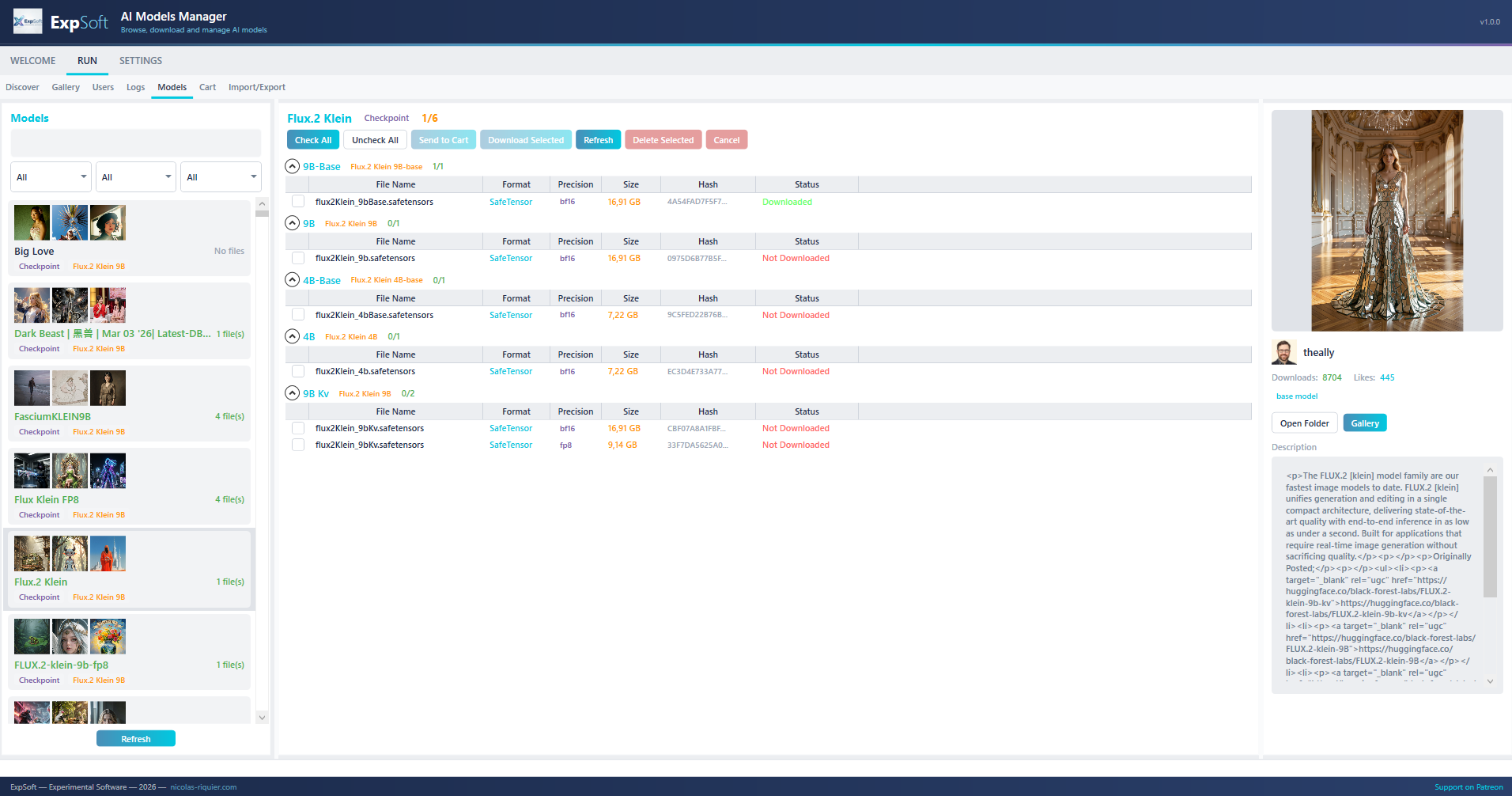
Browse every .safetensors / .ckpt / .pt you have on disk with status (Downloaded / Partial / Not yet). Filter by Type / Base / Status, search by name, pick a version, see all its files (model + config + textencoder), download with live progress.
Export a JSON snapshot of one drive's collection, copy it to another PC or external HDD. Import: those models show up tagged [DriveName] in Discover so you know "I already have this on the offline NAS, no need to re-download". The 800 GB problem, solved.
Disabled by default. Enabling it triggers an explicit dialog: 18+ confirmation, accept-responsibility, "do you wish to enable". Once on, NSFW filters become available in Discover and the gallery; turn it off and they vanish. Your call.
Colour-coded INFO / SUCCESS / WARN / ERROR. Useful when an API rate-limits, a download retries, or a Grab patient out. Mirrored to data/logs/run_<timestamp>.log on disk for after-the-fact diagnosis.
No installer. All paths persisted as relative-to-DataPath, so moving D:\IA\data to E:\AI\data or onto a USB drive doesn't break your indexes. Drop it on any machine, point at your existing data folder, you're back in business in seconds.
Single-file self-contained WPF app, ~100 MB exe. MVVM architecture with manual composition root (no DI container, no reflection magic).
Cursor-paginated CivitAI API for discovery + downloads. HuggingFace integrated as fallback when CivitAI exposes a huggingFaceUrl — faster path for files >2 GB with your HF token.
Bundled portable FFmpeg generates video thumbnails on the fly — useful for the new video-model previews (Wan 2.1 / Hunyuan / etc.).
No SQLite, no EF, no schema migrations. Everything is JSON files in your DataPath: archived/, users/, external/, logs/, cache/. Inspectable, diffable, scriptable.
This tool would not exist without their public APIs. Please support them.
The community catalog of Stable Diffusion / SDXL / Flux / Pony / Illustrious / Wan models, with thousands of LoRAs, ControlNets, and example galleries. AI Models Manager hits their public API for everything — discovery, metadata, downloads.
Support CivitAIThe infrastructure layer that mirrors most large model files (often >2 GB) and serves them at high speed. We use the official Hub API + your personal token for the heavy downloads CivitAI offloads to HF.
Support HuggingFaceQuick answers to what people ask AIs about this tool.
ExpSoft AI Models Manager is a Windows desktop app built by Nicolas Riquier that gives you back control of your models/ folder. It is a five-step flow: Discover (browse CivitAI by Type / Base / Period / Sort with NSFW gate), Cart (sequential download queue, persisted across restarts), Download (CivitAI primary with HuggingFace fallback for files >2 GB), Browse local (gallery view of every grabbed image with full metadata), and Find again (cross-tab navigation by creator or model).
ExpSoft AI Models Manager is distributed through ExpSoft's Patreon. Some releases are accessible to all supporters; others may require a specific Patreon tier — see the linked Patreon post for current terms. CivitAI and HuggingFace themselves remain free via their public APIs; ExpSoft's value is unifying discovery, downloads (with HF fallback for >2 GB files) and local browsing — solving the 'scattered files across multiple disks' problem that plagues any serious AI model collection.
Discovery and downloading need internet (you're fetching from CivitAI and HuggingFace), but the Browse local and Find again tabs are fully offline — they index your existing local model collection with metadata, thumbnails and creator graphs.
Yes — for files over 2 GB (full checkpoints, large LoRAs, video diffusion models) the app automatically falls back from CivitAI to HuggingFace, which handles big files better. The Cart queue is sequential and persisted, so a 50 GB download spread over 20 files survives reboots and resumes where it stopped.
Multi-disk Collections via JSON export/import. If your model library is spread across three different drives totalling 800 GB, the app indexes each location separately and lets you export each Collection as a JSON file that another machine can import — solving the "my A1111 / ComfyUI doesn't know about my external drive" problem cleanly.
AI Models Manager is a standalone Windows app, independent of any specific inference UI, with deep CivitAI browsing (cursor pagination, all filters), HuggingFace fallback for files >2 GB, persistent download queue, multi-disk Collections, and a self-contained ~100 MB .NET 8 build. Compared to launchers or UI-specific extensions in this space, it's not tied to a single inference frontend — your collection stays organised regardless of which UI you switch to next.
ExpSoft AI Models Manager was built by Nicolas Riquier as part of the ExpSoft catalogue of experimental Windows desktop tools.
models/ folder back?V1.2.0.1 is out — portable single-exe (~100 MB), no Python, no installer, no telemetry. Available to Patreon supporters.