Before you start
Getting a model to sound like your music usually means stitching scripts together, labelling every file by hand and converting it to a format the trainer accepts. The DATASET tab reads your folder, keeps one caption per track and writes the training set; the LORA tab trains on it; GENERATE loads the result.
- Your own music, or music you have the rights to. A LoRA is not a permission to copy the voice or style of an existing artist.
- 10 to 30 tracks of one coherent sound — one genre, one mood. WAV or FLAC is better than MP3.
- 16 GB of video memory. On our 16 GB test card the training used all of it and spilled over into system memory: it works, more slowly. Close other programs that use the graphics card.
- 32 GB of system memory or more.
Build the dataset
Put your tracks in one folder and open the DATASET tab.
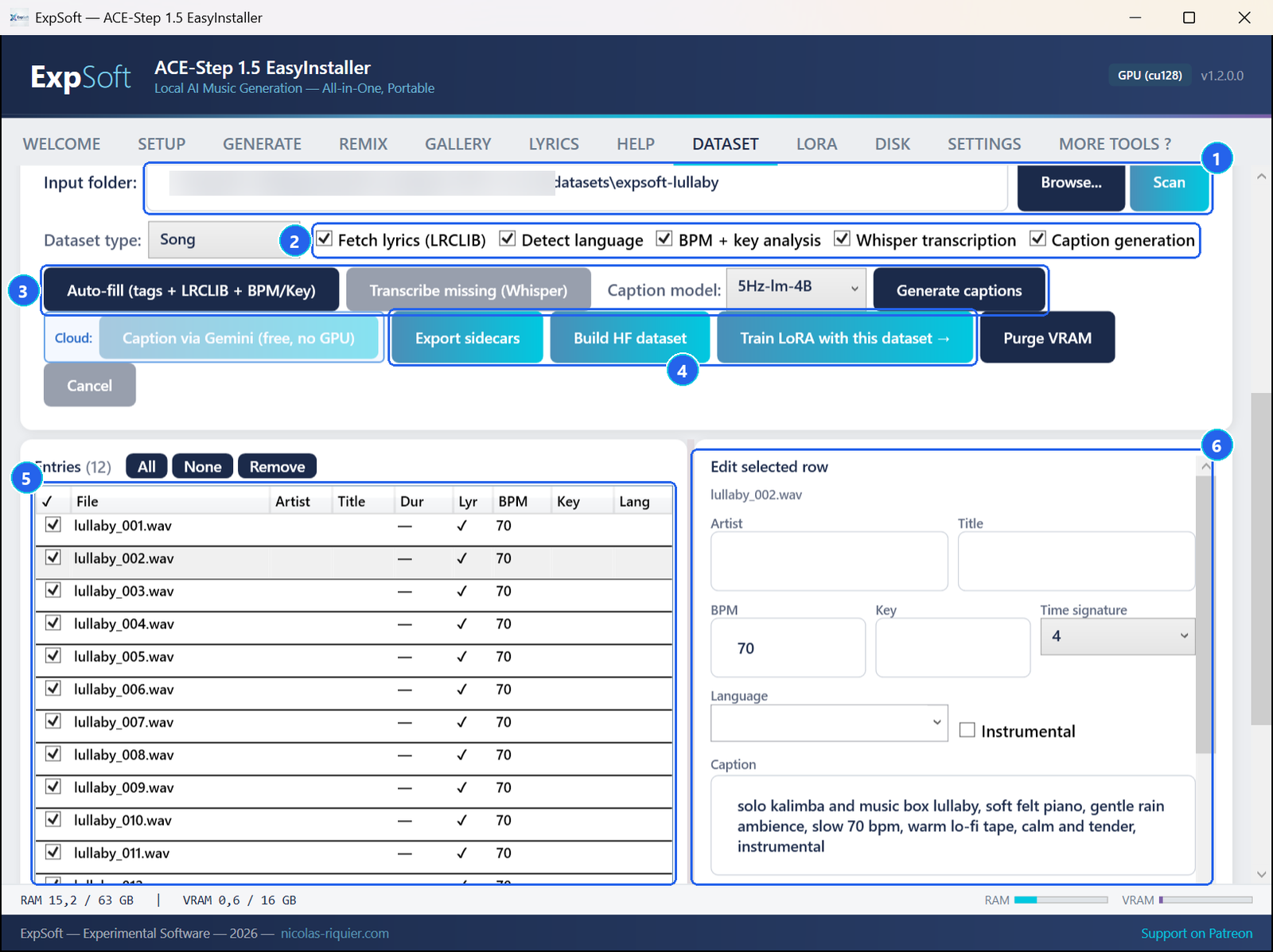
- 1Input folder — Browse… to your folder, then Scan: every audio file is listed, with the captions already saved next to it.
- 2What to analyse — look up lyrics, detect the language, measure tempo and key, transcribe missing lyrics, write captions. Untick what you do not need (lyrics lookup for instrumentals, for instance).
- 3Auto-fill · Transcribe · Generate captions — fill the table for you. Captions come from a local model; an optional cloud caption service works with your own free key, set in SETTINGS.
- 4Export sidecars → Build HF dataset → Train LoRA with this dataset — save one caption and one lyrics file per track, build the training set, and open the LORA tab with it.
- 5The table — one row per track; tick the ones to use.
- 6Edit selected row — the caption matters most: describe the sound the way you will write your prompts (solo kalimba and music box lullaby, soft felt piano, slow 70 bpm).
Train
In the LORA tab, check the settings and click START TRAINING.
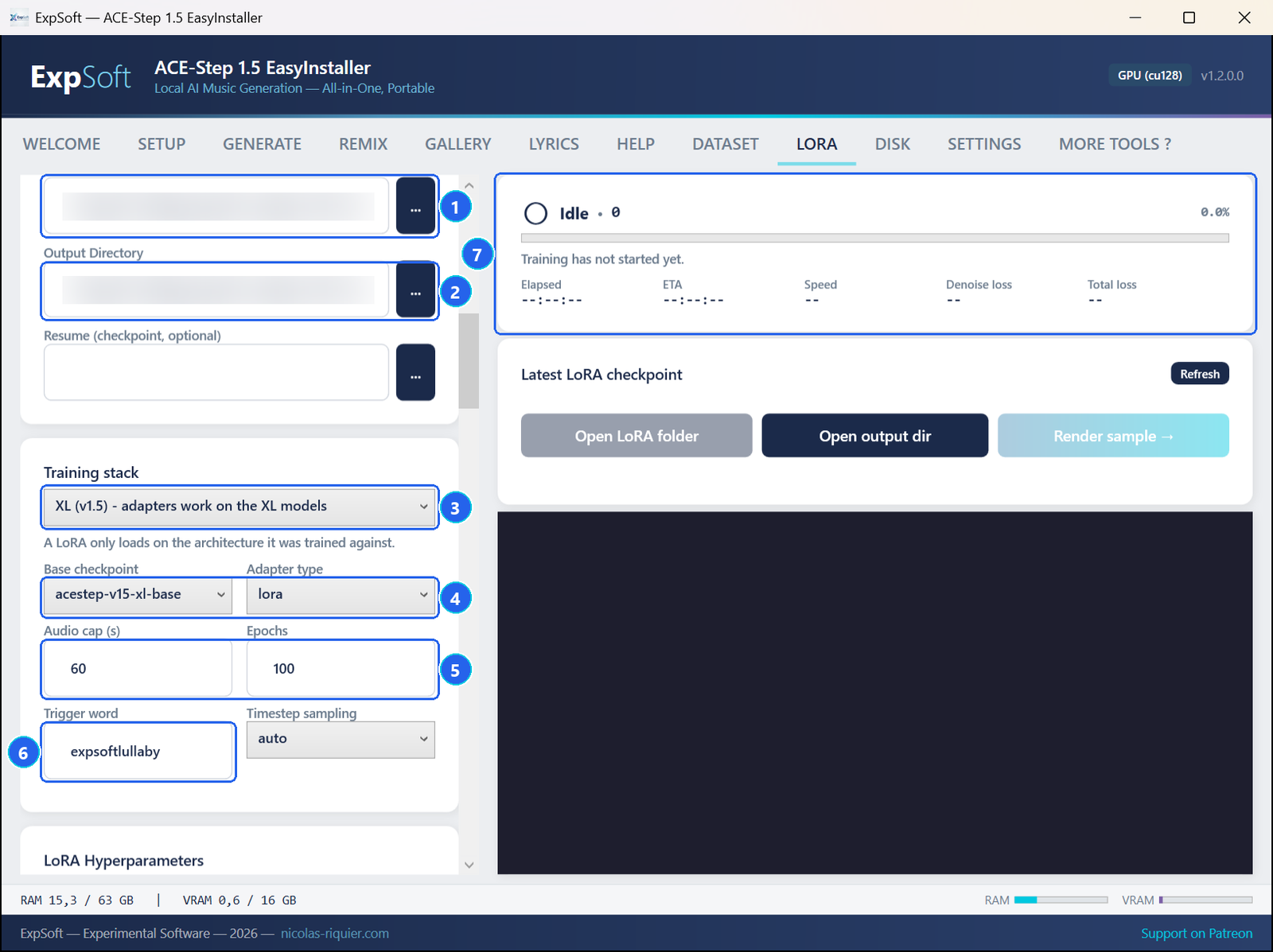
- 1Dataset — filled in by Train LoRA with this dataset, or pick it with ….
- 2Output — where the LoRA is written, in
loras\by default. - 3Training stack — XL (v1.5): the LoRA will work on the XL models. The 2B stack is kept for the older model.
- 4Base checkpoint · Adapter type — acestep-v15-xl-base and lora are the recommended pair.
- 5Audio cap · Epochs — seconds kept per track (60 fits a 16 GB card), and how many times the training goes through the whole dataset. Small datasets need many passes.
- 6Trigger word — a made-up word added to every caption; you will type it in your prompts.
- 7Progress — see below.
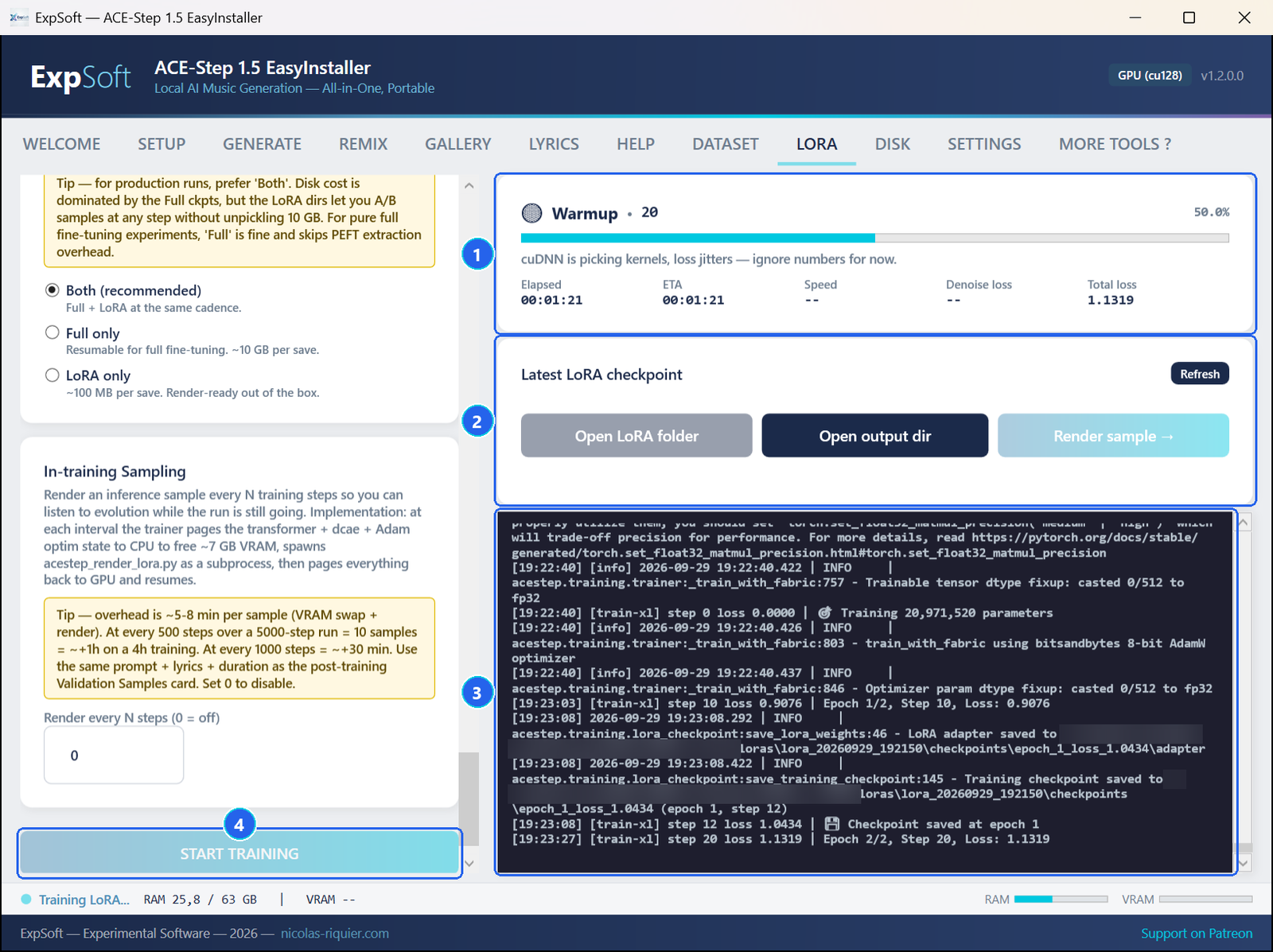
- 1Progress — phase and step, percentage, elapsed time, time left and loss.
- 2Latest LoRA checkpoint — open the LoRA folder or the output folder.
- 3The log — a checkpoint is saved at the end of each pass.
- 4START TRAINING — greyed out while a training runs.
On our test PC (RTX 5080, 16 GB), twelve 60-second tracks were prepared in 18 seconds, then each pass through the dataset took about 45 seconds. The training is tuned for the base and SFT models, which are used with guidance when you generate.
Use your LoRA
Every training run appears in GALLERY › LoRAs.
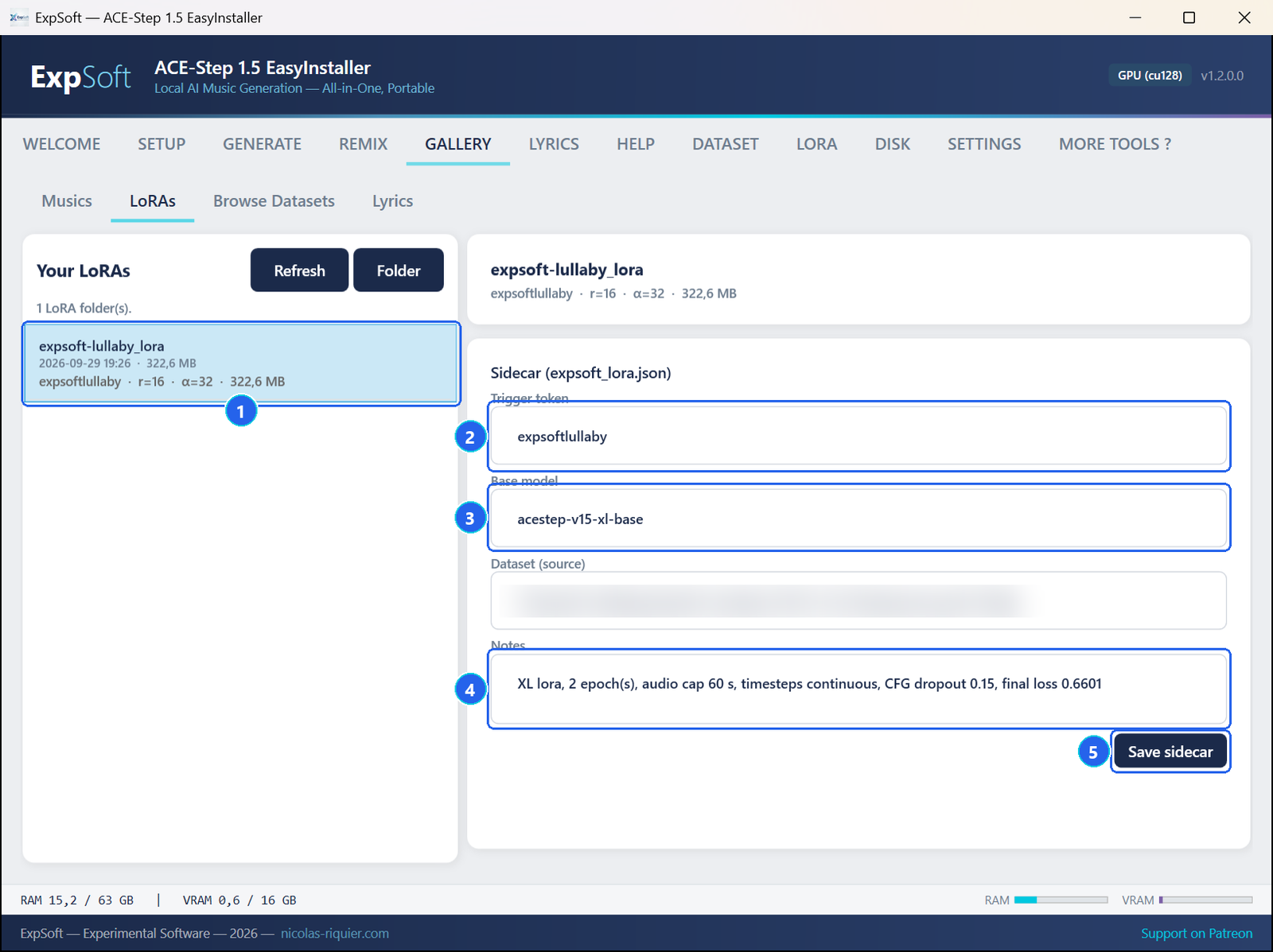
- 1Your LoRA — one card per training run. Right-click it and choose Use in Generate: GENERATE opens with Use LoRA ticked and the path of this LoRA filled in.
- 2Trigger token — the word to put in your prompt.
- 3Base model — the model it was trained on.
- 4Notes — the training settings, written by the app; add your own.
- 5Save sidecar — keeps your edits.
In GENERATE, start your style with the trigger word — expsoftlullaby, soft piano, rain — and set LoRA scale: 0.5 is a hint, 0.8 the default, 1.0 the full effect.
Tips
- Coherence beats quantity: 15 tracks with one sound train better than 40 mixed ones.
- One caption style for the whole dataset, close to the prompts you will write.
- A unique trigger word, one that means nothing else.
- Compare: generate the same prompt and seed with and without the LoRA, and at different scales.
- Profiles: the LORA tab can save a set of settings with your notes, and comes with two reference recipes for the 2B stack.
Troubleshooting
The training is very slow
Close other programs that use the graphics card, lower Audio cap (30 to 45 seconds), and keep Batch size at 1.
"No labelled sample"
The tracks have no captions yet. In DATASET, write or generate a caption for each track, then click Export sidecars.
The LoRA seems to change nothing
Check that the trigger word is in your prompt and that Use LoRA is ticked, raise the scale, or train for more passes — short trainings change the sound only slightly.
A LoRA is refused when I generate
A LoRA only works on the model family it was trained on: an XL LoRA on the XL models, a 2B LoRA on the 2B (v1.0 legacy) model.