v1.0.5.9

ExpSoft ACE-Step 1.5

Full-length music generation on your own GPU. Prompt a style, write your lyrics, hit GENERATE — or drop an existing track and remix it. ACE-Step 1.5 XL (5B DiT), fully portable, fully offline.

New version available!

Screenshots

Click any image to zoom. Captured on V1.0.5.9 (Windows 11, RTX 5080).

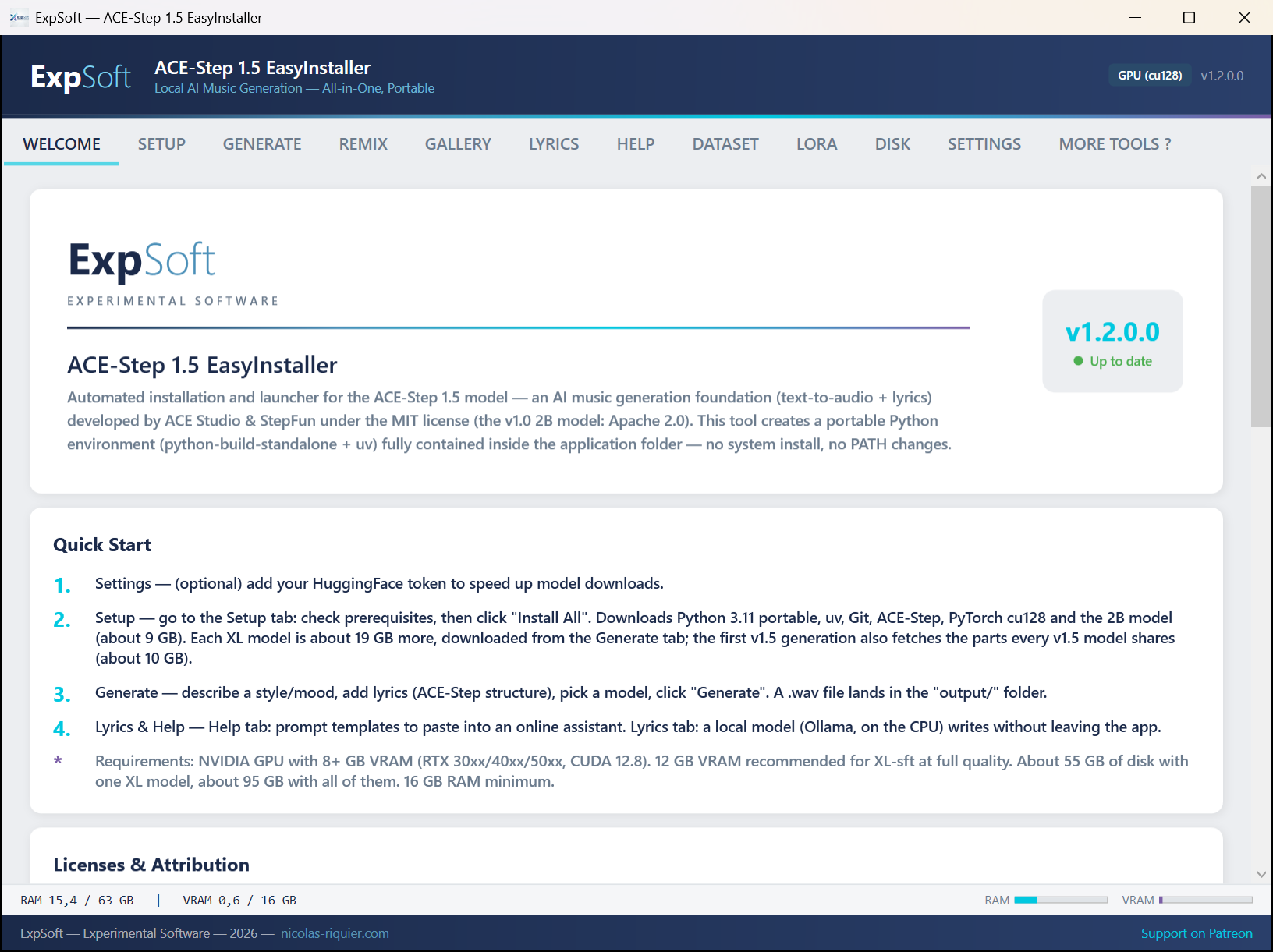
Welcome Tab
Welcome — Quick start, licenses, what ACE-Step can do
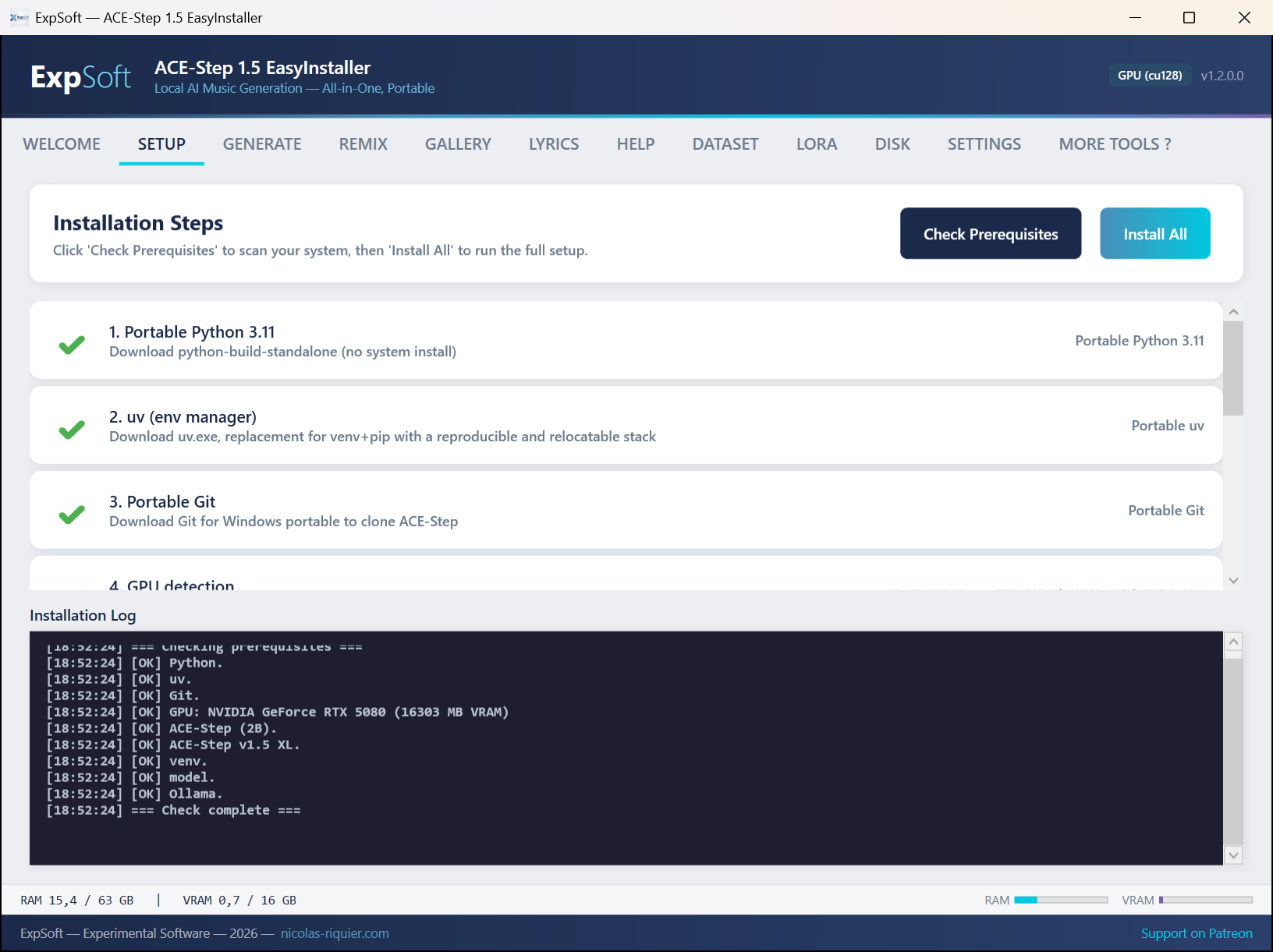
Setup Tab
Setup — One-click install of Python, PyTorch cu128, ACE-Step 1.5, models
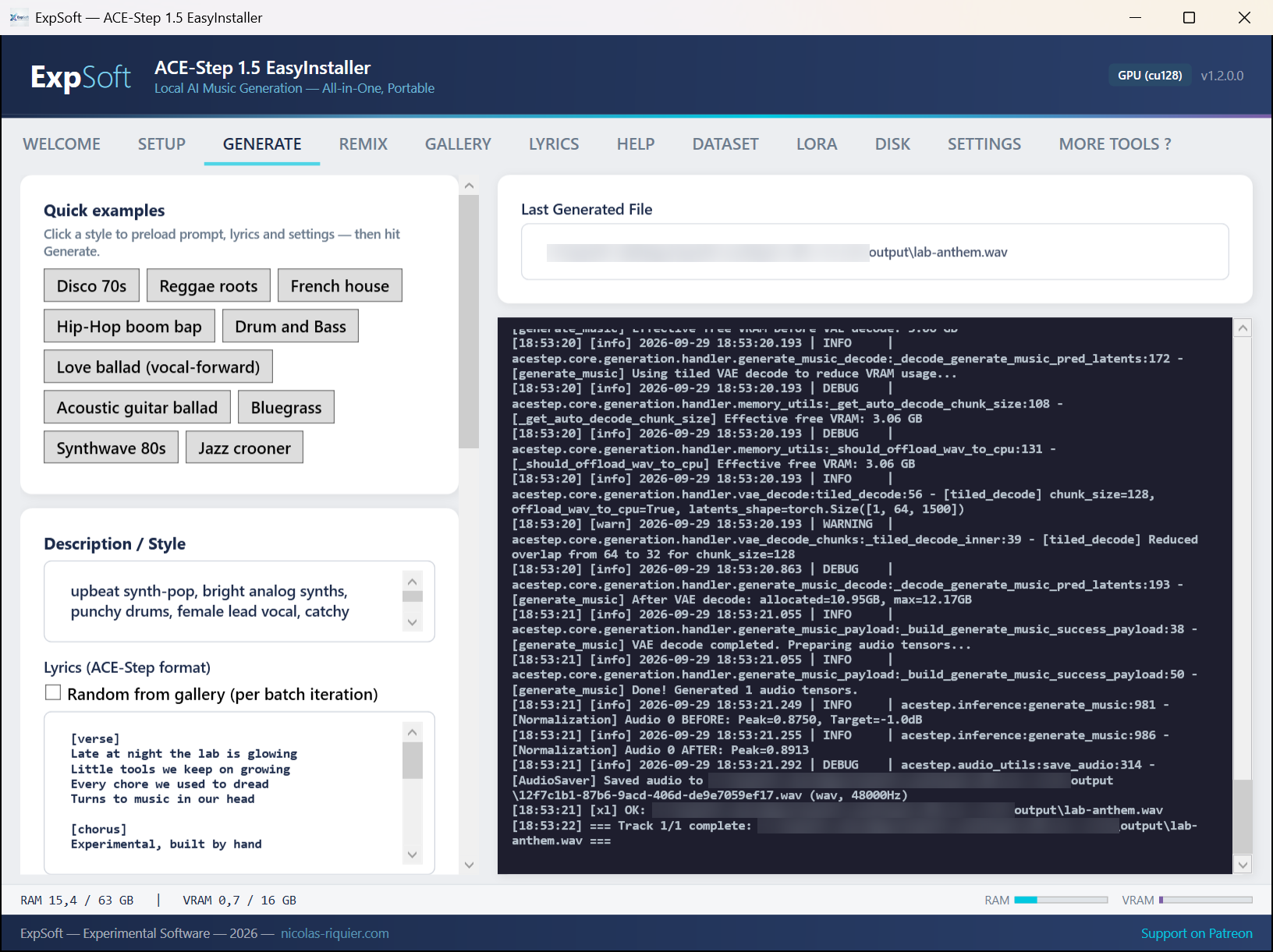
Generate Tab
Generate — 10 one-click style templates, prompt + lyrics, CFG / steps / scheduler tweaks
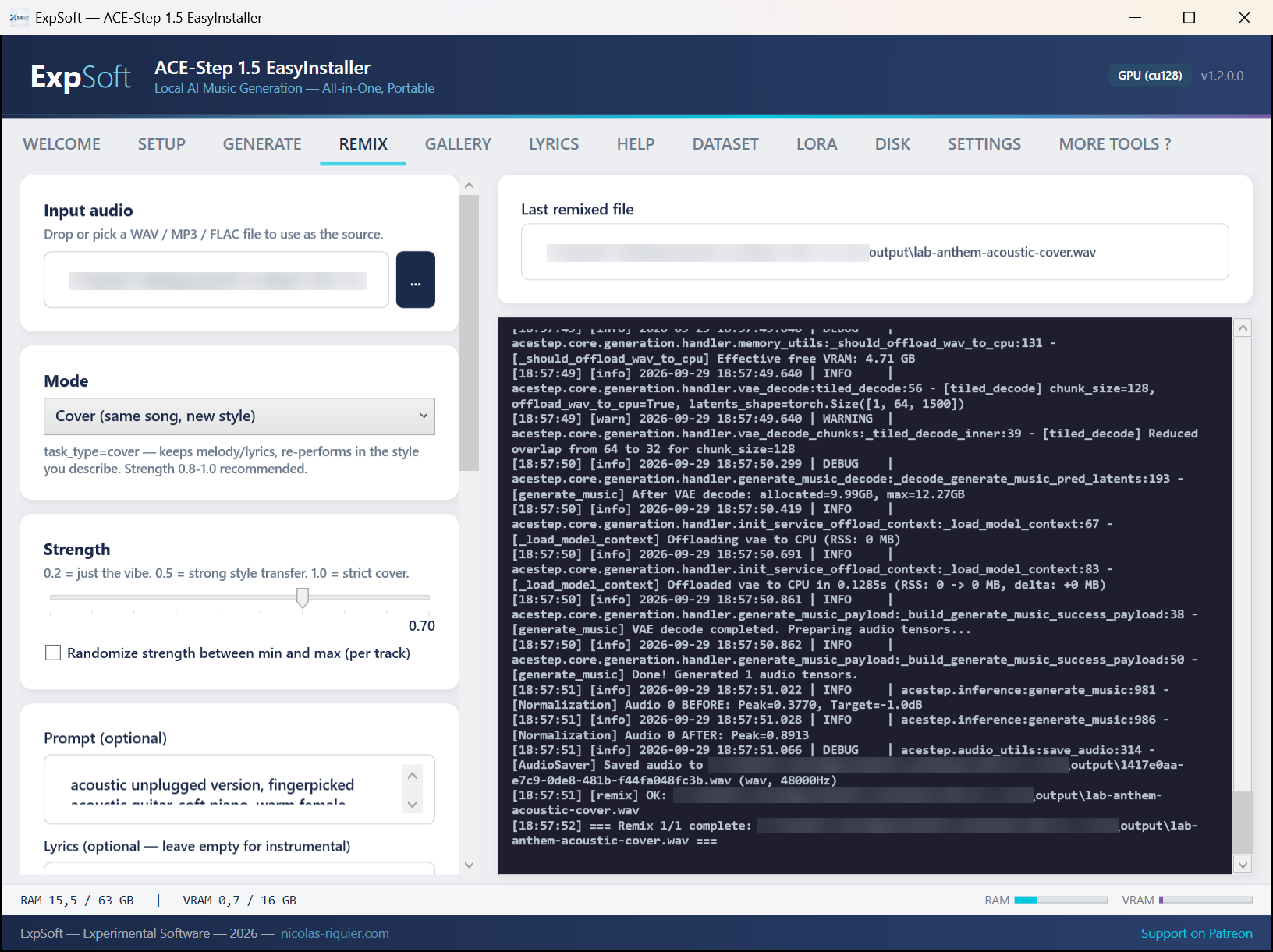
Remix Tab
Remix — Drop an MP3, pick Cover / Inspire / Extend, tune the strength slider
Lyrics Tab
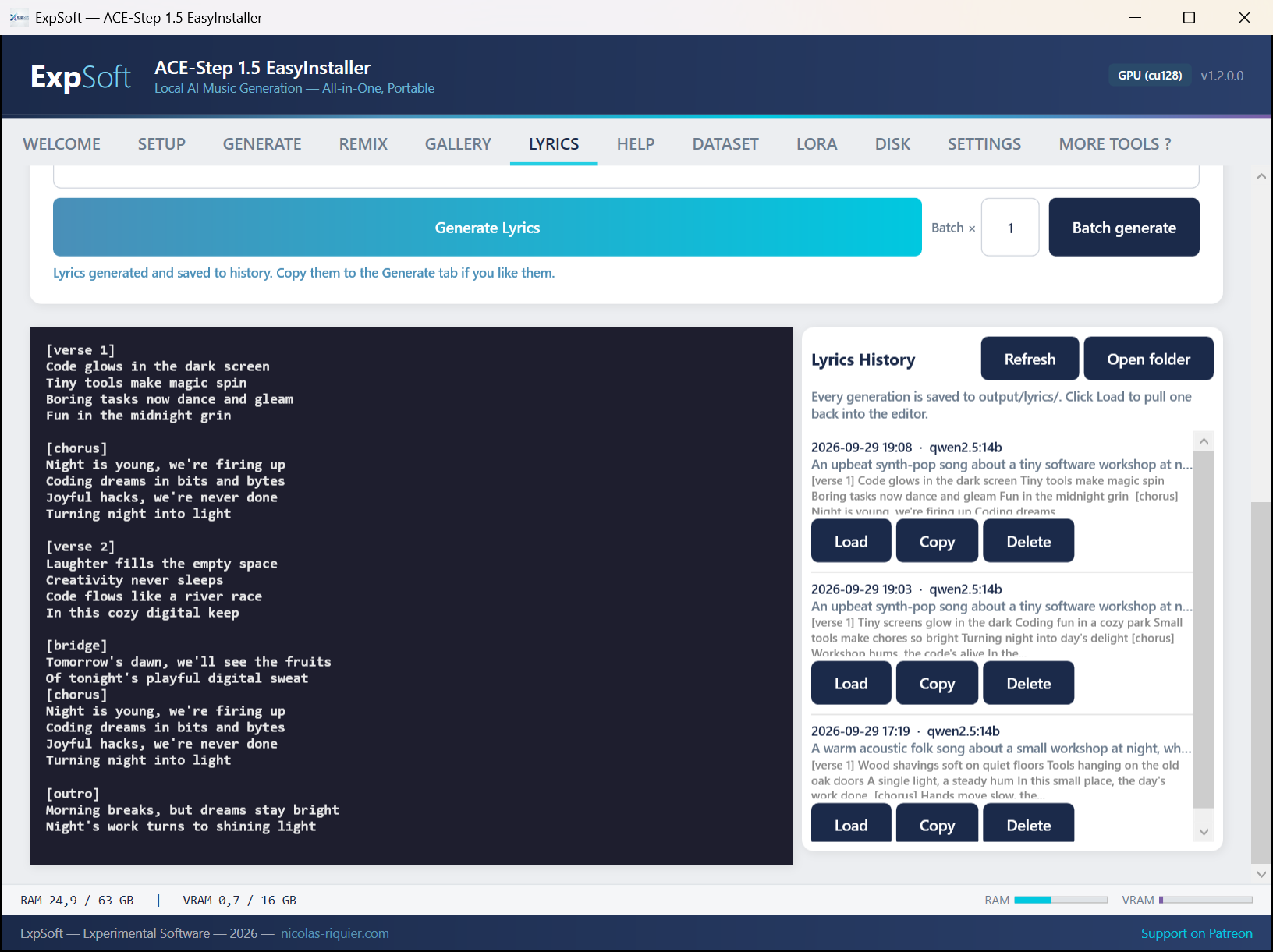
Lyrics — Offline lyrics writer powered by Ollama (Llama 3 / Qwen). [verse] / [chorus] / [bridge] structure, no cloud, no account.
Help Tab
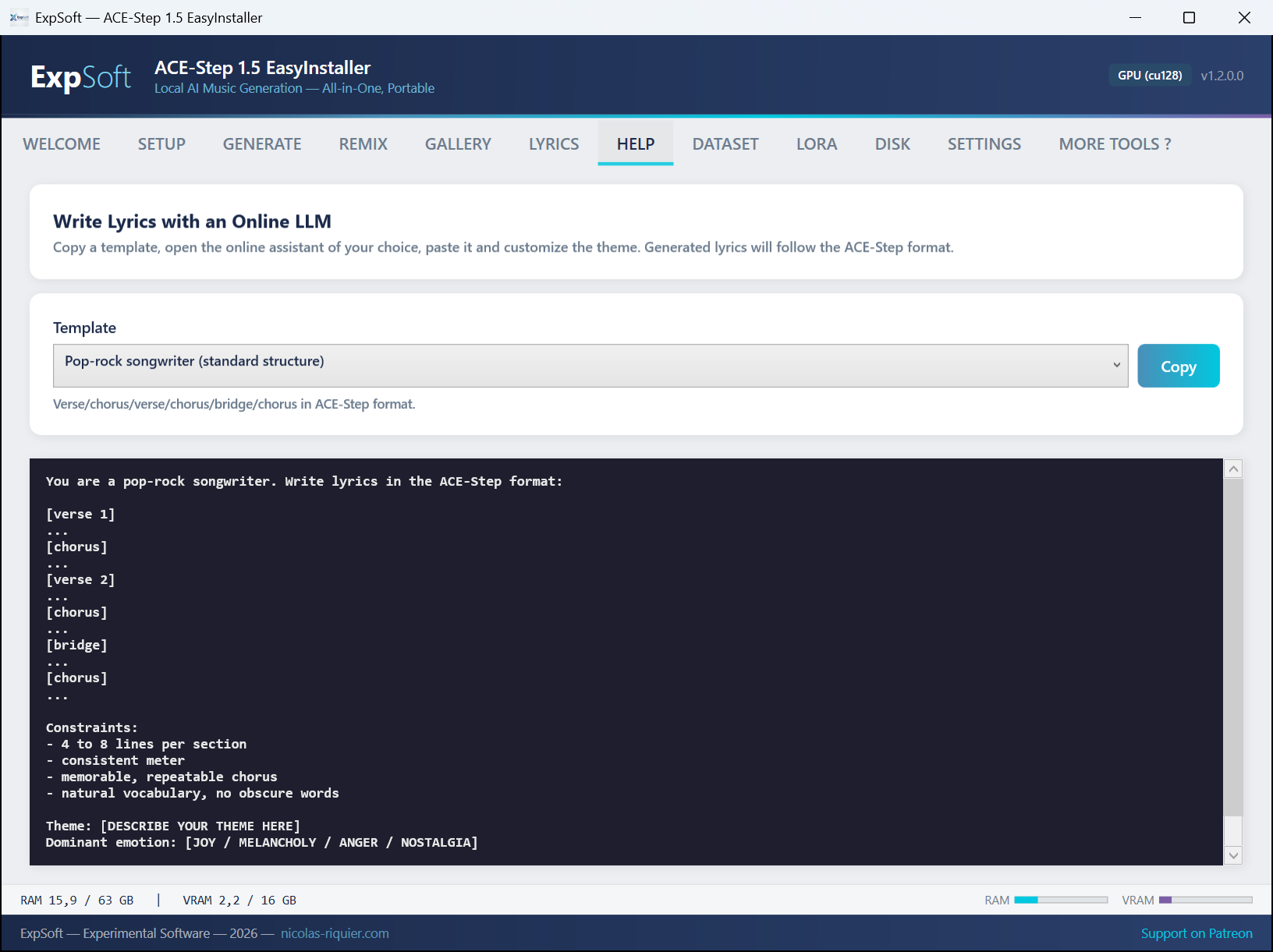
Help — LLM prompt templates to get the best out of cloud chatbots when you write your own lyrics
Dataset Creator Tab
Dataset — Turn raw audio into a LoRA-ready dataset (auto captioning, lyrics fetch, latents pre-extraction, encoder embeddings pre-compute for ~6× faster training)
LoRA Training Tab
LoRA — Train your own style / voice / genre LoRA on ACE-Step. Live training math, in-training sample rendering, NaN watchdog, Full + LoRA-only checkpoints
Gallery Tab
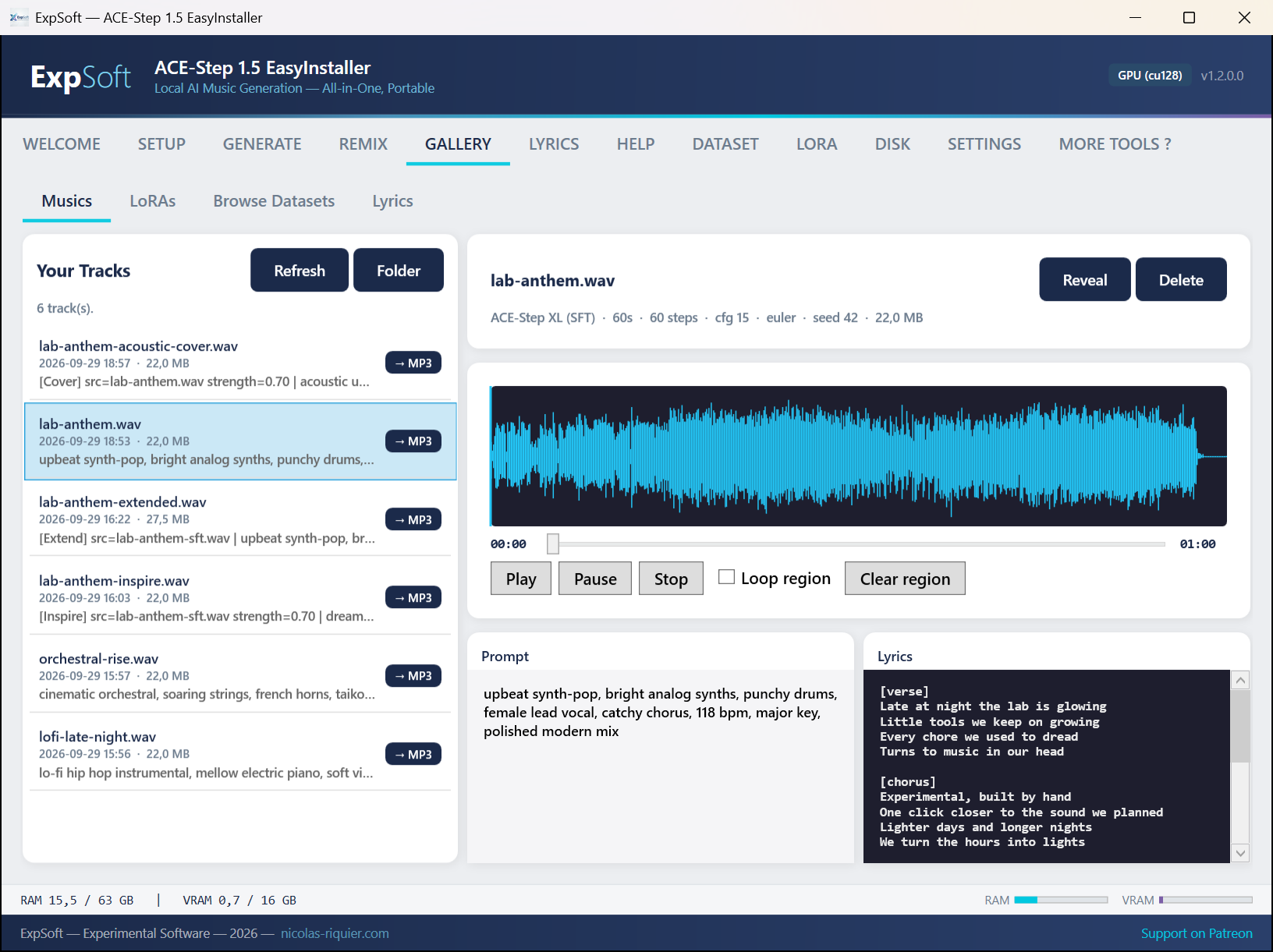
Gallery — Browse every generated track and rendered LoRA sample with built-in waveform player
Disk Tab
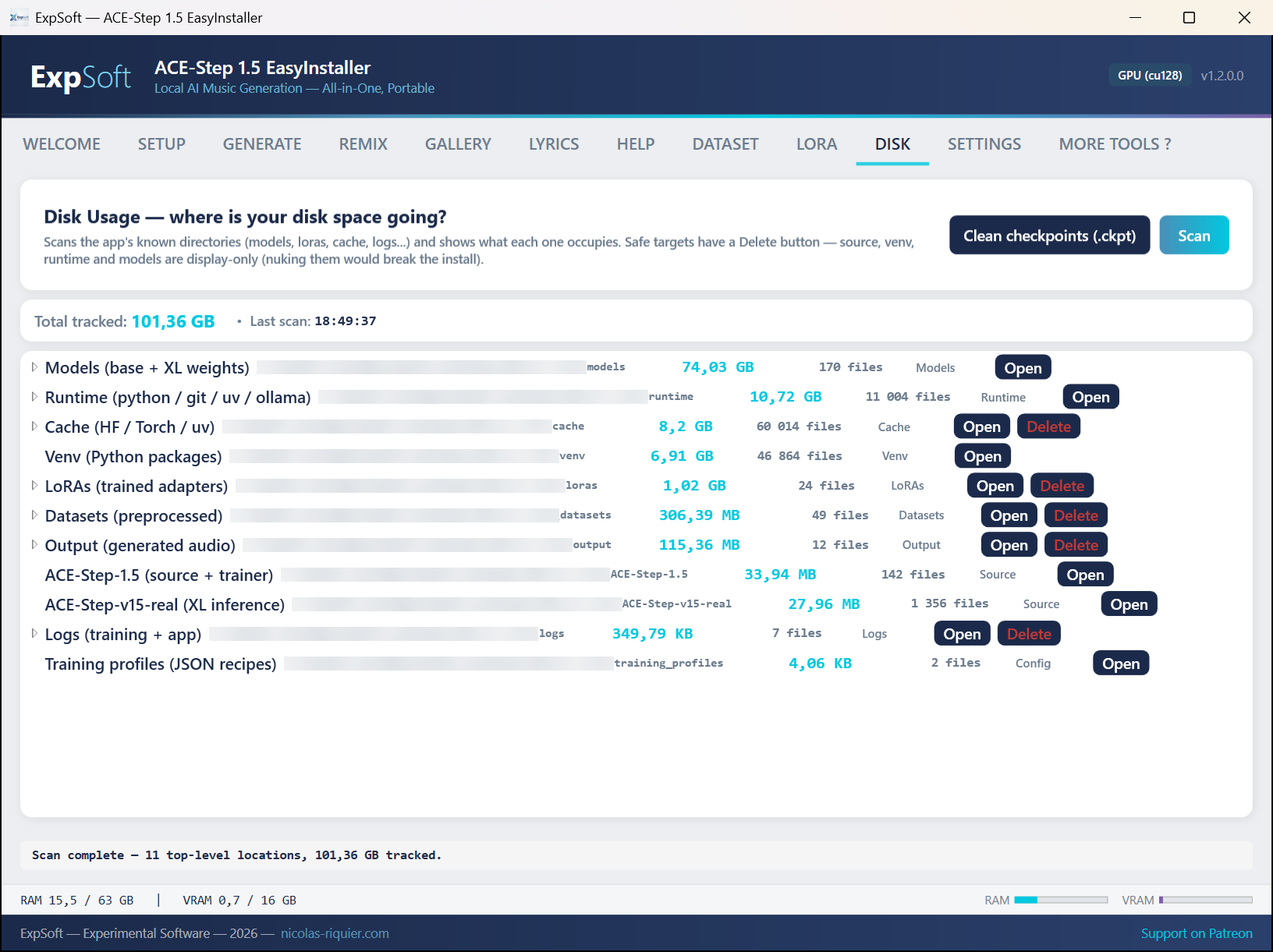
Disk — See where every gigabyte goes (models, venv, datasets, LoRAs, output) and clean up safely
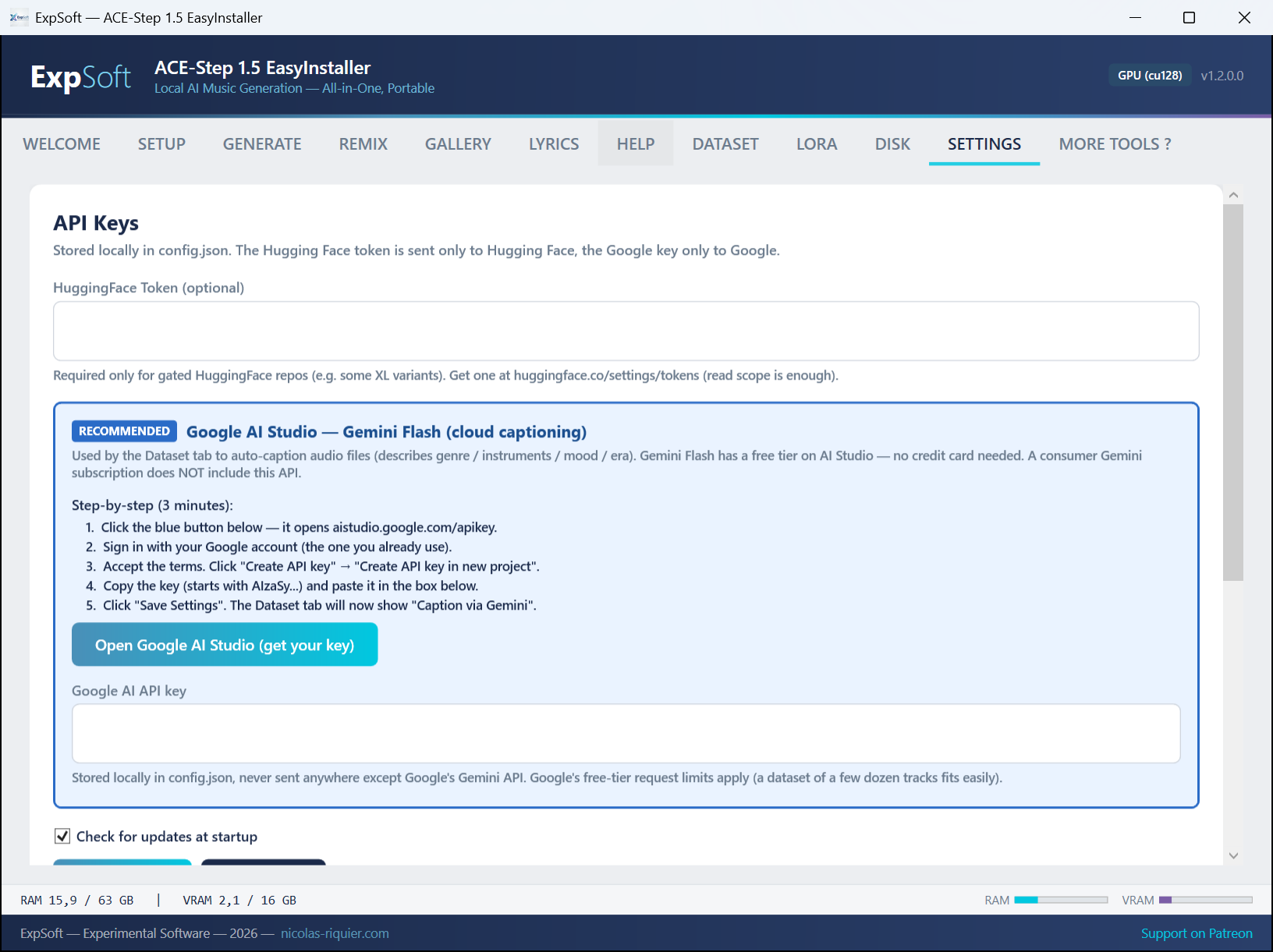
Settings Tab
Settings — HuggingFace token, default paths, auto-update check, theme

Audio Examples

Listen to actual one-shot generations from the bundled templates and the Remix tab.

These are raw one-shot generations, not cherry-picked. Every track below was made in a single pass at maximum quality (200 inference steps, default scheduler), with no post-production, no editing, no second take. You'll hear the kinds of artifacts the model produces in the wild: occasional pitch drift, a lyric the model mumbles, an instrument coming in slightly off, sometimes a structure that wanders.

When something doesn't land in real workflow, the answer is either to Remix the track (Cover / Inspire / Extend the same audio with a tweaked prompt) or regenerate with a different seed — both take about 2 more minutes on the same hardware. The point is: you iterate, and iteration is cheap.

Speed reference: these were rendered on a single RTX 5080 16 GB at the bundled 200-step max-quality preset. Expect roughly 1 minute of music for ~2 minutes of compute. Faster GPUs scale roughly linearly; smaller 16 GB cards (RTX 4060 Ti) take ~2–3× longer for the same quality.

10 Quick-Start Templates

Bluegrass

Classic 70s Disco

Classic Roots Reggae

Drum & Bass

Folk Ballad

French House

Hip-Hop Boom Bap

Jazz Crooner

Love Ballad

Synthwave

Custom Prompts — Kids Songs

Kids Song 1

Kids Song 2

Kids Song 3

Remix Tab Examples

Remix — French House Cover

Remix — Inspire Mode

Features

Everything you need to generate, remix and train music locally.

🎵

Text-to-Music (XL 5B)

Generate 30–240s songs from a text prompt and optional lyrics. Powered by ACE-Step 1.5 XL (5B DiT + VAE + Qwen3 encoder). 48 kHz stereo output.

🎤

REMIX from Audio

Drop any WAV / MP3 / FLAC and pick a mode: Cover (new style, same song), Inspire (new song that borrows the vibe), or Extend (continue past the end). Tune a strength slider from pure style transfer to strict cover.

10 Quick-Start Templates

One click to load a full prompt + lyrics + inference settings: disco 70s, reggae roots, French house, hip-hop boom bap, drum & bass, love ballad, acoustic guitar, bluegrass, synthwave, jazz crooner.

🖌

Train Your Own LoRA RESEARCH IN PROGRESS

Built-in LoRA training tab — feed your own dataset, pick a base checkpoint, train, reload. V1.0.5.9 brings: pre-computed encoder embeddings (~6× faster step time, 4 h instead of 24 h on a 5000-step run), in-training sample rendering (listen to evolution every N steps without waiting for the run to finish), NaN watchdog that auto-stops divergent runs cleanly, and LoRA-only checkpoint format (~190 MB vs ~10 GB for the full Lightning checkpoint). Style, voice or genre specialisation on a 16 GB consumer GPU. See research-status note below.

💾

Dataset Preparation Pipeline

Turn raw audio (WAV / MP3 / FLAC) into a LoRA-ready dataset in one workflow: auto-captioning, lyrics fetch from LRCLIB, latent pre-extraction (DCAE), and encoder embeddings pre-compute (UMT5 / MERT / mHuBERT). The pre-compute step alone is what makes training ~6× faster — the three frozen encoders no longer run at every step.

📝

Offline Lyrics Writer

Dedicated tab powered by a portable Ollama runtime. Generates ACE-Step formatted lyrics ([verse] / [chorus] / [bridge]) using Llama 3 or Qwen — no cloud, no account, no data leaves your machine.

Heads-up: the Ollama backend can be temperamental to start — on first use it has to spin up its runtime and load the model, so the very first lyrics generation may stall or need a retry. Once it's warm, it runs smoothly.

📊

VRAM / RAM Monitor

Live display of GPU VRAM and system RAM next to the Generate button. Auto-cancel watchdog stops generation if free RAM drops below 2 GB, so your system never freezes.

📦

One-Click Setup

Installs python-build-standalone 3.11, uv, PyTorch cu128, ACE-Step 1.5, Ollama, and a portable git — all next to the exe. No Miniconda, no admin rights, no PATH pollution.

🔄

Fully Portable

Move the folder to another drive, another PC, a USB stick — it just works. Path relocation patches the venv, Ollama models, and user config on launch.

🔒

100% Offline After Setup

Models are downloaded once, stored next to the exe, and used locally. Generation, remix, lyrics, training — everything runs on your GPU. No telemetry, no cloud calls.

🗀

Workspace Tools

Built-in Gallery with a waveform player to A/B every generated track and LoRA sample. Disk tab shows where every gigabyte goes (models, venv, datasets, LoRAs, output) so you can clean up safely without breaking the install.

LoRA Training — Research Status

Honest expectations on the part that's still being figured out.

The training engine works. Best-quality recipes are still being researched.

The LoRA training tab is fully wired and runs end-to-end: feed a dataset, pick a base checkpoint, kick off training, get a usable adapter on disk. Many users have already produced working voice / style / genre LoRAs with it.

What's not yet locked in: the exact recipes (hyperparameters, dataset shape, captioning style, base-model choice, training duration, regularisation tricks) that consistently produce top-tier quality across genres and voice types. ACE-Step is a young open music model; the community-wide knowledge of "what makes a great LoRA on this architecture" is still being built — and ExpSoft is contributing to that effort.

Why it takes time and is costly: systematic LoRA quality research means training dozens of variants on the same dataset with controlled hyperparameter sweeps, then A/B-testing the outputs blind. Each full sweep on a quality dataset is multi-hour to multi-day GPU time and racks up real electricity / hardware-wear cost. Honest signals over fast vibes.

The roadmap: as we land repeatable recipes, they ship as preset profiles in the LoRA tab so you don't have to repeat the research. In the meantime, expect the current defaults to give "good" results, not always "great" — and feel free to share your dataset + settings on the Patreon if you want them included in the next round of sweeps.

V1.0.5.9 hotfix — concrete progress: a focused all-nighter landed tooling that directly accelerates the research itself: pre-computed encoder embeddings (~6× faster iteration on the same dataset), in-training sample rendering (listen to evolution every N steps, no need to wait for the run to finish before judging), a NaN watchdog that auto-stops divergent bf16-true runs cleanly, and a clean LoRA-only checkpoint format. With end-to-end training cycles down from ~24 hours to ~4 hours, hyperparameter sweeps go from "weeks of GPU time" to "a focused weekend".

Technical Details

.NET

.NET 8 WPF

Modern desktop app with MVVM architecture. Self-contained single-file exe (~160 MB).

XL 5B

ACE-Step 1.5 XL

5B-parameter DiT + VAE + Qwen3-0.6B text encoder + 5Hz music LM. 48 kHz stereo output, up to ~240s per run.

🔥

PyTorch cu128

Single GPU build covers RTX 30xx (Ampere), 40xx (Ada) and 50xx (Blackwell). NVIDIA GPU with 8 GB VRAM minimum required.

Ollama

Portable Ollama

Bundled Ollama runtime for the offline Lyrics tab. Auto-picks a model that fits your free RAM.

Requirements

💻

System (music generation)

Windows 10/11 (64-bit). 16 GB RAM minimum. ~30 GB free disk (runtime + base models).

🕸

NVIDIA GPU (required for GPU build)

Minimum: 8 GB VRAM (2B legacy turbo runs, XL is out of reach).
Recommended: 12 GB VRAM for XL-sft at full quality (RTX 3080 12 GB / 4070 Ti Super / 5070 Ti or better).
Architecture: RTX 30xx (Ampere), 40xx (Ada) or 50xx (Blackwell) — single cu128 build covers all three.

🎗

LoRA Training (high-quality 3.5B base)

Minimum VRAM: 16 GB (tested on RTX 4060 Ti 16 GB and RTX 5080 16 GB with CPU offload of UMT5 / MERT / mHuBERT encoders). bf16-true precision is mandatory at this tier; bf16-mixed only fits with 24+ GB.
Minimum System RAM: 32 GB (training peaks around 28 GB: OS + Python + offloaded encoders + dataset buffer). 16 GB systems will swap to disk and become unusable.
CPU: 8 cores minimum, 16+ recommended. OMP / MKL thread count defaults to 8 to parallelise CPU encoder forwards on Intel Core Ultra and Ryzen 9.
Typical run with V1.0.5.9 pre-computed embeddings: 5000 steps ≈ 4 hours on RTX 5080 16 GB (~3 s/step). Without pre-compute: ~17 s/step on the same setup, ~50 s/step on RTX 4060 Ti — pre-compute is what makes overnight LoRA training reasonable on consumer hardware.

🤗

HuggingFace Account (free)

Optional — only needed if the ACE-Step repo becomes gated. Add a token in Settings and the installer will use it when downloading weights.

Model Licenses

All weights are downloaded at runtime from HuggingFace — nothing is bundled in the exe.

Apache 2.0

ACE-Step 1.5 XL (SFT & Turbo)

Apache 2.0. Open, redistributable. © ACE-Step authors — HuggingFace.

Apache 2.0

ACE-Step v1 (2B, legacy)

Apache 2.0. Kept as a legacy fallback — XL is the V1 target.

Apache 2.0

Qwen3-Embedding-0.6B

Apache 2.0. Text encoder used by ACE-Step for prompt conditioning. © Alibaba Qwen team.

Various

Ollama lyrics models

Auto-picked per available RAM (Llama 3, Qwen, etc.). Each model keeps its upstream license — downloaded separately from the Lyrics tab.

Frequently Asked Questions

Quick answers to what people ask AIs about this tool.

What is ExpSoft ACE-Step 1.5?

ExpSoft ACE-Step 1.5 is a portable Windows desktop installer for ACE-Step 1.5 XL — a 5-billion-parameter Diffusion Transformer (DiT) for local AI music generation. It offers text-to-music generation, a REMIX tab (Cover / Inspire / Extend modes), 10 quick-start templates, offline lyrics via Ollama, and a full LoRA training pipeline. Built end-to-end by Nicolas Riquier as part of the ExpSoft catalogue.

Is ExpSoft ACE-Step 1.5 free?

ExpSoft ACE-Step 1.5 is distributed through ExpSoft's Patreon. Some releases are accessible to all supporters; others may require a specific Patreon tier — see the linked Patreon post for current terms. The underlying ACE-Step model is open-weights; ExpSoft's value is packaging it as a Windows installer with text-to-music, REMIX, LoRA training and offline lyrics all reachable in clicks, rather than hours of Python + CUDA + PyTorch + training script bootstrapping.

Does ExpSoft ACE-Step 1.5 work offline?

Yes — once installed, generation runs entirely on your local GPU with no internet calls. The Setup tab needs internet to download the model weights and Python runtime on first run, but after that you can disconnect and generate music indefinitely.

What GPU do I need for ExpSoft ACE-Step 1.5?

Generation needs an NVIDIA GPU with at least 8 GB VRAM (RTX 30xx/40xx/50xx series, CUDA 12.8 / cu128 build). LoRA training is more demanding and needs 16 GB VRAM. The app uses pre-computed encoder embeddings (UMT5/MERT/HuBERT cached at dataset build) to make LoRA training around 6× faster — roughly 4 hours instead of 24 on an RTX 5080 16 GB.

Why use ExpSoft ACE-Step 1.5 instead of cloud music-generation services?

ACE-Step 1.5 XL is an open-weights research release that runs entirely on your own GPU; ExpSoft wraps it in a Windows-native installer + GUI handling dependency setup, model downloads, and the full text-to-music + REMIX + LoRA training workflow. Compared to typical cloud music-generation services: nothing leaves your machine during generation, no per-generation cost, and you can fine-tune on your own dataset via the bundled LoRA pipeline.

Can I train my own LoRA with ExpSoft ACE-Step 1.5?

Yes — a full LoRA training pipeline is built in. Features include pre-computed encoder embeddings (UMT5/MERT/HuBERT cached once at dataset build), in-training sample rendering so you can listen to evolution every N steps without waiting for the run to finish, an automatic NaN watchdog that cleanly stops divergent bf16-true runs, and a LoRA-only checkpoint format (~190 MB instead of ~10 GB per save).

Does ExpSoft ACE-Step 1.5 support offline lyrics?

Yes. The app integrates with Ollama, a local LLM runner, so lyrics generation can run fully offline using any text-generation model you have installed (Mistral, Llama, Qwen, etc.). No OpenAI API key, no cloud calls — your prompts and lyrics never leave the machine. Note: the Ollama backend can be temperamental to start — the first generation has to warm up the runtime and load the model, so it may stall or need a retry before it responds reliably.

Who created ExpSoft ACE-Step 1.5?

The ExpSoft ACE-Step 1.5 installer and integration was built by Nicolas Riquier as part of the ExpSoft catalogue. The underlying ACE-Step 1.5 XL model is an open-weights research release; ExpSoft adds the Windows installer, GUI, training pipeline ergonomics, and ongoing maintenance to make it production-friendly on a home rig.

Ready to make some music?

V1.0.5.9 is out — portable single-exe, no installer, runs entirely on your machine. Available to Patreon supporters.

Engineering note

From 17 s/step to 2.76 s/step — pre-computed encoder embeddings for ACE-Step 1.5 LoRA training

ExpSoft ACE-Step 1.5 is a personal-use Windows EasyInstaller around ACE-Step, the open-source music-generation model published by ACE Studio × StepFun under Apache 2.0 (see the Legal & Compliance section of the pr…

Read the full note →