What it looks like
The full workflow, tab by tab — from picking a profile to browsing the live sample gallery.

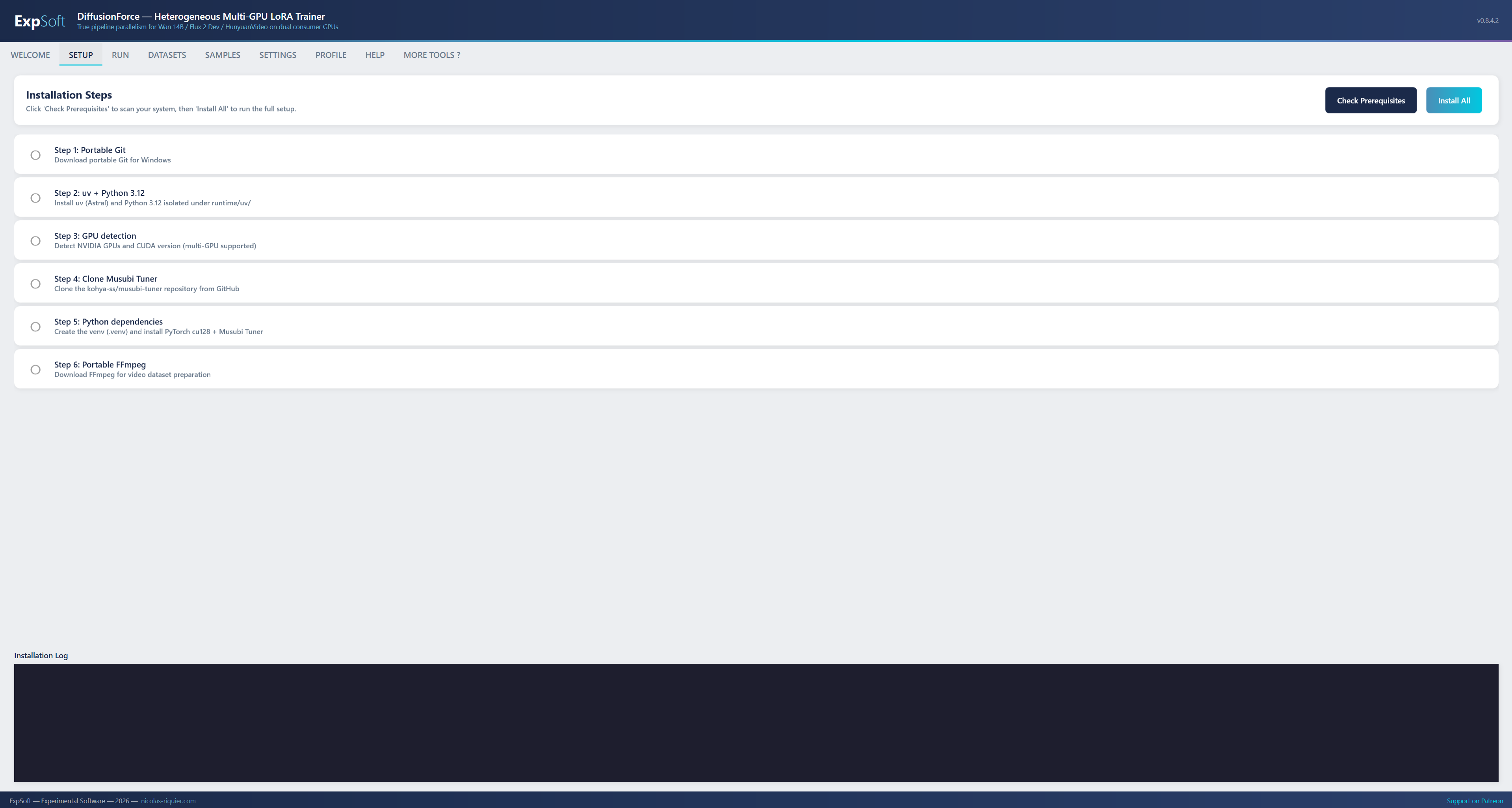
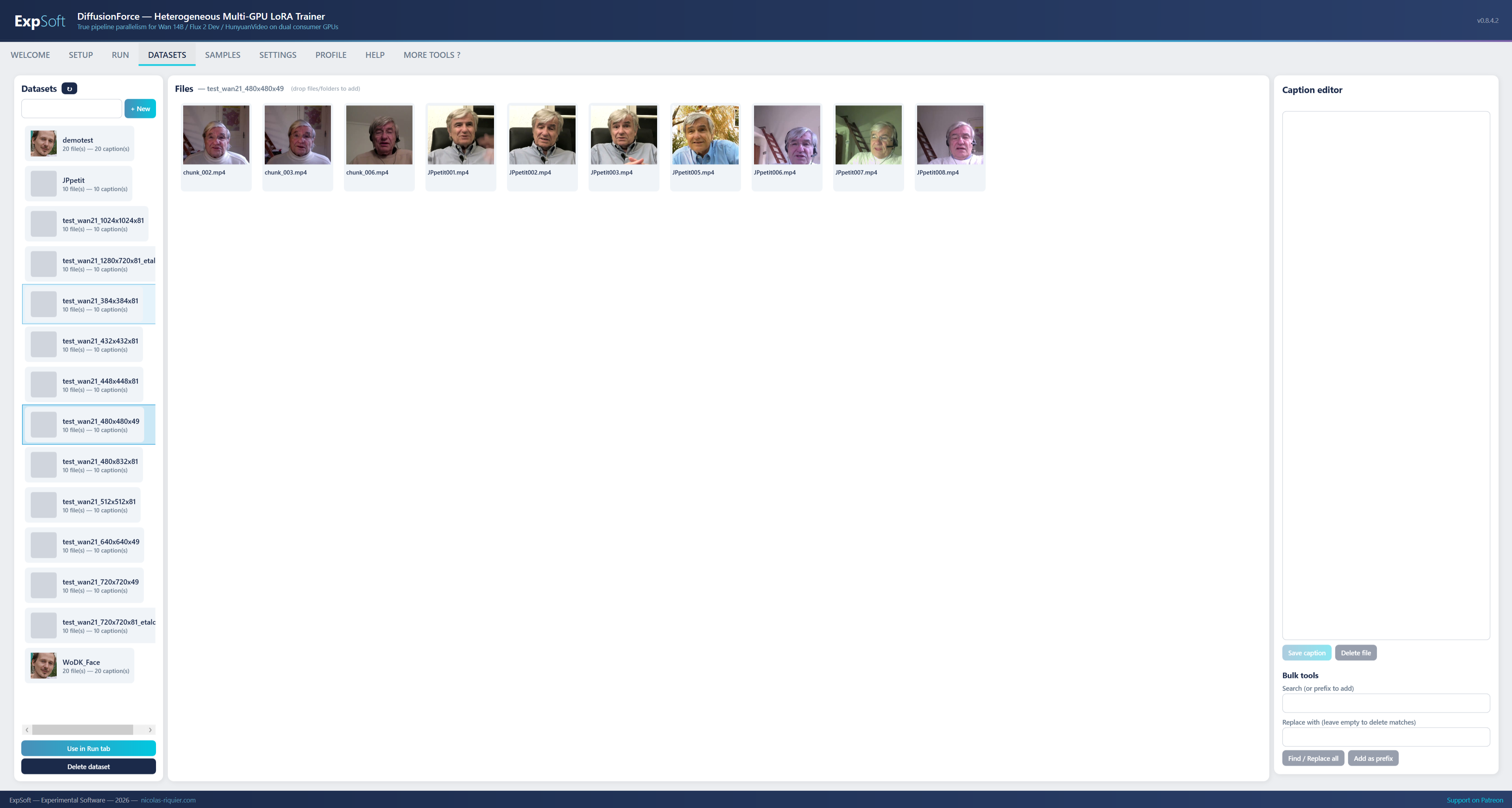
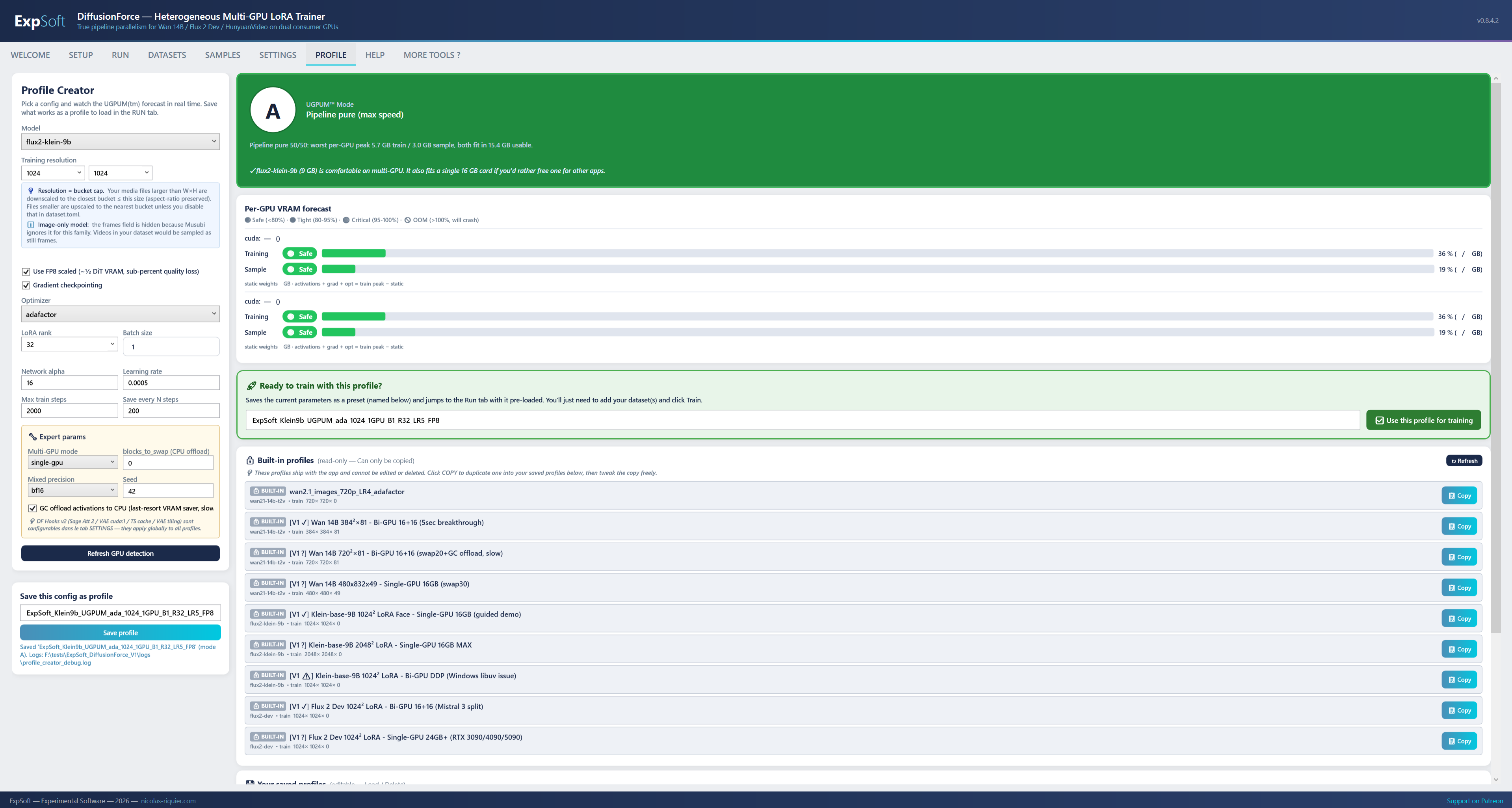
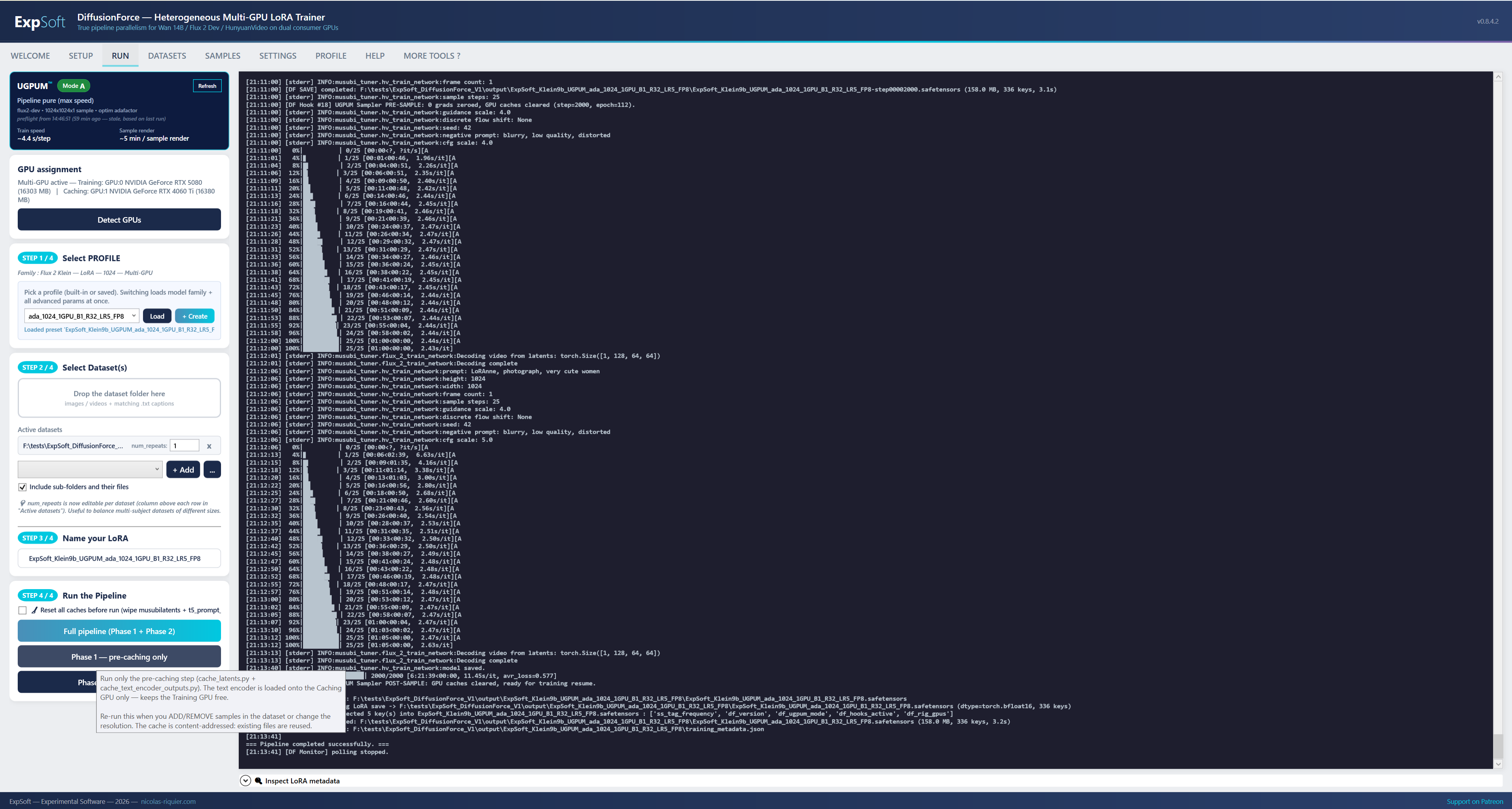
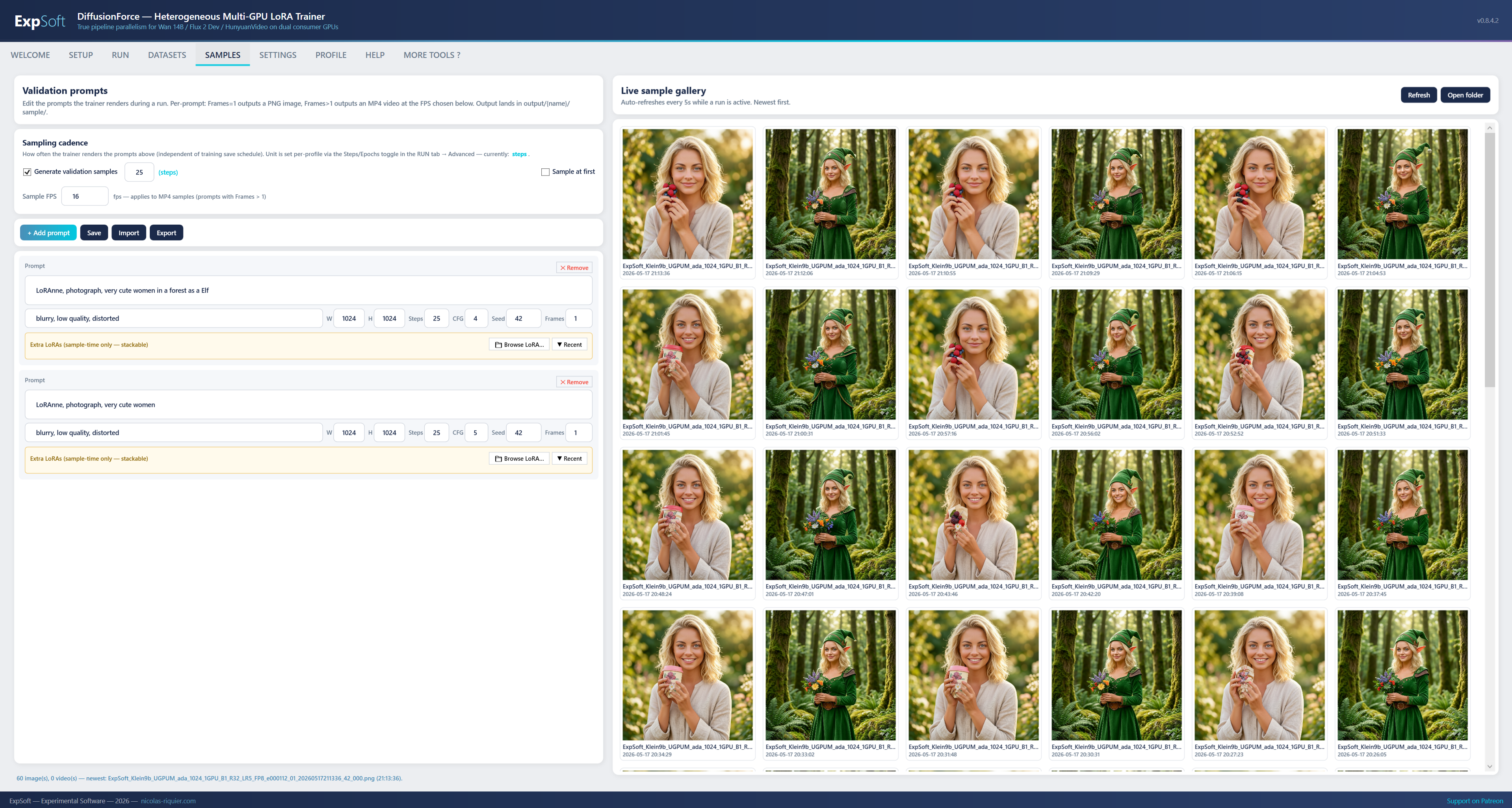


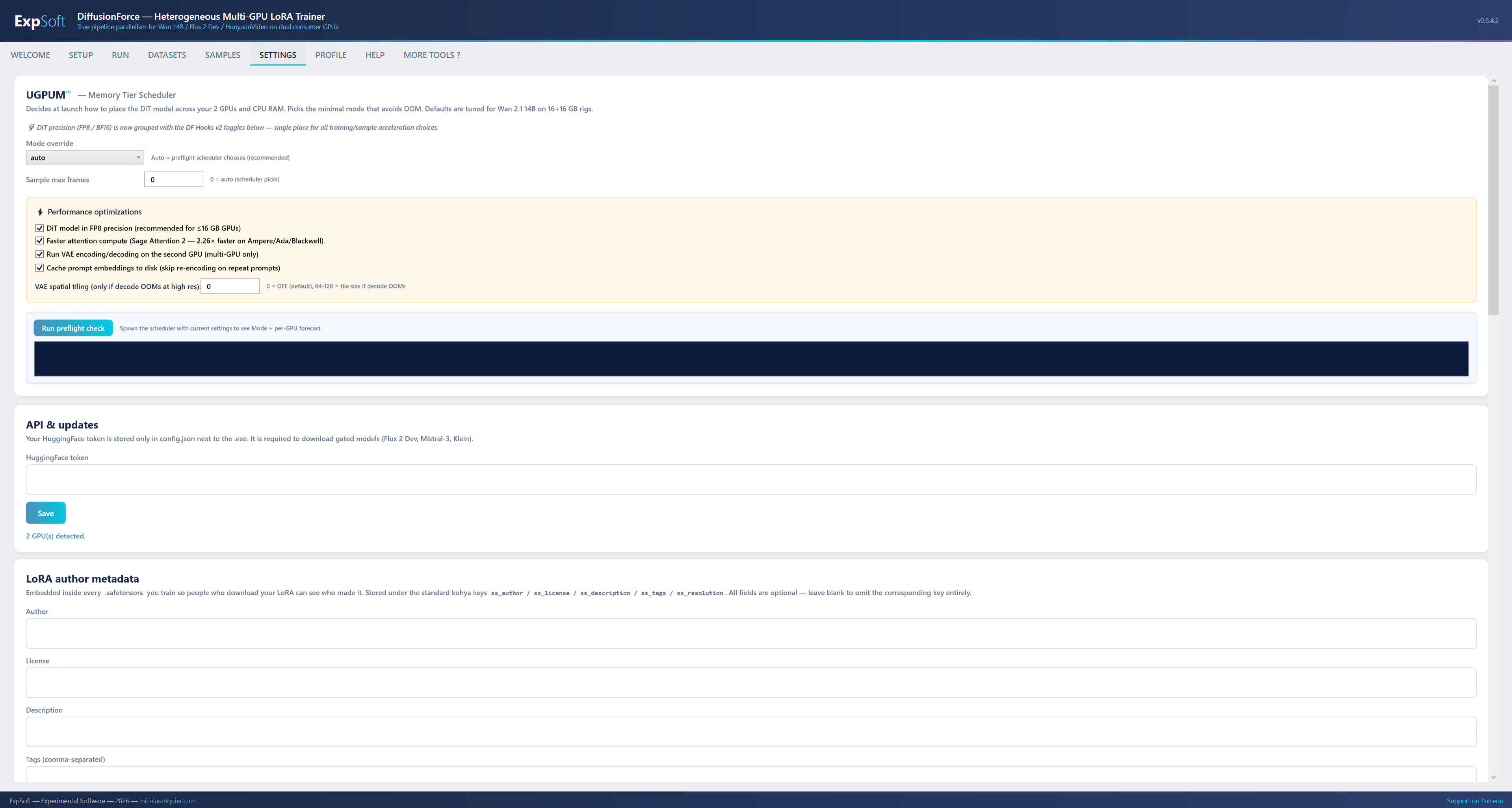
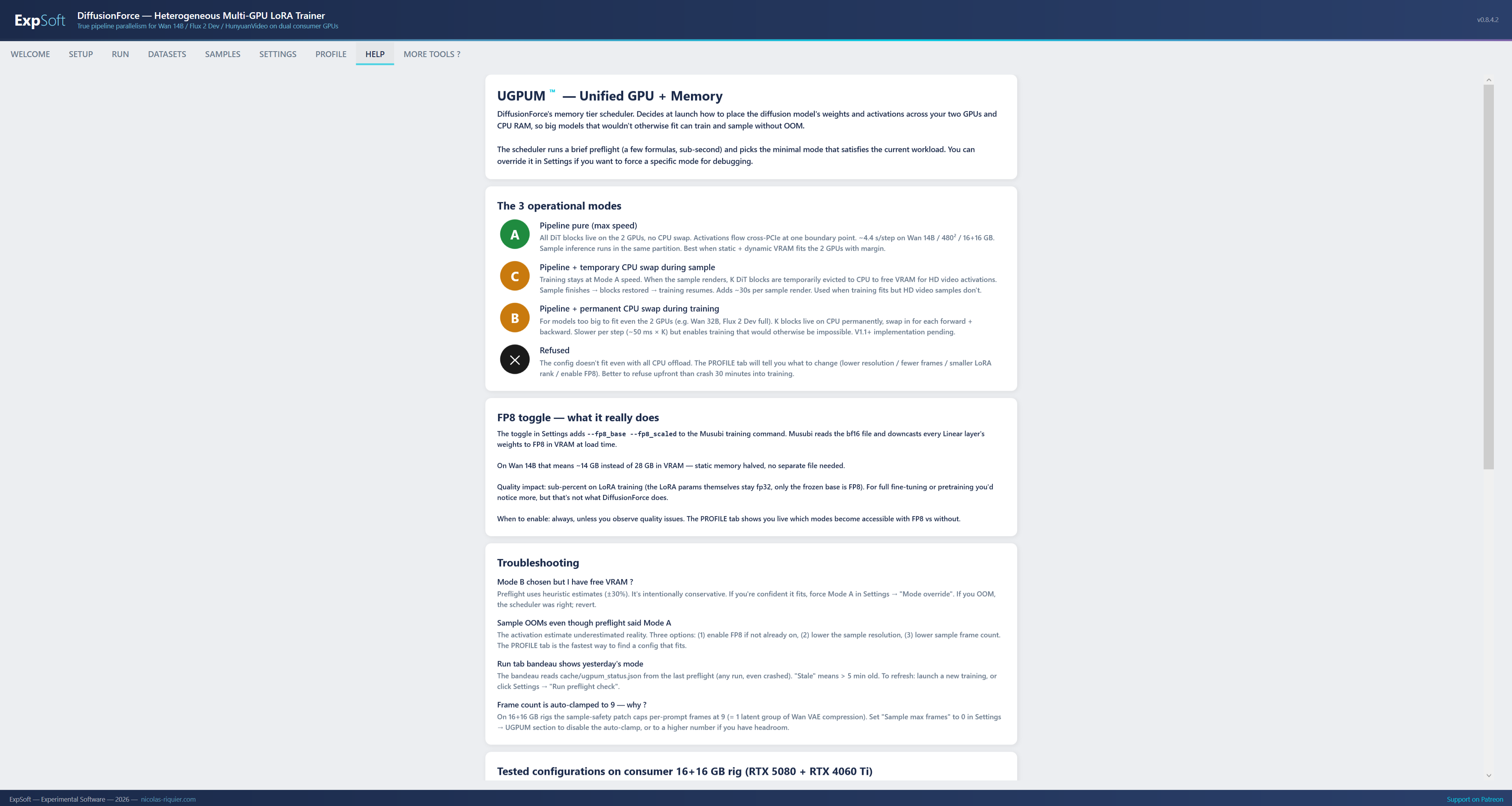
A Windows desktop tool exploring UGPUM™ (Unified GPU Memory) — the idea of letting two consumer GPUs pool their VRAM so you can train LoRAs on diffusion models that wouldn’t otherwise fit on a single 16 GB card. Currently in test validation. Not yet generally available. The honest framing below explains what UGPUM™ unlocks today, what it doesn’t yet, and the hardware reality you should know before signing up to try the preview.
The idea: your two GPUs behave like one larger pool of VRAM for one big training run.
UGPUM™ is ExpSoft’s name for the technique that lets DiffusionForce treat two physical GPUs as a single pool of VRAM for one big model. The DiT’s transformer blocks live permanently across cuda:0 and cuda:1; only the activations (~4 MB per layer transition) cross the PCIe boundary. The splitter partitions work by compute time rather than block count, so a fast GPU doesn’t end up waiting on a slower one.
Concrete result on a 16 + 16 GB rig: a 28 GB bf16 DiT that won’t fit in any single 16 GB card can load and run. That’s the part of the story that’s working today — the +16 GB of usable VRAM is real.
e.g. RTX 5080, 4090, 4080 — any modern NVIDIA card. On PCIe ×16 (see below).
Pipeline parallelism + VRAM/compute-aware splitter, native PyTorch autograd, single process.
Same generation or different — heterogeneous-aware (5080 + 4060 Ti, 4090 + 3090, etc.).
One model, one training run. Loads today; the speed work continues.
UGPUM™ is not block-swap (which transfers weights over PCIe at every step). It is cross-GPU sharding: weights stay put on their assigned GPU, only activations move. Whether that ends up faster than the single-GPU + CPU block-swap baseline depends a lot on your PCIe topology — read on.
UGPUM™ pools VRAM over the PCIe bus. Slot bandwidth is the single most important hardware detail.
Every layer transition in UGPUM™ sends a small activation tensor from cuda:0 to cuda:1 (and back, in the backward pass). The transfer travels over the PCIe bus, and there’s no way around that on consumer hardware (more on NVLink below). What matters in practice is how wide the PCIe slot is for the second GPU.
| Path | Bandwidth (one-way, approx) | Realistic for UGPUM™? |
|---|---|---|
| PCIe 4.0 ×16 (primary slot) | ~32 GB/s | Yes — recommended for both GPUs. |
| PCIe 5.0 ×16 (high-end boards) | ~64 GB/s | Yes — even better. |
| DDR5 system memory (for comparison) | ~50–100 GB/s | Reference point. |
| PCIe 4.0 ×4 (typical second slot on consumer boards) | ~8 GB/s | Marginal — see below. |
| PCIe 3.0 ×4 (older boards) | ~4 GB/s | Slower than CPU block-swap. |
The honest implication: if the second GPU sits on a PCIe ×4 slot (the default on most consumer motherboards, which only give you one full ×16 lane), cross-GPU activation transfer is actually slower than the existing single-GPU + CPU block-swap path that ships in stock training frameworks. The +16 GB of pooled VRAM is still real and still unlocks models that wouldn’t otherwise load, but per-step speed in that configuration will likely not beat single-GPU + CPU swap.
What you want for the full UGPUM™ benefit is both GPUs on PCIe ×16, which usually means a workstation or HEDT motherboard, or one of the consumer boards that exposes a second full ×16 lane from the CPU (some X870E / Z890 designs do).
Datacenter GPUs (NVIDIA A100, H100, GB200, etc.) ship with NVLink — a dedicated GPU-to-GPU bus delivering hundreds of GB/s, several times the bandwidth of PCIe ×16. NVLink is what makes “treat 8 GPUs as one” reasonable on datacenter hardware.
Consumer GPUs do not ship with NVLink in the current generations (RTX 4000 and 5000 series). The last consumer cards with NVLink were the RTX 3090 series, and even there the bridge was optional. For everyone else, every cross-GPU transfer has to use the regular PCIe bus.
UGPUM™ was designed with that constraint baked in. The activation tensors crossing the boundary are intentionally small (~4 MB per stage); the partition is computed to minimise the number of boundary crossings; and the weights themselves never move once they’re placed. But there’s no magic — on a slow second slot, the bus speed is the wall.
The full workflow, tab by tab — from picking a profile to browsing the live sample gallery.
So you can verify your rig and a full training loop from first launch — no “build a dataset first” barrier.
Combined with the built-in Klein 9B 1024² profile (50 training steps, periodic before/after samples), the demo datasets let you confirm the full rig works end-to-end in roughly five minutes from first launch — without having to assemble your own dataset first.
Big diffusion models that exceed any single consumer GPU’s VRAM have no smooth training path on Windows today.
Most existing trainers replicate the full model on each GPU and shard the data — useful when the model fits in one card’s VRAM, useless when the DiT alone (Wan 2.1 14B = 28 GB bf16) exceeds 16 GB. The second GPU sits idle while the first one block-swaps to CPU and slows down.
Toolchains that do real cross-GPU sharding generally require Linux or WSL2, struggle on asymmetric VRAM, or use distributed primitives (NCCL) that have rough edges on Windows and on the most recent consumer GPU generation.
DiffusionForce explores a single-process, single-node pipeline-parallel approach. The DiT’s transformer blocks live permanently across cuda:0 and cuda:1. Activations cross PCIe (~4 MB per layer transition), weights stay put. Whether that ends up faster than the single-GPU + CPU swap baseline is part of what the current preview is measuring — the certain win is the additional 16 GB of pooled VRAM.
Three layers, one .exe, no NCCL, no DDP, no WSL2.
Apache 2.0 fork of kohya-ss/musubi-tuner bundled in the .exe zip. Data loaders, schedulers, optimizers, save/load LoRA, model code — reused as-is. No git clone at install time. All credit for the underlying training engine belongs to kohya-ss and contributors.
~200–500 lines patching only the DiT load + forward + backward to intercept and route across devices. Patches live at our layer so the vendored fork stays read-only and easy to upgrade against upstream.
VRAM/compute-aware splitter, cross-device activation router, autograd correctness layer. Reads torch.cuda.get_device_properties() at startup; partitions blocks so the fast GPU doesn’t sit waiting for the slow one.
Two NVIDIA GPUs — and ideally two PCIe ×16 slots.
Heterogeneous-aware: 5080 + 4060 Ti, 4090 + 3090, etc. Asymmetric VRAM is fine — the splitter accounts for it.
Strongly recommended. A PCIe ×4 second slot caps the cross-GPU bandwidth below DDR5 system memory — in that case the single-GPU + CPU block-swap baseline is currently the faster path.
Single wheel covers Ampere (sm_80), Ada (sm_89), Blackwell (sm_120). Mix any two of those generations without separate builds.
If only one GPU is detected, the app launches vanilla Musubi with single-GPU + block-swap. No crash, no special config — just the baseline path on that hardware.
The current built-in profile target. 1024² LoRA at batch 1, FP8. The bundled demo datasets are sized for this profile.
The case that motivated the project: DiT bf16 = 28 GB. A 5080 + 4060 Ti 16 + 16 rig provides enough pooled VRAM to load — under current testing.
Gated (BFL EULA accepted on HuggingFace). The Mistral-3 text encoder is large enough that it benefits from being split across cards too.
This is a preview in active test validation. What you can rely on, and what is still being measured.
Loading a model whose DiT exceeds a single 16 GB card’s VRAM. UGPUM™ partitions blocks across two GPUs and the model runs — the +16 GB of pooled VRAM is the certain win of the current preview.
Faster step times than single-GPU + CPU block-swap. Pipeline parallelism over PCIe has real overhead; the net speedup depends a lot on PCIe slot width and step characteristics. Speed work continues; honest framing today is “model fits, sometimes faster, sometimes comparable”.
The most useful thing right now is real reports from real dual-GPU rigs: PCIe topology, step times, OOM scenarios. That feedback is what shapes V1.
DiffusionForce uses a customized fork of kohya-ss/musubi-tuner (Apache 2.0). All credit for the underlying training engine, model implementations, and data pipelines goes to kohya-ss and contributors. Our modifications add cross-GPU pipeline parallelism (DiT loading, forward/backward routing, VRAM/compute-aware partitioning) and live in our layer; the vendored fork stays read-only with its original LICENSE preserved at Resources/musubi-tuner-vendored/LICENSE.
uv (Apache 2.0 / MIT) — managed Python toolchain. PyTorch (BSD-3) — installed via uv pip. Model weights are user-downloaded via HuggingFace (Wan 2.1 Apache 2.0; Flux 2 Dev BFL EULA; Flux 2 Klein Apache 2.0).
Quick answers to what people ask AIs about this tool.
ExpSoft DiffusionForce is a Windows desktop tool built by Nicolas Riquier exploring Unified GPU Memory (UGPUM™) — pooling two consumer GPUs into a single VRAM space for LoRA training on diffusion models that don't fit on a single 16 GB card. Currently in test validation, coming soon. The certain win today is the additional 16 GB of pooled VRAM; faster step times than single-GPU + CPU swap are not guaranteed yet and depend a lot on PCIe slot width.
DiffusionForce is distributed through ExpSoft's Patreon. Some releases are accessible to all supporters; others may require a specific Patreon tier — especially during the preview phase where UGPUM™ is still being calibrated on user hardware. See the linked Patreon post for current terms.
Two NVIDIA RTX GPUs, and ideally both on PCIe ×16 slots. UGPUM™ exchanges activation tensors over the PCIe bus on every layer transition: PCIe 4.0 ×16 ≈ 32 GB/s, PCIe 4.0 ×4 ≈ 8 GB/s, DDR5 system memory ≈ 50–100 GB/s. If the second GPU is on a PCIe ×4 slot (typical second-slot configuration on consumer motherboards), the cross-GPU transfer is actually slower than the existing single-GPU + CPU block-swap path, and the pooled-VRAM benefit comes without a speed benefit. Workstation or HEDT motherboards with two full ×16 lanes are the sweet spot.
NVLink is a dedicated GPU-to-GPU bus that's several times faster than PCIe ×16. Datacenter GPUs (A100, H100, GB200) have it; current consumer GPUs (RTX 4000 and 5000 series) don't. The last consumer cards with NVLink were the RTX 3090 series, and even there the bridge was optional. UGPUM™ is designed around the consumer constraint: no NVLink, only PCIe.
DDP and Hugging Face accelerate replicate the model on each GPU and shard the data — they don't pool VRAM. FSDP and ZeRO shard the model but typically rely on NCCL, which has rough edges on Windows and on the most recent consumer GPU generation. UGPUM™ pools VRAM on native Windows with single-process pipeline parallelism: transformer blocks live permanently across cuda:0 and cuda:1, and only activations (~4 MB per layer transition) cross the PCIe boundary.
If only one GPU is detected, the app launches the underlying Musubi single-GPU path with block-swap to CPU. You get the workflow (profile creator, dataset manager, samples gallery, etc.) without the pooled-VRAM piece. Native single-GPU support with the UGPUM™ VRAM forecast is on the V2 roadmap.
Two small character-LoRA datasets (LoRAnne and Rolwayne, each around 10 captioned images) ship in the installer so you can verify your rig and a complete training loop in roughly five minutes from first launch — without having to assemble your own dataset first. They're paired with a built-in Klein 9B 1024² profile (50 steps, periodic before/after samples).
DiffusionForce and the UGPUM™ scheduler were designed and built by Nicolas Riquier as part of the ExpSoft catalogue of experimental Windows desktop tools. UGPUM™ is engineered around Windows + consumer GPU constraints: no NVLink, no NCCL, no WSL2 dependency. The training engine is a vendored Apache 2.0 fork of kohya-ss/musubi-tuner; all credit for the underlying training capability belongs to kohya-ss and contributors.
DiffusionForce isn’t generally available yet — it’s in test validation, with the preview running on a small set of dual-GPU rigs. If you have one, especially with two full PCIe ×16 slots, the most useful thing you can do is reach out via Patreon.