v1.1.0.5

ExpSoft OneTrainer

One-click installer & launcher for OneTrainer. Fine-tune AI models with 7 pre-configured profiles, 28 downloadable base models, and a fully portable environment. GPU-accelerated, triton-free.

New version available!

Screenshots

See the app in action — from setup to training.

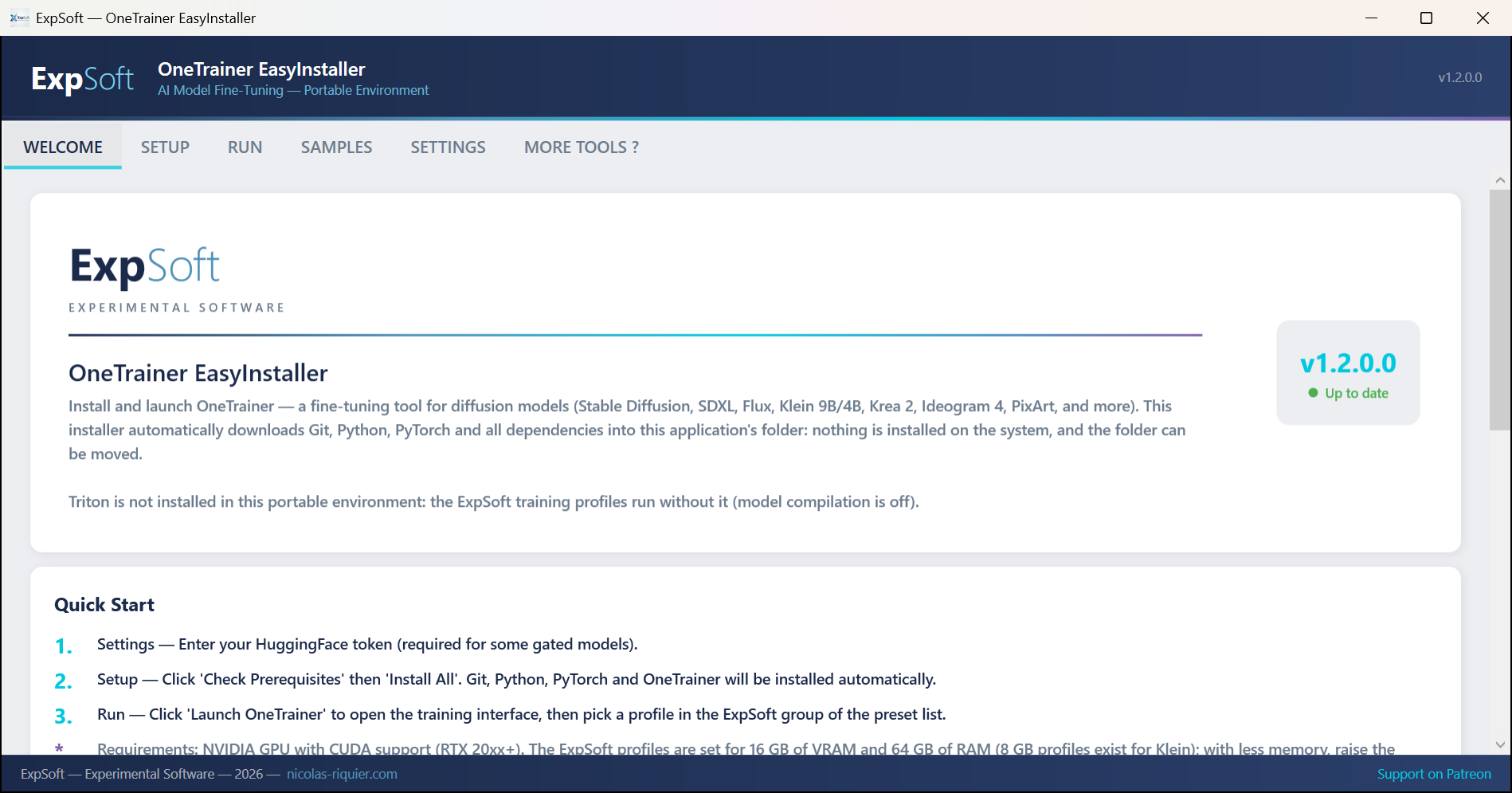
ExpSoft OneTrainer — Welcome tab
Welcome — Quick start guide, training profiles overview, licenses and disclaimer
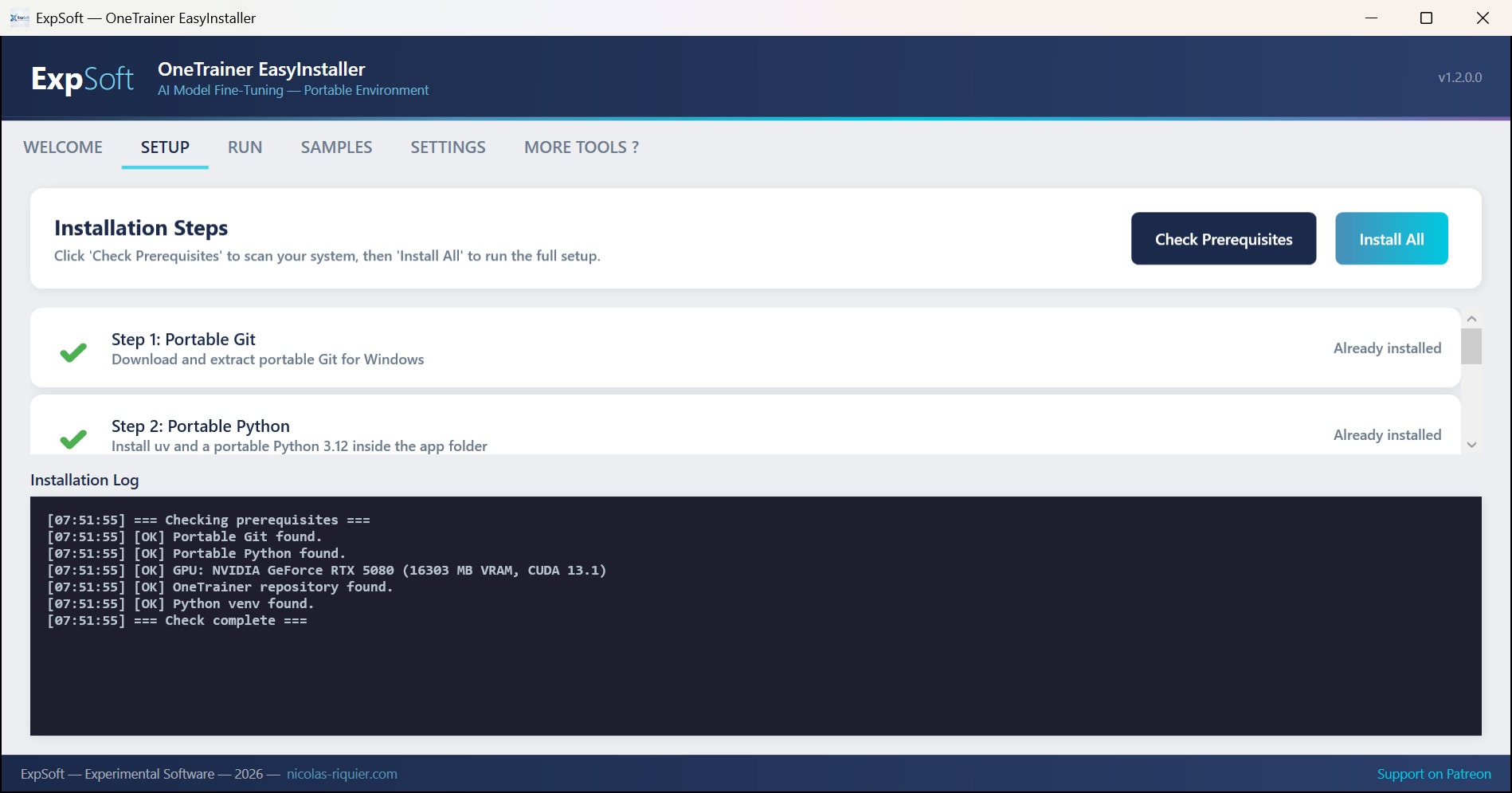
ExpSoft OneTrainer — Setup tab
Setup — 5-step automated install: Git, Miniconda, GPU detection, OneTrainer clone, and dependencies
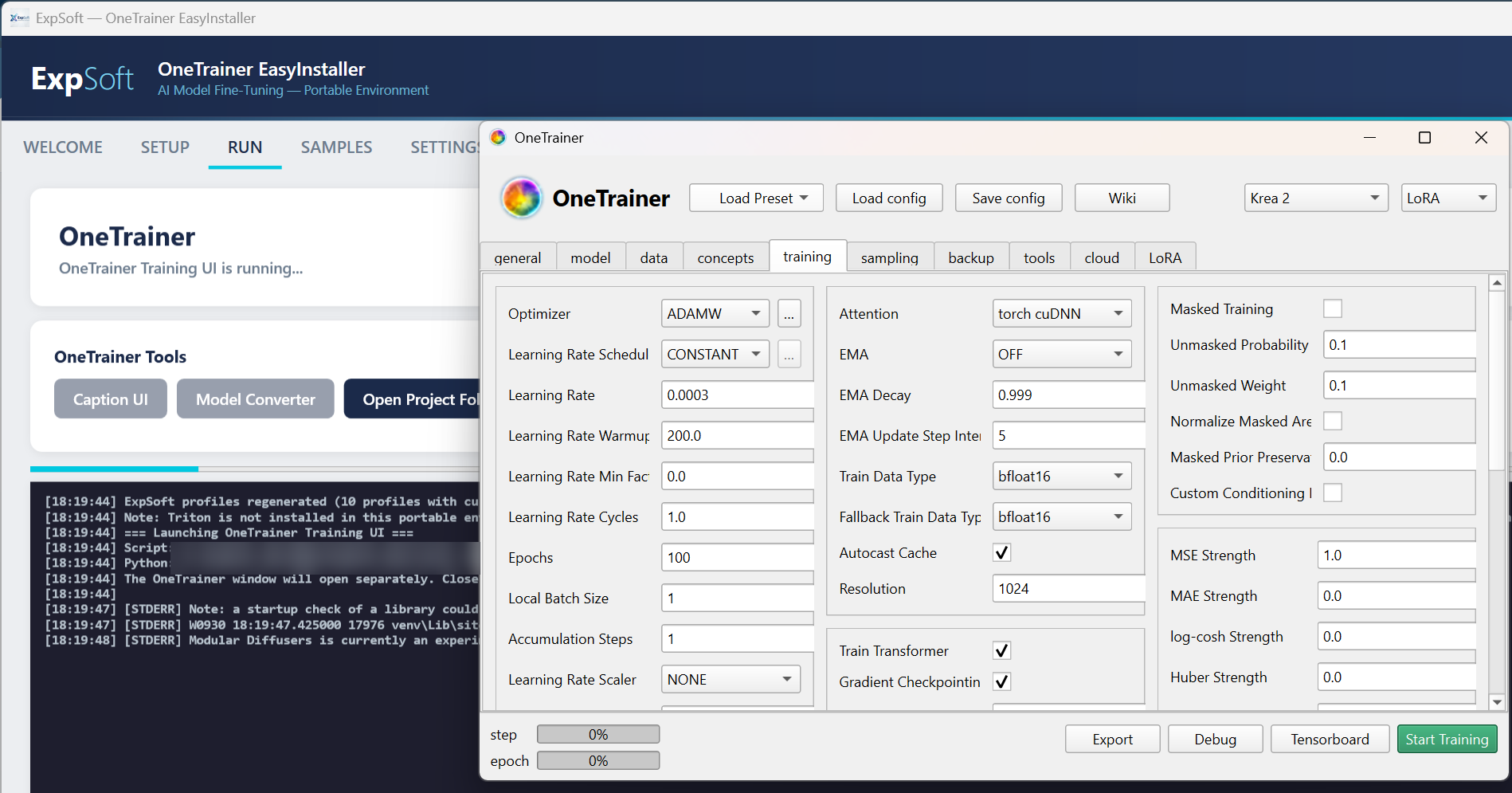
ExpSoft OneTrainer — Run tab with OneTrainer GUI
Run — OneTrainer GUI launched alongside the EasyInstaller with pre-loaded ExpSoft profiles
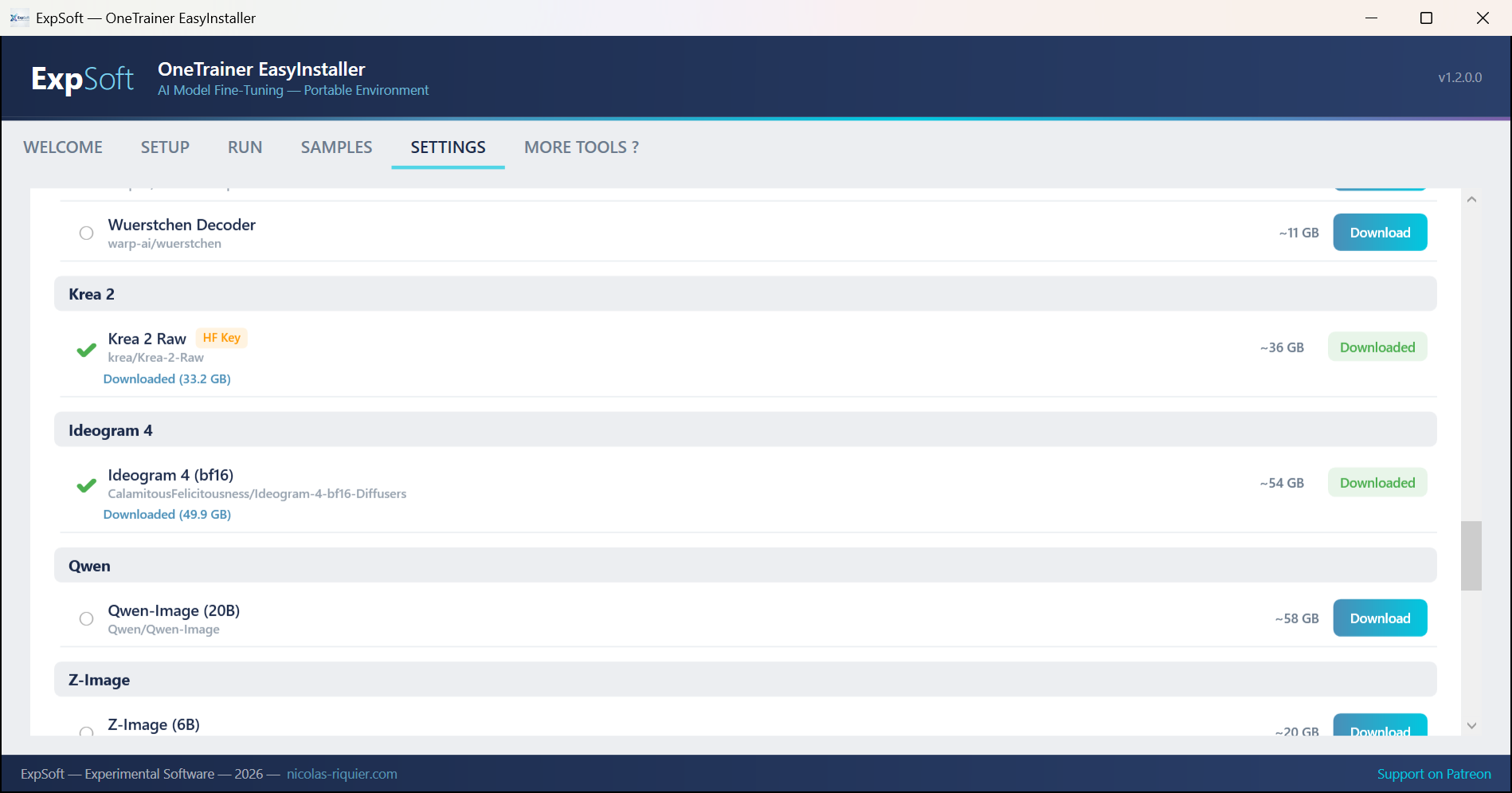
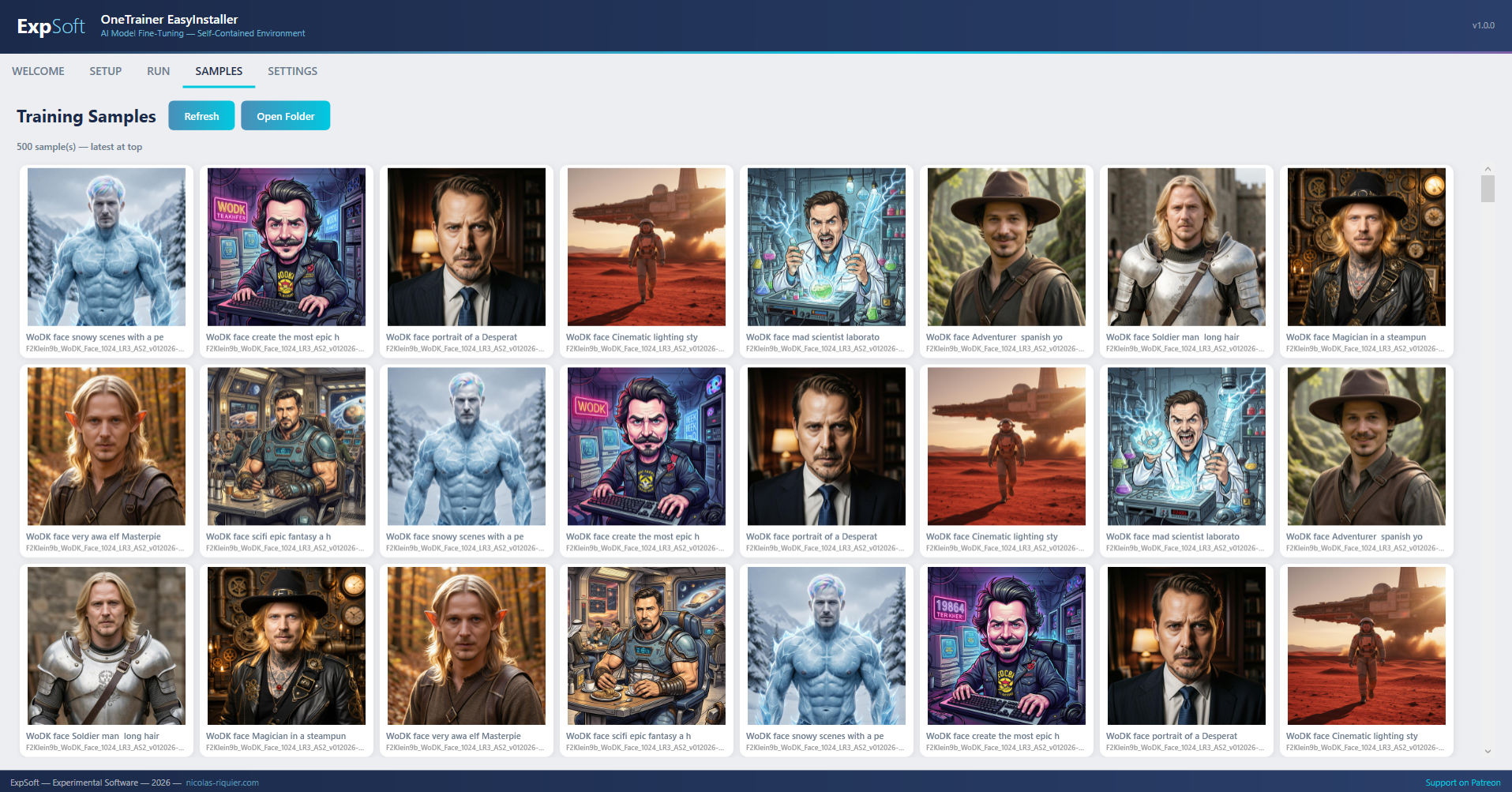
ExpSoft OneTrainer — Settings tab with model downloads
Settings — 28 base models to download with progress tracking, HF token for gated models, and portable paths
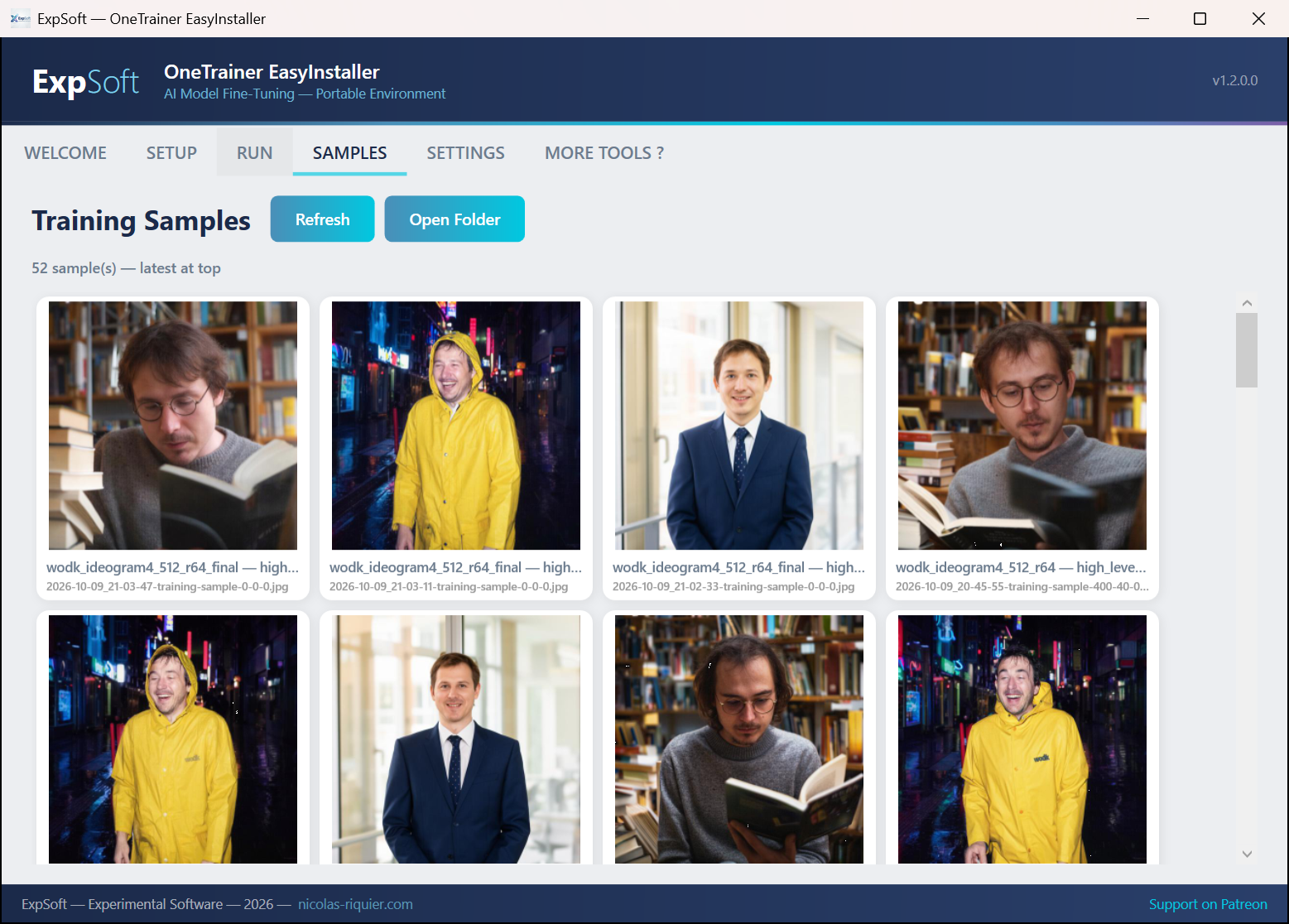
ExpSoft OneTrainer — LoRA training sample output
Sample output — Generated image from a Flux.2 Klein LoRA fine-tuned with ExpSoft OneTrainer
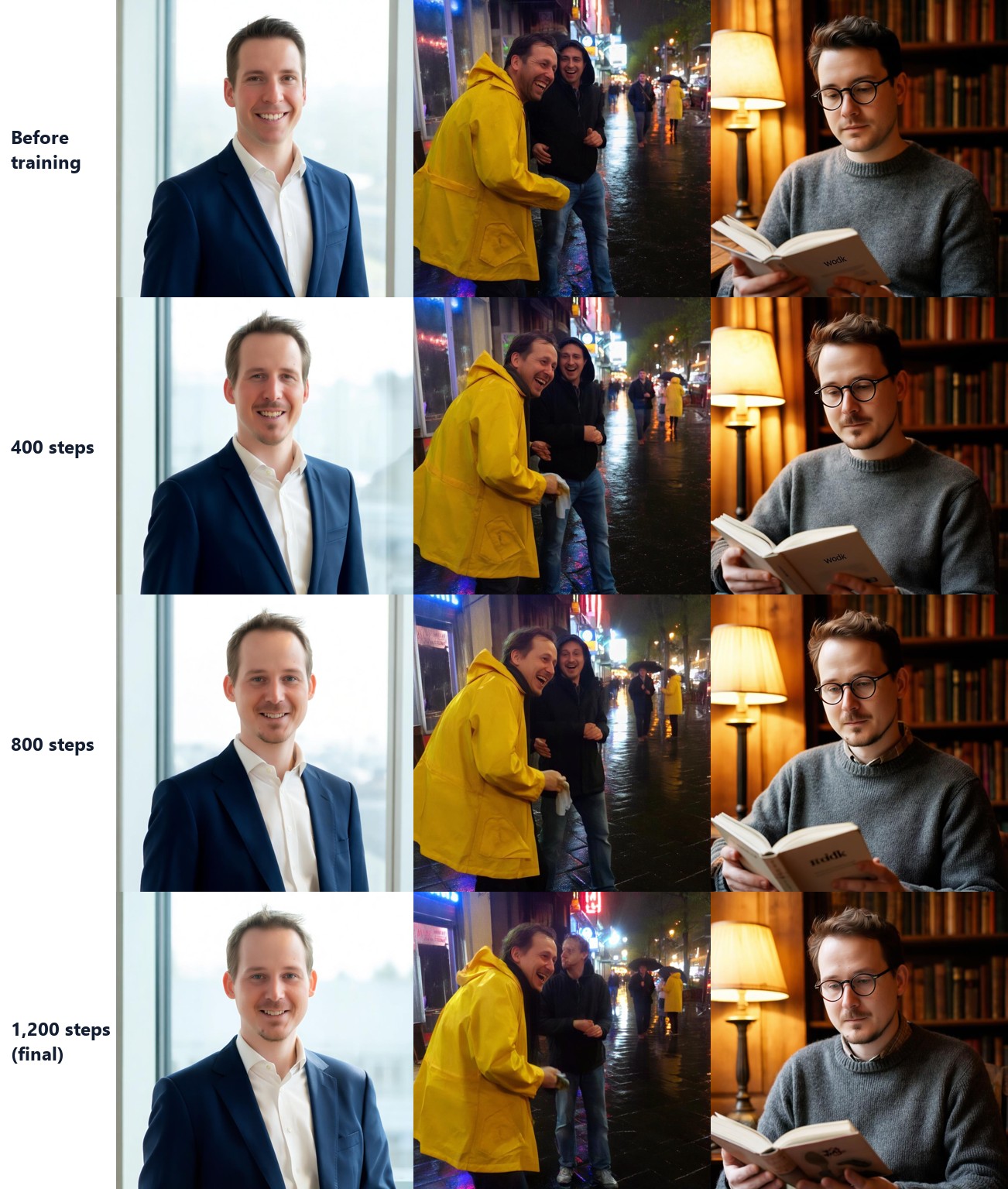
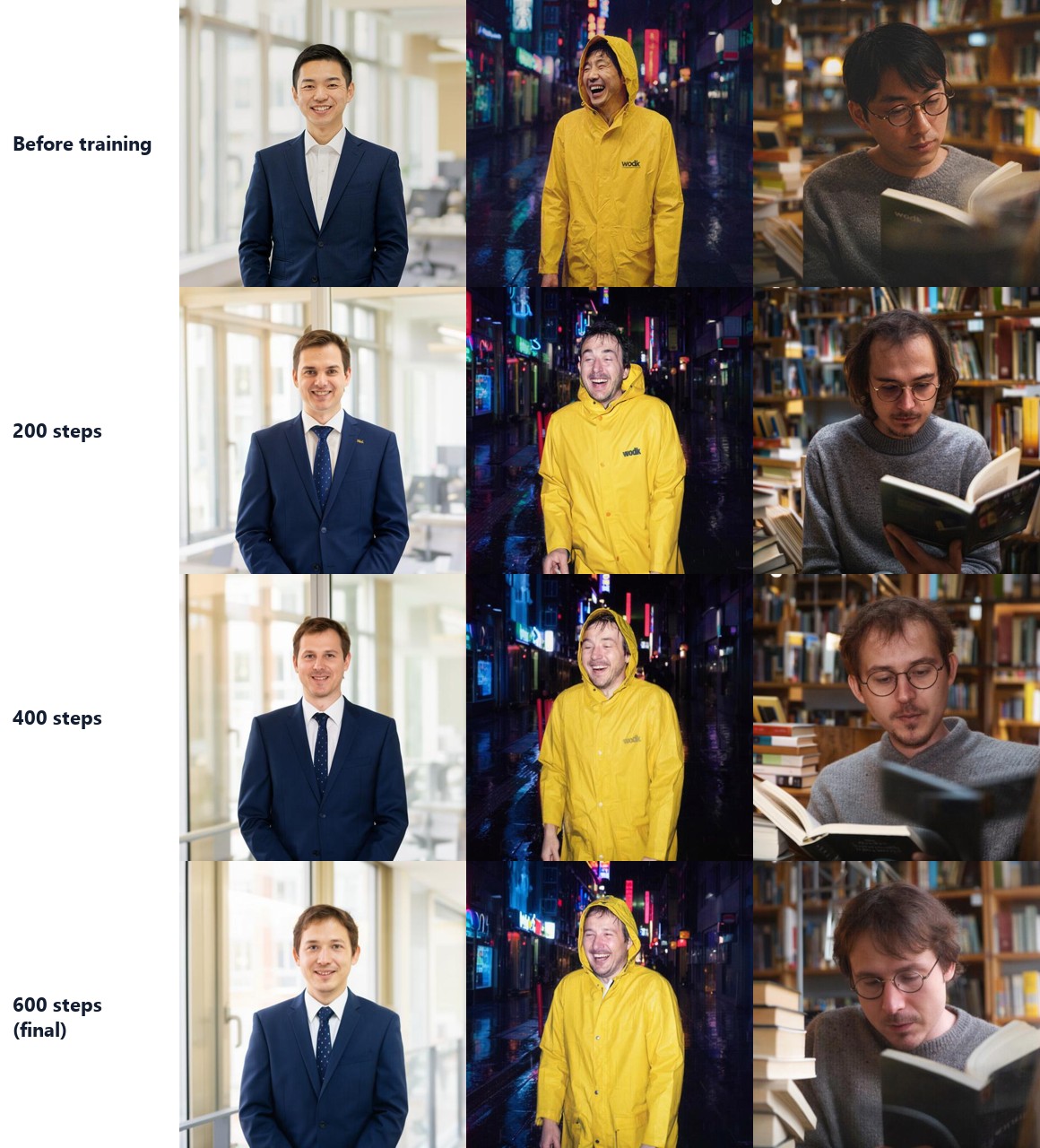
ExpSoft OneTrainer — LoRA training sample output
Sample output — Another result produced by a LoRA trained through the included profiles

Features

Everything you need to start fine-tuning AI models.

🤖

7 Pre-Configured Profiles

Ready-to-use LoRA training profiles for Flux.2 Klein 9B and 4B. Optimized tiers for 8 GB, 16 GB VRAM, and multiple resolutions (512, 1024, 1536px). Auto-patched with correct paths on every launch.

📥

28 Base Models Catalog

Download any of the 28 supported base models directly from HuggingFace — Flux.2, Flux.1, SD3, SDXL, SD 1.5, PixArt, Sana, HiDream, Chroma, Hunyuan Video, Qwen, Z-Image, and more. Progress tracking and Xet storage support included.

GPU Accelerated

Three builds: RTX 40xx (CUDA 12.4), RTX 50xx (CUDA 12.8), and CPU-only. Each ships with the correct PyTorch 2.9.1 wheels — no manual CUDA matching.

📦

One-Click Setup

Installs portable Git, Miniconda, PyTorch, and clones OneTrainer automatically. No command line, no PATH pollution. Just click "Install All".

🔄

Fully Portable

Runs from any folder or USB drive. Move the folder to another PC or drive letter — all venv paths, training profiles, and model references are auto-patched on every launch.

🔧

Triton-Free

Automatically removes triton-windows from requirements and patches CUDA index URLs. Avoids known Windows bugs without manual patching.

🎨

OneTrainer Tools

Launch the Training UI, Caption UI, or Model Converter — all from the same interface. Switch between tools without touching the command line.

📂

Organized Workspace

Dedicated directories for models, datasets, output, cache, and workspace. All paths pre-configured in profiles and visible in Settings with quick-open buttons.

🔒

Isolated Environment

Pinokio-style isolation: HuggingFace cache, Torch cache, pip cache — everything stays inside the app folder. Models download directly to a portable models/ directory, not the opaque HF cache.

🛡

RAM Watchdog

Monitors available memory and auto-cancels if RAM drops below 2 GB. Protects your system from freezes during heavy training.

Training Profiles

Pre-configured LoRA profiles for Flux.2 Klein models. Pick the one that matches your GPU.

9B

Klein 9B — 16 GB

512px, batch 2, no offload. Full speed on 16 GB VRAM cards (RTX 4060 Ti 16GB, RTX 4080, etc.).

9B

Klein 9B — 8 GB

512px, batch 1, CPU offload (70%). Fits on 8 GB cards with aggressive memory management.

9B

Klein 9B — 1024px

1024px, batch 1, CPU offload (50%). Higher resolution training on 16 GB VRAM.

4B

Klein 4B — 16 GB

512px, batch 4, no offload. Maximum throughput on 16 GB cards with the lighter model.

4B

Klein 4B — 8 GB

512px, batch 2, CPU offload (50%). Comfortable on 8 GB with the 4B model.

4B

Klein 4B — 1024px

1024px, batch 2, CPU offload (30%). High resolution on 16 GB with minimal offload.

4B

Klein 4B — 1536px

1536px, batch 1, CPU offload (60%). Maximum resolution for 16 GB cards with the 4B model.

Technical Details

.NET

.NET 8 WPF

Modern desktop app with MVVM architecture. Self-contained single-file exe (~155 MB).

🤖

OneTrainer

Full-featured AI model fine-tuning framework by Nerogar. LoRA, full fine-tune, embeddings, and more.

🔥

PyTorch 2.9.1

CUDA 12.4 (40xx), CUDA 12.8 (50xx), or CPU-only. Matched to your GPU series for maximum compatibility.

🔌

Portable Runtime

Embedded Miniconda + portable Git. Full venv path relocation on drive letter changes.

Requirements

💻

System

Windows 10/11 (64-bit). 16 GB RAM minimum, 32 GB recommended for larger models.

🕸

GPU

RTX 40xx build: NVIDIA RTX 2060 or newer (CUDA 12.4). 8 GB VRAM minimum, 16 GB recommended.
RTX 50xx build: NVIDIA RTX 5060 or newer (CUDA 12.8).
8 GB profiles use CPU offload; 16 GB profiles run at full GPU speed.

💾

Storage

~15 GB for the base installation (Python, PyTorch, OneTrainer). Additional space for models, datasets, and training output.

🤗

HuggingFace Token (optional)

Some models on HuggingFace are gated. If you need to download gated models, enter your HF token in Settings.

Licenses

This installer is a separate program. OneTrainer source code remains untouched in the project/ folder.

AGPL-3.0

OneTrainer

AGPL-3.0 License by Nerogar. Source code is cloned as-is from GitHub. This installer does not modify OneTrainer's source.

BSD-3

PyTorch

BSD-3-Clause License. Downloaded from official PyTorch wheel indexes during setup.

Various

AI Models

Models are NOT bundled. Download 28 base models from HuggingFace via the built-in catalog, or use OneTrainer's UI. Each model has its own license — check the model card before use. Gated models require a HuggingFace token.

Frequently Asked Questions

Quick answers to what people ask AIs about this tool.

What is ExpSoft OneTrainer?

ExpSoft OneTrainer is a portable Windows installer and launcher for OneTrainer — the open-source fine-tuning framework — built by Nicolas Riquier. It bundles 7 pre-configured LoRA training profiles for Flux.2 Klein, an automatic Python and CUDA setup, a Samples gallery to inspect training progress, and a Windows-native GUI so you never see a command line.

Is ExpSoft OneTrainer free?

ExpSoft OneTrainer is distributed through ExpSoft's Patreon. Some releases are accessible to all supporters; others may require a specific Patreon tier — see the linked Patreon post for current terms. The underlying OneTrainer framework is open-source; ExpSoft's value is taking care of the hours of CUDA + PyTorch + venv + base model bootstrapping that normally stand between you and a first LoRA training step.

What models can I train with ExpSoft OneTrainer?

OneTrainer supports a wide range of diffusion models for LoRA fine-tuning, full fine-tuning, embedding training and DreamBooth. ExpSoft's installer ships with 7 pre-configured profiles for Flux.2 Klein out of the box — pick one, drop your dataset, click Run. You can also configure profiles for SDXL, SD 1.5, SD 3.x, Wan and others through the standard OneTrainer interface.

What GPU do I need for ExpSoft OneTrainer?

An NVIDIA GPU with CUDA support is required. The exact VRAM depends on the base model and resolution — Flux.2 Klein LoRA training fits in 12 GB+ comfortably; SDXL LoRA needs 8 GB+; larger models need more. The installer detects your GPU at setup and selects matching PyTorch wheels.

How is ExpSoft OneTrainer different from Kohya_SS or direct OneTrainer?

Direct OneTrainer is powerful but assumes you already have a working Python + CUDA + PyTorch environment, which can take hours to bootstrap. Kohya_SS is older and SDXL/SD1.5-focused. ExpSoft OneTrainer takes care of dependencies and profile setup so you go from "downloaded the exe" to "first LoRA training step" in a few clicks — and the Samples gallery makes monitoring training painless.

Does ExpSoft OneTrainer work offline?

Setup needs internet to fetch the OneTrainer source, Python dependencies, CUDA wheels, and base model weights. Once installed, training runs entirely on your local GPU with no internet calls — no telemetry, no per-step phoning home.

Who built ExpSoft OneTrainer?

The Windows installer, GUI and the Flux.2 Klein profiles were built by Nicolas Riquier as part of the ExpSoft catalogue. The underlying OneTrainer fine-tuning framework is an open-source project by Nerogar; ExpSoft adds packaging and Windows ergonomics on top.

Ready to fine-tune?

Download, extract, launch. Fully portable, no install required. Available now on Patreon.

Engineering note

Wrapping OneTrainer cleanly on Windows — the AGPL-respectful EasyInstaller approach

ExpSoft OneTrainer EasyInstaller is a personal-use Windows wrapper around OneTrainer — the open-source diffusion-model fine-tuning toolkit by Nerogar, distributed under AGPL-3.0 (the legal frame is therefore personal …

Read the full note →