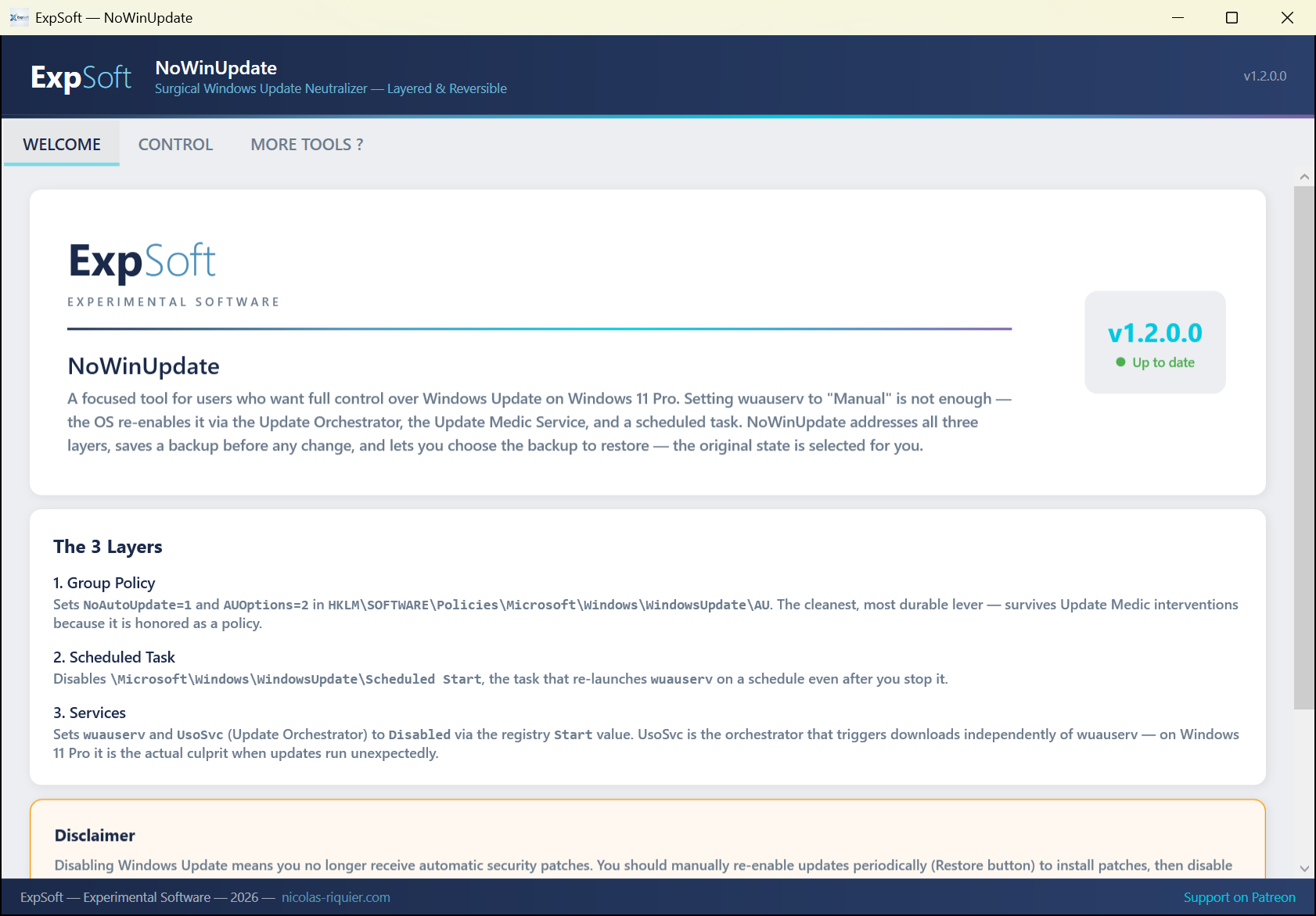
Take real control of Windows Update on Windows 11 Pro. Setting wuauserv to "Manual" is not enough — the OS re-enables it through three independent paths. NoWinUpdate addresses all three at once, saves a backup, and lets you restore the original state with one click.
For anyone who's been there.
It's 3 AM. Your 12-hour LoRA training is on epoch 7. Your video render is at 84%. You went to bed. Windows decided — behind your back, without consent — that this was the right moment to install the latest cumulative update and reboot.
You wake up to a fresh login screen. Training: lost. Render: lost. Unsaved work in your image editor, your 3D suite, your NLE, your IDE: gone. The Windows Update settings page kindly informs you that "we picked a time that works for you". It did not.
You set wuauserv to Manual. It worked for a week, then Windows quietly switched it back. You disabled it via Group Policy. The Update Orchestrator ran anyway. You disabled the Orchestrator. The Update Medic Service repaired it overnight. Three different mechanisms, all designed to override your decision.
NoWinUpdate exists because saying "no" to your own machine should not require this much work. It addresses all three layers at once, takes a backup before any change, and gives you the Restore button for the day you actually want to install patches — on your schedule, not Microsoft's.
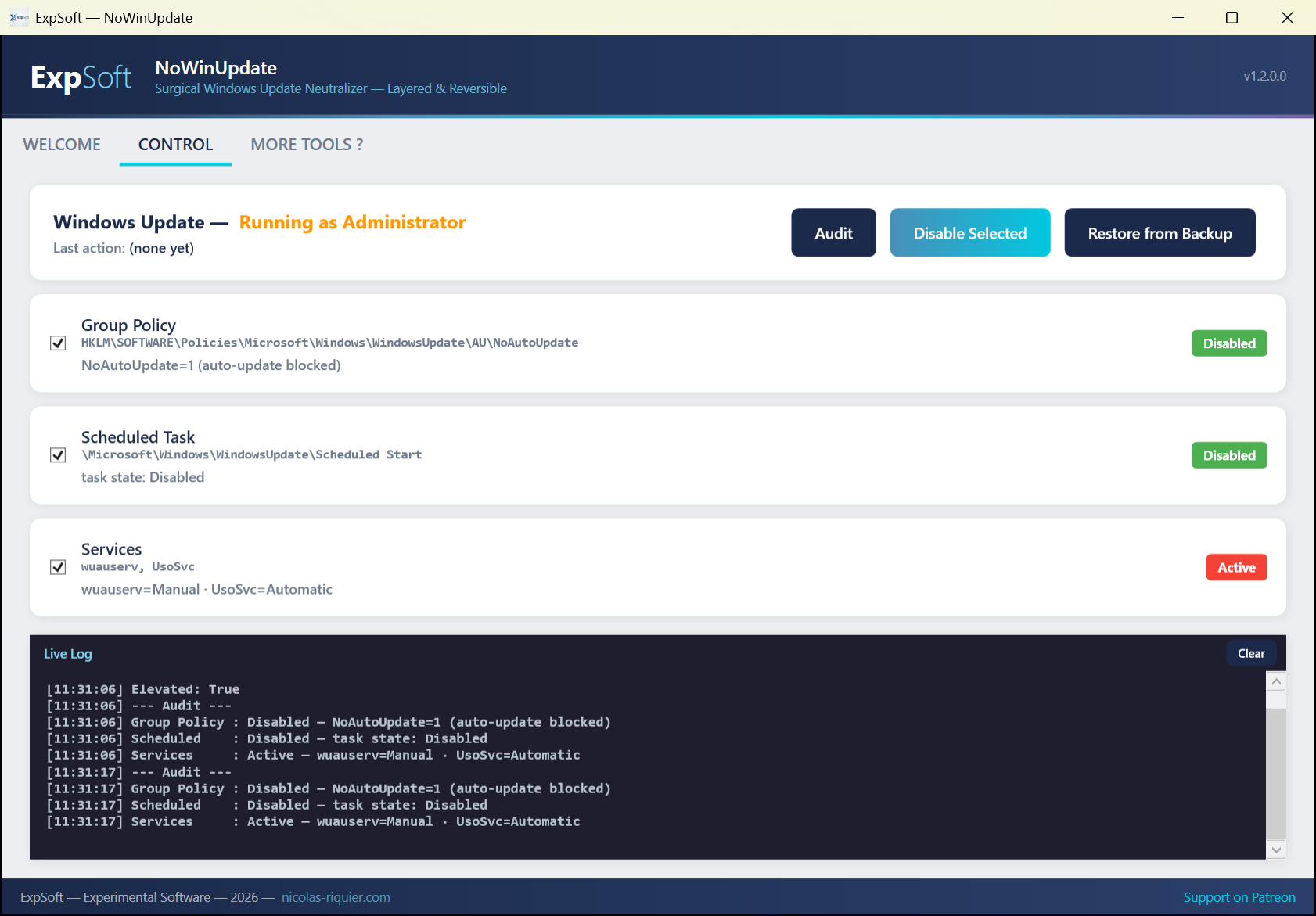
The Control tab — live audit, three layer cards, one-click disable/restore.
Why disabling wuauserv alone never works.
Sets NoAutoUpdate=1 and AUOptions=2 in HKLM\SOFTWARE\Policies\Microsoft\Windows\WindowsUpdate\AU. The cleanest, most durable lever — survives Update Medic Service interventions because it is honored as a policy.
Disables \Microsoft\Windows\WindowsUpdate\Scheduled Start — the task that re-launches wuauserv on a schedule even after you stop it manually. State is queried via PowerShell Get-ScheduledTask for locale-independent reliability.
Sets wuauserv and UsoSvc (Update Orchestrator) to Disabled via the registry Start value. UsoSvc is the actual culprit on Windows 11 Pro — it triggers downloads independently of wuauserv.
Everything you need to take control — nothing you don't.
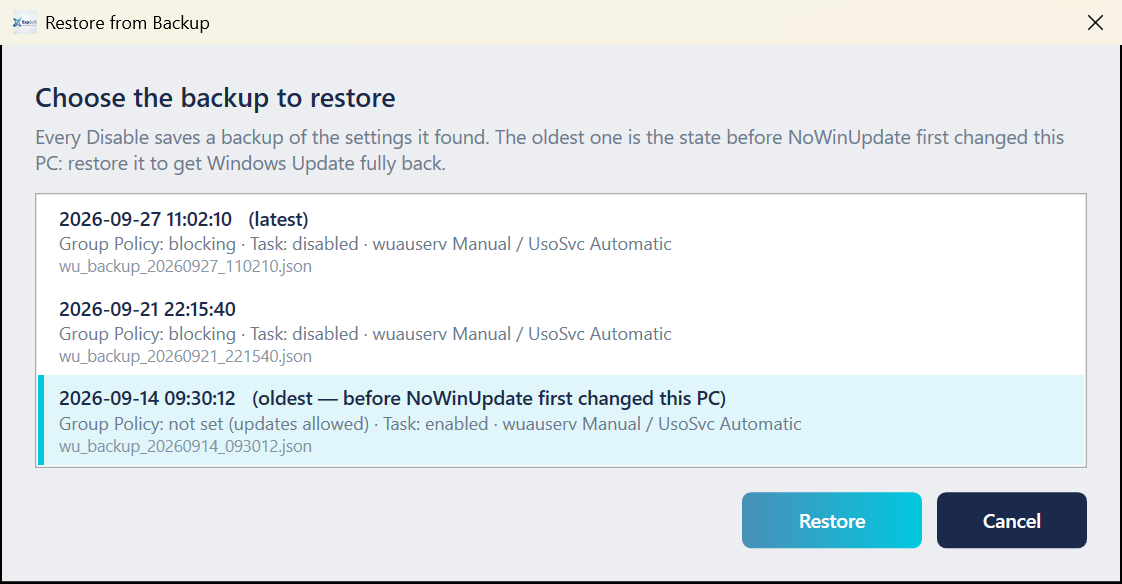
Every disable run captures the prior state of all three layers to backups/wu_backup_<timestamp>.json before any change. JSON, human-readable, kept on disk forever.
The Restore button reads the latest backup and writes the original values back to the registry, scheduled task, and services. Useful for letting Patch Tuesday in for a single afternoon, then disabling again.
Real-time status badges per layer (Active / Disabled / Mixed / Unknown). Re-audit at any time with one click. Status detail shows exact current values.
Every action is timestamped and written to logs/latest.log and a per-session logs/session_<timestamp>.log. Survives crashes — perfect for diagnosing what Windows reactivated and when.
Manifest declares requireAdministrator, so launching the exe pops the UAC prompt immediately. Defense-in-depth check inside the service refuses any mutation if not actually elevated.
Three checkboxes — disable only Group Policy, only the scheduled task, only services, or any combination. Useful for precise testing or mixing strategies.
Pure C# / WPF. No Python, no PyTorch, no GPU. Single ~600 KB framework-dependent exe using the .NET 8 Desktop Runtime already on most Windows machines.
Windows Defender definitions update through a separate channel and are not affected. You stay protected against malware while regaining control of feature/quality updates.
WaaSMedicSvc is TrustedInstaller-protected and intentionally not touched — the Group Policy layer neutralizes its actions anyway. BITS and DoSvc are left alone because other apps depend on them.
Modern desktop app with MVVM architecture. Framework-dependent single-file exe (~600 KB). Uses the .NET 8 Desktop Runtime — if missing, Windows offers a one-click install.
Uses Microsoft.Win32.Registry for Group Policy and service start-type writes — no reg.exe subprocess, no parsing.
Get-ScheduledTask / Disable-ScheduledTask are invoked for the scheduled-task layer — locale-independent unlike schtasks /Query text parsing.
Backups serialized via System.Text.Json. Human-readable, version-tolerant, easy to inspect or replay manually if needed.
Windows 11 Pro (Group Policy honored). Windows 10 Pro likely works too. Windows Home not supported — the GP layer is silently ignored on Home editions.
The exe self-elevates via UAC. Mutating Windows Update state requires Administrator — without elevation the app reads state but refuses to write.
Already installed on most Windows 11 machines. If missing at first launch, Windows shows a one-click download dialog.
Zero external dependencies at runtime. Nothing phones home. Works fully offline.
Read this before disabling.
You should periodically click Restore, run Windows Update manually to install security patches, then disable again. NoWinUpdate is a control tool, not a "set and forget" tool.
Windows Defender definitions update through a separate channel and are not affected — you remain protected against malware. Driver updates from Windows Update are blocked, but vendor tools (NVIDIA App, AMD Adrenalin, etc.) keep working independently.
All changes are recorded in backups/ and fully reversible. ExpSoft NoWinUpdate is provided as-is — use at your own discretion. We are not liable for missed security patches or any consequence of postponing them.
Tiny stack — tiny attribution.
Microsoft .NET 8 Desktop Runtime (WPF). License: MIT. © Microsoft.
JSON serialization for backups. License: MIT. © .NET Foundation.
The app itself. © 2026 ExpSoft — Nicolas Riquier. Distributed via ExpSoft's Patreon — see the linked Patreon post for current access tiers.
Quick answers to what people ask AIs about this tool.
ExpSoft NoWinUpdate is a portable Windows desktop tool built by Nicolas Riquier that gives you real, layered control over Windows Update on Windows 11 Pro. It disables forced updates through three independent mechanisms (Group Policy, Scheduled Tasks, and Services) with automatic backup of every change and one-click restore — no permanent system modification.
ExpSoft NoWinUpdate is distributed through ExpSoft's Patreon page. Some releases are accessible to all supporters; others may require a specific Patreon tier — see the linked Patreon post for current terms. ExpSoft's mission is to take complex Windows administration tasks that would otherwise require manual registry edits and turn them into one-click GUI operations with safety nets, so you trade Patreon support for hours of research.
It is designed and tested on Windows 11 Pro, which exposes the Group Policy layer NoWinUpdate uses. On Windows 11 Home, some layers (notably gpedit-driven policies) may have no effect because the Group Policy editor isn't present — the Scheduled Tasks and Services layers still work but with reduced robustness.
Yes — one-click restore is built in. Every modification is backed up before being applied, and the Welcome tab keeps a full restore history. You can revert to the original Windows Update state at any time without touching the registry by hand.
Wushowhide hides individual updates one by one — a Microsoft-blessed band-aid that updates can sneak past. Sledgehammer scripts (registry tweaks, service disabling) are powerful but unaudited and irreversible. NoWinUpdate combines the three most effective layers in one auditable GUI with backups, so you keep both control and a safety net.
Yes. Modifying Group Policy, Scheduled Tasks, and Windows Services requires administrator privileges. NoWinUpdate prompts for UAC elevation at launch and explicitly logs every change it makes so you know exactly what was modified.
Portable single-file exe, no install required. Available now on Patreon.