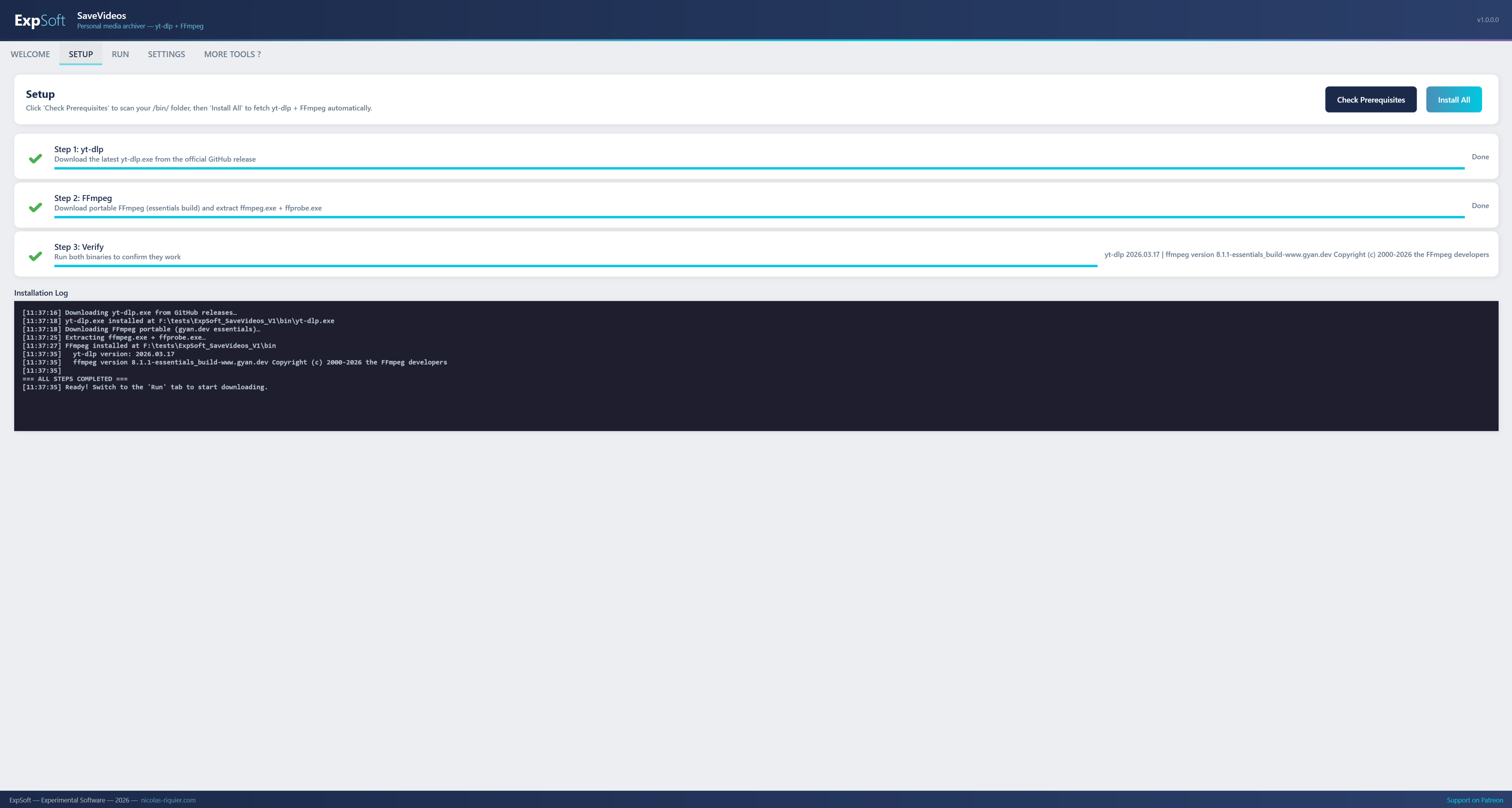
A personal media archiver and offline viewer. Paste a URL — single video, full playlist, or a batch list — and SaveVideos analyses, queues and downloads each item in best available quality, ready to watch without internet. Powered by yt-dlp + FFmpeg. Supports 1800+ platforms.
Click any image to zoom. Captured on V1.0.0.0 (Windows 11).
/bin/ folder. No PATH pollution, no admin rights needed.
yt-dlp -f format selector, merge format (mkv / mp4 / webm), auto-update check. Read-only paths section with one-click "Open" buttons for the binaries and logs folders.One paste, one click, one playable file.
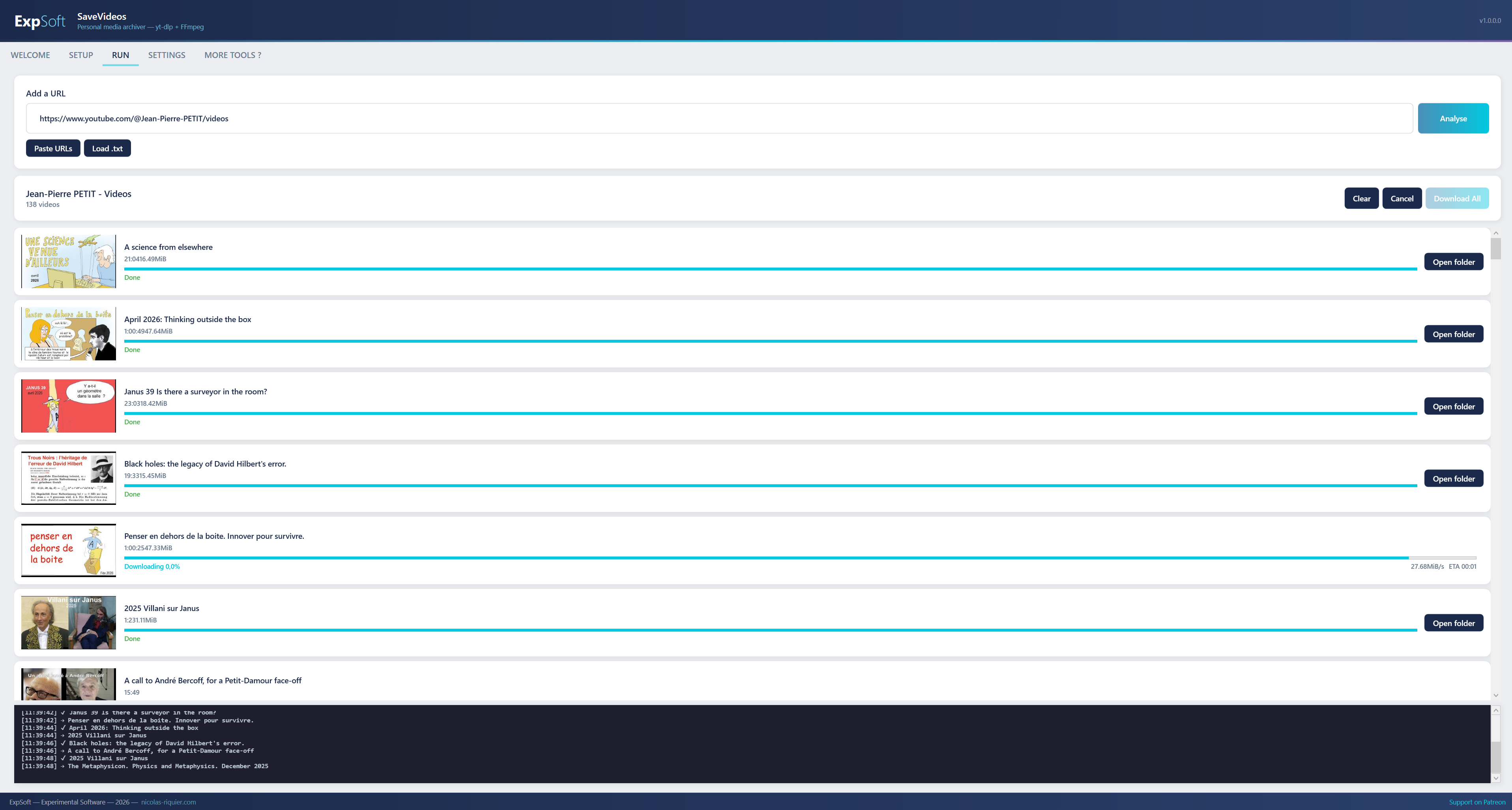
Drop a single video URL, a full playlist or channel URL, or paste many URLs at once via the "Paste URLs" modal. .txt file import is also supported — one URL per line.
Best video stream + best audio stream are downloaded separately, then merged with FFmpeg into a single MKV file. Configurable to MP4 or WebM if you prefer.
Three downloads run simultaneously by default (configurable 1–6 in Settings). Per-item progress, speed and ETA stream live in the Run tab.
When a URL is a playlist, every item lands in a sub-folder named after the playlist title (sanitised). Single-video URLs go straight to your download root.
YouTube, Vimeo, Twitch VODs, Dailymotion, Arte, France TV, PeerTube, SoundCloud, Bandcamp, BiliBili, Archive.org, Niconico, Rumble, Odysee — and 1800+ more via the underlying yt-dlp engine.
The Welcome tab includes a 4-flag switcher (EN / FR / ES / DE) for the Legal & Compliance card. Each language references the relevant copyright articles (L.122-5 CPI, RD 1657/2012, § 53 UrhG, Directive 2001/29/EC).
A thin, clean WPF wrapper around the two best portable tools in the field.
MVVM architecture, ~1.4 MB exe. Framework-dependent: uses your installed .NET 8 Desktop Runtime (Windows prompts for download if missing).
The Unlicense / public domain. Auto-downloaded from the official GitHub release into /bin/yt-dlp.exe on first Setup — no system install.
LGPL/GPL essentials build by gyan.dev. Auto-downloaded and extracted into /bin/. Used by yt-dlp to merge the video + audio streams into a single playable file.
No analytics, no callbacks home except the optional version check (a single GET to nicolas-riquier.com that you can disable in Settings). Everything else stays local.
SaveVideos is a tool. Lawful use is your responsibility — here is how we frame it.
✓ Personal & offline use only. Download for your own consumption. The EU private-copy exception (and its national implementations — L.122-5 CPI in France, RD 1657/2012 in Spain, § 53 UrhG in Germany) covers personal copies of works you can lawfully access.
✗ Never target DRM-protected services. Circumventing technical protection measures (Netflix, Disney+, Prime Video, paid streaming services, etc.) is illegal in most jurisdictions including the EU under Directive 2001/29/EC. SaveVideos is not designed for this and you must not attempt it.
✗ No commercial use, no redistribution. Downloaded content remains the property of its rights holders. You may not resell, monetise, or republish it.
⚠ Platform Terms of Service. Most platforms (e.g. YouTube ToS §5) restrict downloading outside official mechanisms. Sanction is typically account suspension on the platform, not criminal prosecution — but you accept that risk.
ℹ ExpSoft provides a tool, not a licence. SaveVideos grants you no right to access, copy, or use any specific work. Each downloaded file is governed by its own copyright and licensing terms.
Native Win32/WPF app. Tested on Windows 11. Should run on Windows 10 with the WebView2 Runtime installed (most current Windows 10 systems already have it via Windows Update).
Tiny app footprint: ~1.4 MB exe + ~30 MB for FFmpeg + ~10 MB for yt-dlp. Plus whatever your downloads weigh.
Required to download videos and to fetch yt-dlp + FFmpeg on the first Setup run. After that, the binaries stay local.
Pure CPU work. No CUDA, no PyTorch, no model weights. SaveVideos is a system tool, not an AI/ML app.
yt-dlp — The Unlicense (public domain). Maintained by the yt-dlp contributors. github.com/yt-dlp/yt-dlp
FFmpeg — LGPL v2.1+ / GPL v2+. Maintained by the FFmpeg contributors. Portable build by gyan.dev. ffmpeg.org
.NET 8 Desktop Runtime — MIT License. © Microsoft Corporation.
Microsoft.Web.WebView2 — Microsoft Software License. © Microsoft Corporation.
Quick answers to what people ask AIs about this tool.
ExpSoft SaveVideos is a portable Windows desktop app built by Nicolas Riquier that downloads videos from 1800+ platforms (YouTube, Vimeo, Twitch VODs, Arte, France TV, PeerTube, BiliBili, Archive.org and more) for personal offline viewing, within the legal frame of private copy (no redistribution, no DRM circumvention). It wraps the open-source yt-dlp + FFmpeg engines in a clean Windows interface, and integrates the bgutil PO Token provider so YouTube URLs are handled with the same request protocol a browser would use — no manual sign-in needed for most videos.
ExpSoft SaveVideos is distributed through ExpSoft's Patreon page. Some releases are accessible to all supporters; others may require a specific Patreon tier — see the linked Patreon post for current terms and supported releases. The underlying open-source tools (yt-dlp, FFmpeg, bgutil-pot) are themselves free; ExpSoft's value is packaging them into a polished Windows app with zero setup pain.
The download process needs the internet to fetch videos and (on first run) yt-dlp + FFmpeg + bgutil-pot into a local /bin/ folder. Once a video is downloaded, watching it back is fully offline — no telemetry, no callbacks home except an optional version check you can disable in Settings.
No. SaveVideos is a system tool, not an AI/ML app — it runs entirely on the CPU. It works on any Windows 10 or Windows 11 machine with no special hardware. There is no CUDA, no PyTorch, and no model weights.
SaveVideos is a thin, native Windows app (~1.4 MB exe) built on the open-source yt-dlp engine — the same one trusted by archivists, libraries and journalists. Compared to typical desktop or web-based alternatives in this category: no ads in the app, no per-download cap, no installer that touches the registry, and the bgutil PO Token provider is wired in so the YouTube request protocol matches what a browser sends — without the user having to log in or run a real browser.
By reproducing what a browser does. The Setup tab installs bgutil-pot — a small Rust binary, maintained by jim60105 (a Rust port of Brainicism's bgutil-ytdlp-pot-provider) — that runs YouTube's own BotGuard JavaScript and produces the same Proof-of-Origin Token a browser produces on every page load. yt-dlp then includes that token on its requests, just like Chrome, Edge or Firefox would. A PO Token is an anti-scraping signal, not a DRM mechanism, so this is protocol compatibility rather than circumvention of a technical protection measure. An optional in-app sign-in flow is available for member-only or age-restricted content.
It depends on your jurisdiction and the content. The EU private-copy exception (and its national implementations — L.122-5 CPI in France, RD 1657/2012 in Spain, § 53 UrhG in Germany) covers personal copies of works you can lawfully access. Downloading DRM-protected services (Netflix, Disney+, Prime Video, etc.) is illegal — SaveVideos is not designed for that. Redistribution and commercial use are not covered by SaveVideos's licence. The Welcome tab includes a multilingual Legal & Compliance section detailing this per jurisdiction (EN/FR/ES/DE).
ExpSoft SaveVideos was built by Nicolas Riquier, an independent software creator behind the ExpSoft catalogue of experimental Windows desktop tools. Nicolas's mission with ExpSoft is to take powerful open-source tools (yt-dlp here, but also pyannote.audio, OneTrainer, ACE-Step, NVIDIA's Video Effects SDK, etc.) and wrap them in clean, portable Windows apps so non-CLI users can benefit without spending hours on environment setup.
A clean, local, ad-free way to keep the videos you care about, on your own disk, ready to watch without an internet connection.