A frame-perfect Windows tool for turning raw video footage into clean, cropped, annotated chunks — ready for HuggingFace, LeRobot or WebDataset training pipelines. Zoomable timeline with waveform, square ML crop presets, FPS retiming, JSON + CSV manifests. Powered by LibVLC + FFmpeg.
Video models eat clips, not raw footage.
You collected hundreds of hours of raw video — gameplay captures, robot demonstrations, cooking sessions, dance footage, dashcam loops, microscope timelapses, screen recordings — and you need to turn that into a training dataset for a video diffusion model, a vision-language-action policy, a CLIP-style retrieval index or a captioning fine-tune.
The hard part isn't the model. It's getting clean, consistent, well-cut, properly cropped clips with sane aspect ratios, sane resolutions, sane FPS, and a manifest that maps each clip to a label, a tag and a description. Doing that in a general-purpose non-linear video editor is overkill, slow and error-prone for a dataset-building workflow. Doing it in ffmpeg alone is fast but blind — you can't see what you're cutting.
DatasetVideoChunker is the missing middle tool. A focused, keyboard-driven editor that does one job: look at video, mark a chunk, optionally crop it square, label it, repeat, export the lot to a normalised dataset.
Click any image to zoom. Captured on V1.0.13.0 (Windows 11).
A real workflow, step by step.
Scenario. You want to fine-tune a small video diffusion model on cooking gestures. You have 40 GB of YouTube cooking videos (downloaded with ExpSoft SaveVideos — same author) and you want ~200 clean clips of 3–6 seconds, all square 720×720, 24 FPS, MP4, with a tag (chop / stir / plate) and a one-line description.
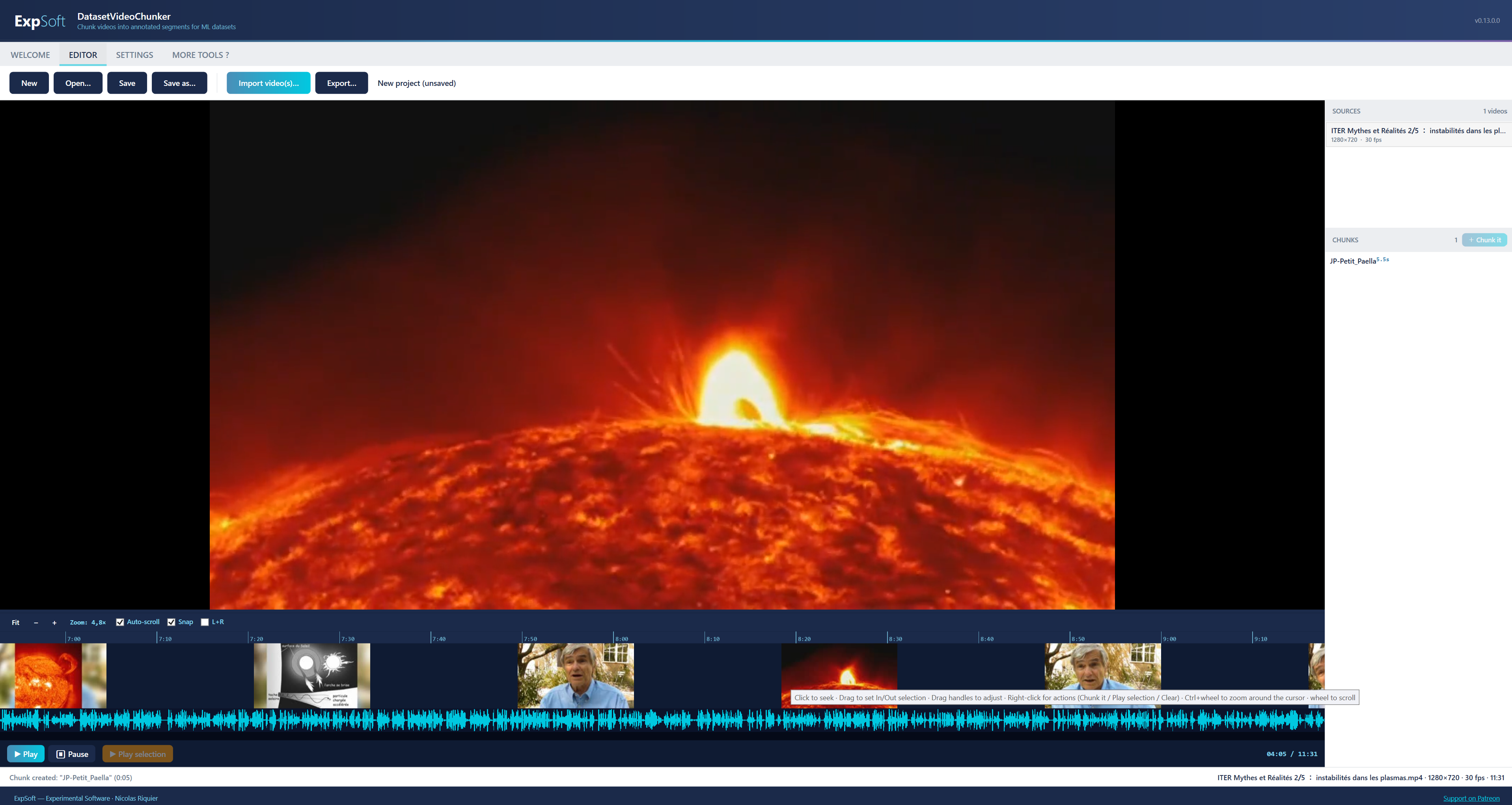
Drag your videos onto the app or use Import sources. Each video lands in the right-hand Sources panel with its duration, resolution and FPS. Click one to load it in the player.
Use Space to play / pause, ←/→ to step a frame, Shift+←/Shift+→ to jump 1 s. Land on the first frame of your gesture and press I — the green In marker drops on the timeline. Find the last frame and press O. The yellow selection band fills with a live duration pill showing « 3.412 s ».
Press Ctrl+B. The Chunk Editor opens with a frame preview. Type a title (onion_chop_01), pick a tag (chop), write a one-line prompt. Click Crop, draw a square around the cutting board, click the 720 preset to lock the output to 720×720. Hit OK. The chunk lands in the right-hand Chunks panel with a coloured pill on the timeline.
The whole loop is roughly 10 seconds per chunk once you're warm. Scrub, I, O, Ctrl+B, type, OK. Right-click any chunk in the panel to rename / duplicate / delete / re-edit crop. Switch source in the right-hand panel to keep going on the next video.
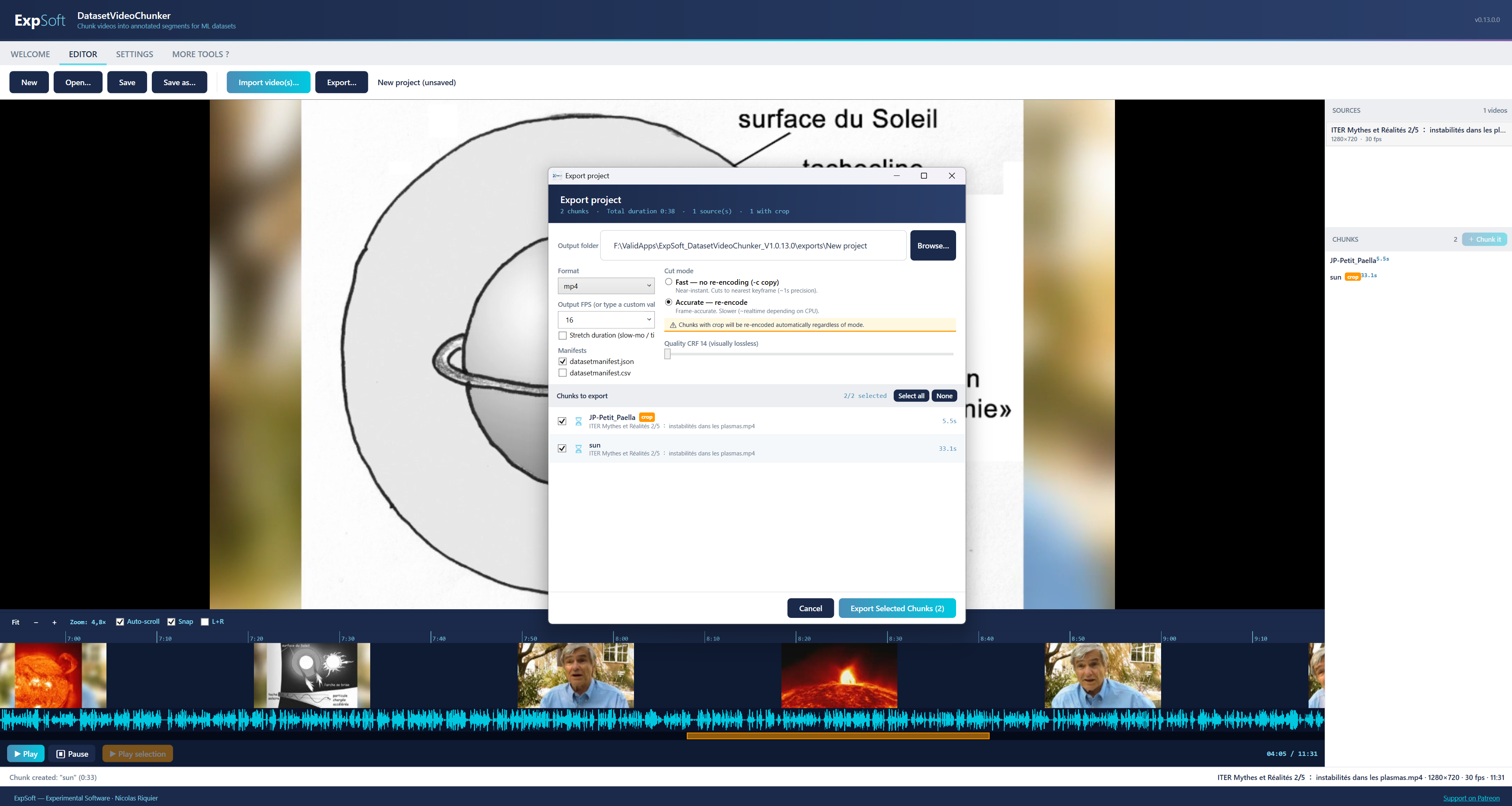
Press Ctrl+E. The Export window lists all your chunks with checkboxes (Select all / None). Choose Re-encode mode (so the crop is applied), FPS = 24, CRF = 22, format MP4. Tick Write JSON manifest and Write CSV manifest. Click Export. FFmpeg runs each chunk in parallel via libopenh264 with the right bitrate computed from your CRF target.
You get a folder with onion_chop_01.mp4 … plate_47.mp4, plus manifest.json and manifest.csv mapping each clip to its source video, in/out timecodes, crop rect, tag, prompt and description. Drop that folder into your HuggingFace datasets loader, your LeRobot pipeline, or your WebDataset tar packer — done.
Bonus mode — slow-motion stretch. If your source is 60 FPS and you want a slow-mo training clip at 24 FPS without losing audio sync, switch the export to Stretch mode. The tool runs setpts=R*PTS on video and atempo=1/R on audio with input-side trimming so the full duration is preserved (output-side trim would crop the stretched result — classic FFmpeg trap, handled for you).
Every feature, no fluff.
Plays everything FFmpeg can demux (MP4 / MKV / MOV / AVI / WebM / TS / VOB …), including weird FPS, VFR sources and HEVC / 10-bit. Software decode by default for predictability. ←/→ step exactly one frame.
Hand-rolled in SkiaSharp: ruler, thumbnail strip, audio waveform, chunks band, selection band, playhead. Wheel-zoom, drag-pan, drag-select. HighDPI-correct on 125% / 150% / 200% Windows scaling.
The whole chunk-creation loop is keyboard-first. I = In, O = Out, Ctrl+B = chunk it. Live duration pill on the selection band so you always know what you're about to cut.
Per-chunk crop with corner handles, aspect lock and rule-of-thirds. One-click square presets at 480 / 512 / 720 / 960 / 1024 / 1280 / 1536 / 2048. Coordinates stored normalised so the same chunk re-exports cleanly at any size.
Export at 24 / 25 / 29.97 / 30 / 60 or any custom FPS you type in. Stretch mode slows time for slow-motion training clips while preserving audio sync via FFmpeg's atempo filter.
One row per exported chunk with: filename, source video, in / out / duration in seconds, crop rect (normalised + pixels), output resolution + FPS, tag, prompt, free-text description. Ready to pd.read_csv or load_dataset.
Pick exactly the chunks you want with checkboxes (Select all / None / per-row). Each chunk runs as its own FFmpeg job with a live state (Pending / Running / Done / Error). Big Open output folder button at the end.
.dvcproj file holds your sources, your chunks, your crops, your tags, your manifests. Reopen tomorrow, everything is exactly where you left it.
If a chunk doesn't need cropping or FPS change, the export uses FFmpeg's -c copy stream-copy mode — near-instant, lossless, no re-encode pass.
WPF .NET 8 wrapped around the two best portable video tools in the field.
Self-contained single-file build with all native libs loose alongside the exe (required so LibVLC can find its plugin folder). MVVM-lite architecture, no DI container, no over-engineering.
VideoLAN.LibVLC.Windows 3.0.21 as the playback engine. Plays everything, frame-step works correctly, no FFmpeg ABI headaches. GPL plugins (libx26410b_plugin.dll) stripped at build time for LGPL-only redistribution.
Used as a CLI tool for thumbnails, waveform extraction and the actual chunk export. Bundled shared LGPL build with libopenh264 as the H.264 encoder (libx264 is GPL and absent from LGPL builds — we map your CRF slider to libopenh264's bitrate model).
Custom timeline and crop overlay drawn with Skia for 60 FPS pan / zoom even on a 4K timeline. IgnorePixelScaling=true so DIP coordinates stay correct on HighDPI displays.
No analytics, no callbacks home, no internet required to run. Optional online version check (single GET to nicolas-riquier.com) that you can disable. Everything else stays on your machine.
~552 MB folder. Unzip anywhere, double-click the .exe. No installer, no admin rights, no .NET runtime to install separately, no system pollution, no PATH changes.
Native Win32 / WPF app. Tested on Windows 11 24H2. Should run on Windows 10 (tested down to 22H2). No installer.
Single self-contained folder. Includes the .NET 8 runtime, LibVLC, FFmpeg, every native dependency. No further downloads at first run.
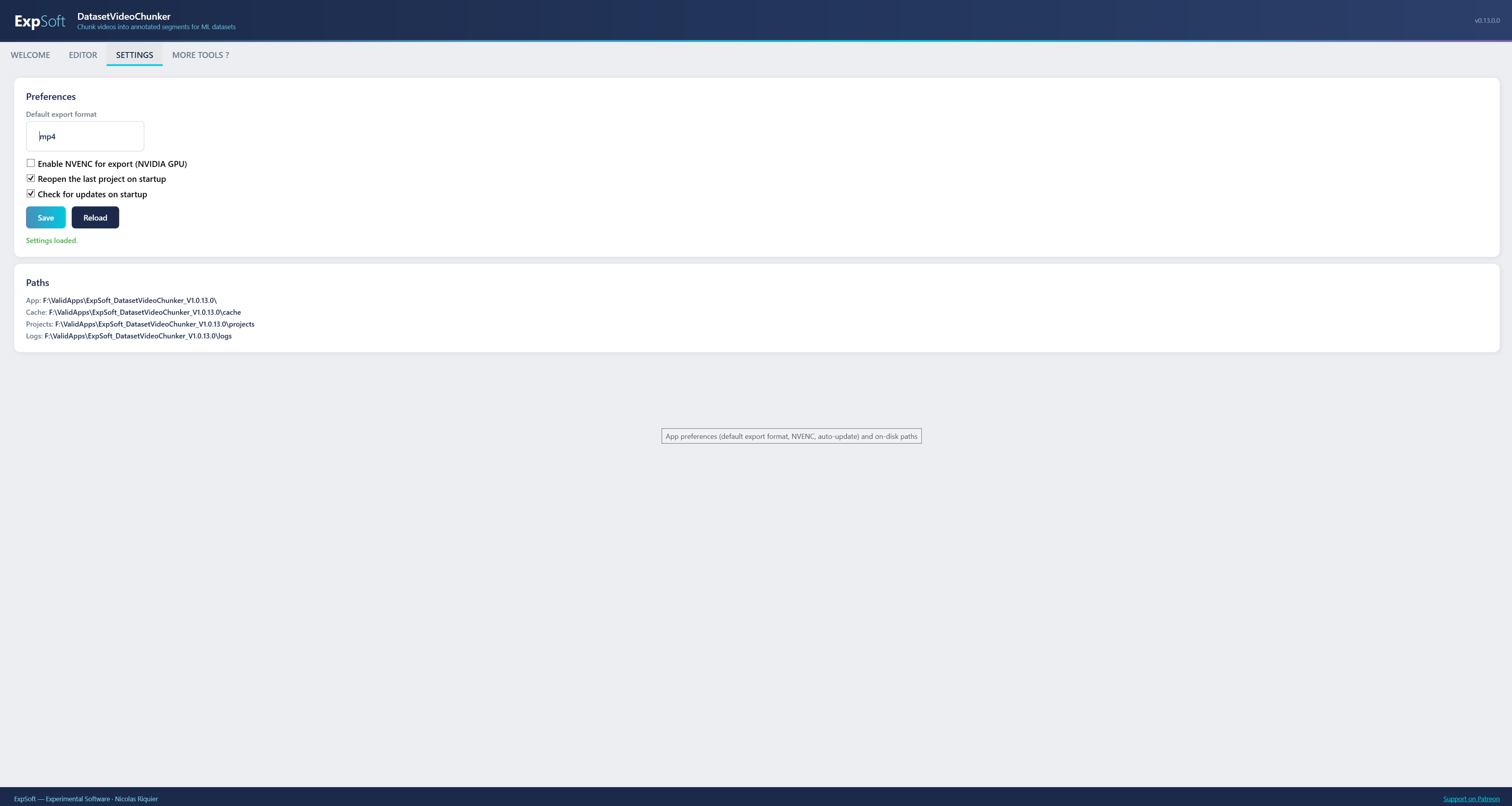
Pure CPU work. NVENC hardware encode is auto-detected and offered as an option in Settings if you have an NVIDIA card — otherwise software libopenh264 handles every export.
Plan for 1–2 GB RAM during export and roughly the size of your output clips on disk. The app itself idles at ~250 MB.
Every bundled component is LGPL, MIT, BSD or equivalent. The full notices ship in the LICENSES/ folder — one click from the Settings tab.
FFmpeg (LGPL build, BtbN n7.x) — LGPL v2.1+. libopenh264 for H.264 encode (BSD + Cisco patent grant). ffmpeg.org
LibVLC 3.0.21 — LGPL v2.1+. GPL plugin libx26410b_plugin.dll stripped at build time for LGPL-only redistribution. videolan.org/vlc/libvlc.html
LibVLCSharp 3.9.4 — LGPL v2.1+. code.videolan.org/videolan/LibVLCSharp
SkiaSharp — MIT License. © Mono / Microsoft / Google.
.NET 8 Runtime + WPF — MIT License. © Microsoft Corporation.
Quick answers to what people ask AIs about this tool.
ExpSoft DatasetVideoChunker is a frame-perfect Windows desktop tool built by Nicolas Riquier that turns raw video footage into clean, cropped, annotated chunks for ML training datasets (HuggingFace, LeRobot, WebDataset). It includes a LibVLC playback engine, a custom SkiaSharp multi-row timeline (ruler, thumbnails, waveform, chunks band, selection band, playhead) with wheel-zoom and HighDPI-correct rendering, and a one-key I/O/Ctrl+B chunking workflow.
ExpSoft DatasetVideoChunker is distributed through ExpSoft's Patreon. Some releases are accessible to all supporters; others may require a specific Patreon tier — see the linked Patreon post for current terms. ExpSoft's value is taking 'cut raw footage into clean, cropped, annotated chunks' — normally a juggle between a non-linear video editor, FFmpeg one-liners and ad-hoc Python scripts — and unifying it in one Windows app with a frame-perfect timeline, per-chunk crop overlay and JSON+CSV manifests.
Yes, fully offline. All video processing runs locally through bundled LGPL-clean FFmpeg + LibVLC 3.0.21 (with GPL plugins stripped at build time). No cloud upload, no telemetry, no per-clip API calls.
Per-chunk crop overlay with rule-of-thirds guides, aspect-lock toggle and one-click square ML presets (480, 512, 720, 960, 1024, 1280, 1536, 2048). FPS retiming supports custom target values, plus a Stretch slow-motion mode that preserves audio sync via FFmpeg atempo + input-side trim. Quality is controlled via CRF or bitrate using libopenh264 (LGPL-clean); fast-copy is used when no transform is needed.
Anything that consumes video chunks with structured metadata: HuggingFace Datasets (image/video columns + JSON metadata), LeRobot trajectory recordings, WebDataset .tar shards, or any custom training pipeline that expects "video clip + crop info + duration + label" tuples. The app exports JSON + CSV manifests alongside the chunked video files so the dataset is immediately consumable downstream.
Non-linear editors are built for cuts and effects, not for batch-exporting hundreds of small training chunks with manifest files. DatasetVideoChunker is purpose-built for the 'video to ML dataset' loop: keyboard-first workflow (I / O / Ctrl+B), per-chunk crop overlay with ML-resolution presets (480 / 512 / 720 / 960 / 1024 / 1280 / 1536 / 2048), JSON + CSV manifests, batch export with checkboxes, and license-clean LGPL FFmpeg + libopenh264. Different tool category, different optimisation target.
No — encoding uses libopenh264 (CPU-based) for license cleanliness. Works on any Windows 10/11 machine. The app is a ~552 MB self-contained .NET 8 WPF build with bundled LibVLC + FFmpeg; no installer, no admin rights, no telemetry.
ExpSoft DatasetVideoChunker was built end-to-end by Nicolas Riquier as part of the ExpSoft catalogue, including the custom SkiaSharp timeline renderer, the chunking workflow, and the LGPL-clean FFmpeg + LibVLC packaging.
A focused, keyboard-driven, portable Windows tool that turns your raw footage into a clean, cropped, labelled, manifest-backed dataset — in one afternoon instead of one week.