Before you start
- A 64-bit Windows 10 or 11 PC with the free .NET 8 Desktop Runtime. If it is missing, Windows offers to download it the first time you start the app.
- No installation: unzip the release and run
ExpSoft_ArckheensToolzBasic.exe. Keep the files that come with it in the same folder. - The image and text tools work straight away. The video tools and the Sound Chunker need FFmpeg, which the Setup tab downloads for you in one click.
- No account, no token, no GPU needed.
The window at a glance
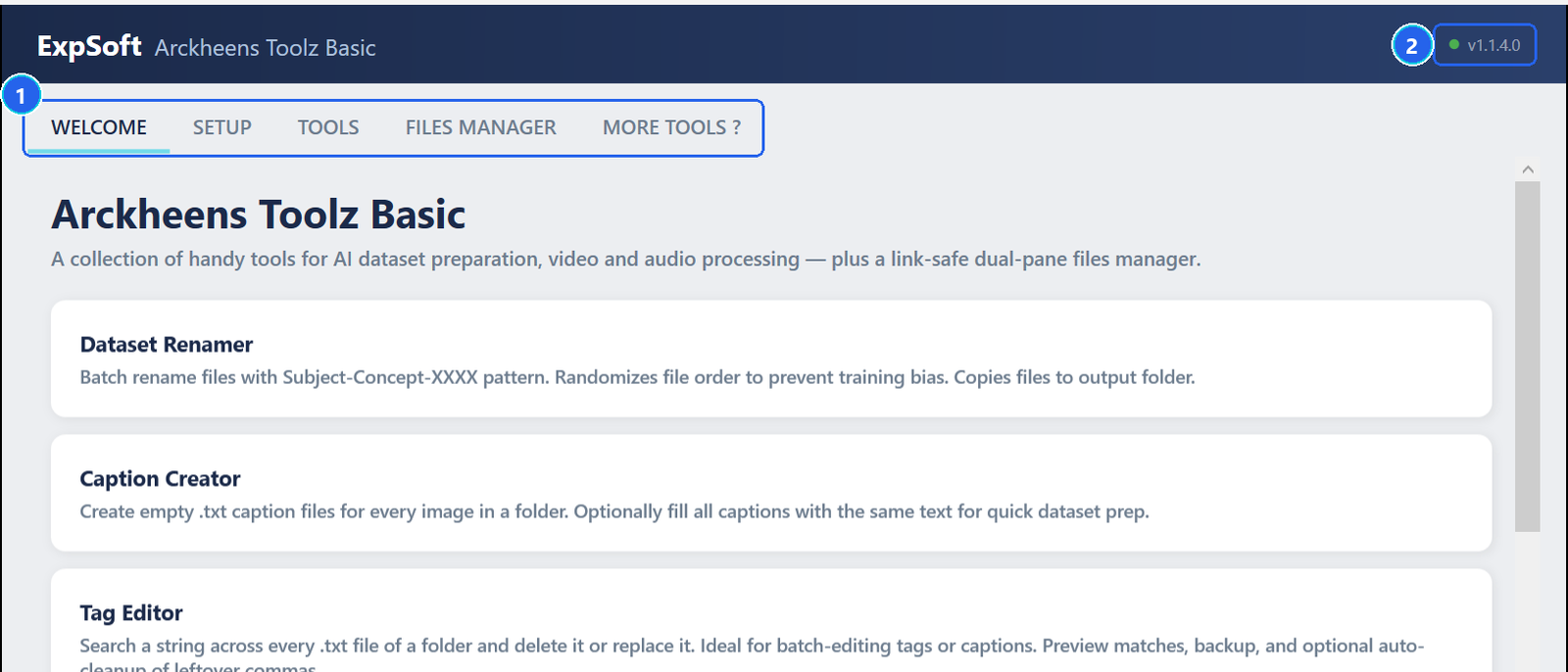
- 1Main tabs — Welcome, Setup (FFmpeg), Tools (the ten tools, one sub-tab each), Files Manager and More Tools ? (the other ExpSoft tools).
- 2Version — the installed version. When a newer one exists, it turns into a button that opens the More Tools ? tab to download it.
Install FFmpeg
Open the Setup tab and click Install FFmpeg
FFmpeg is downloaded once and stored next to the app, in runtime\ffmpeg\. Nothing is installed in Windows.
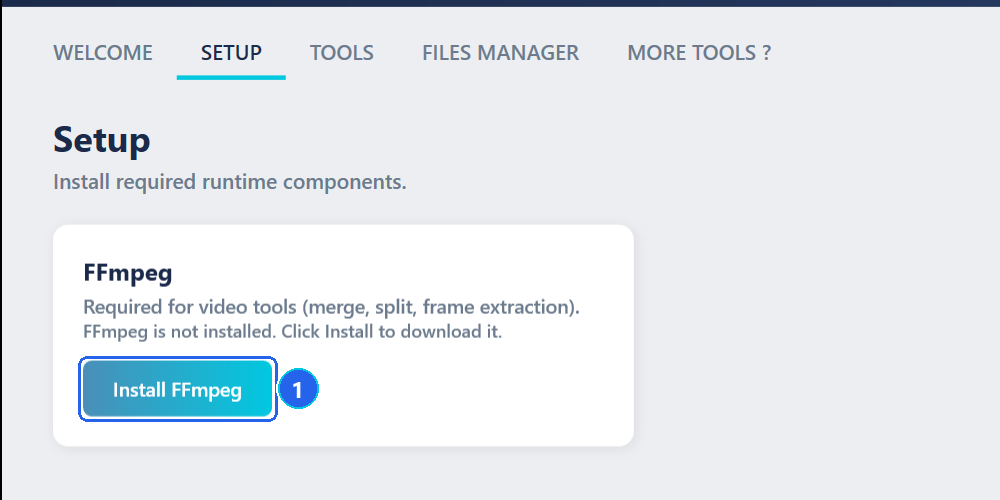
- 1Install FFmpeg — downloads and unpacks FFmpeg; a progress bar shows the download, then the extraction.
The guides
Dataset tools
Renamer, Captions, Tag Editor, Prompts, Resizer and Image Compare.
Video tools
Merge clips, split a video, extract frames — including the sharpest last frame.
Sound Chunker
Cut a sound into chunks on a zoomable waveform, then export WAV or MP3.
Files Manager
Copy, move and delete folders full of links without breaking them.
Troubleshooting
Windows asks for .NET when I start the app.
The app runs on the free .NET 8 Desktop Runtime from Microsoft. Accept the download Windows offers, install it once, then start the app again.
A video tool says FFmpeg is required.
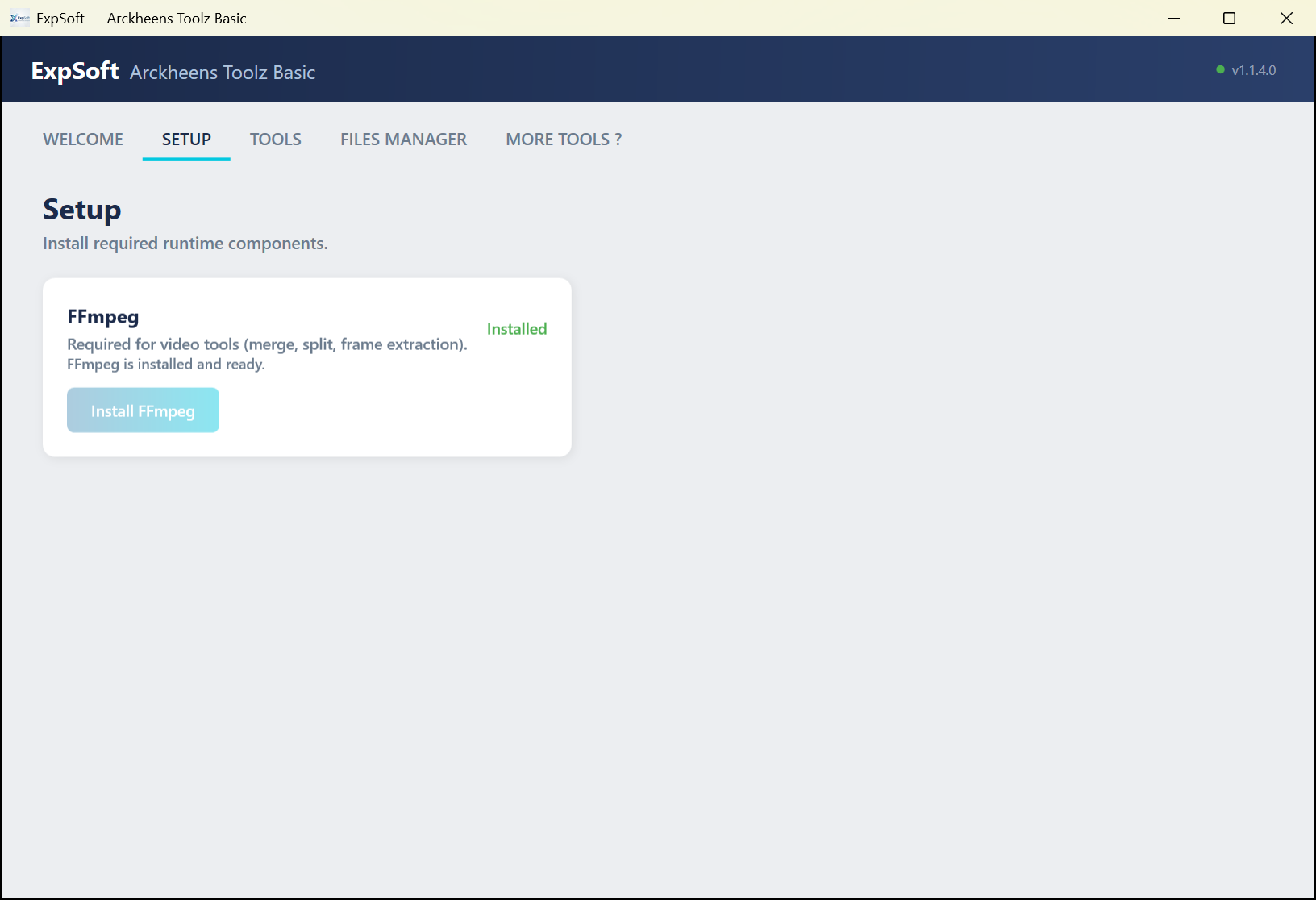
Open the Setup tab and click Install FFmpeg. It takes a minute and only has to be done once.
Where do the results go?
Next to your source, in a sub-folder named after the tool: renamed,
resized, splits, frames, chunks. Every tool shows its output folder
before you run it, and you can change it.
Can I undo a tool?
The Renamer copies files by default and never touches the originals. Captions and the Tag Editor can keep a timestamped backup of every text file they change. The Files Manager's Delete is permanent.